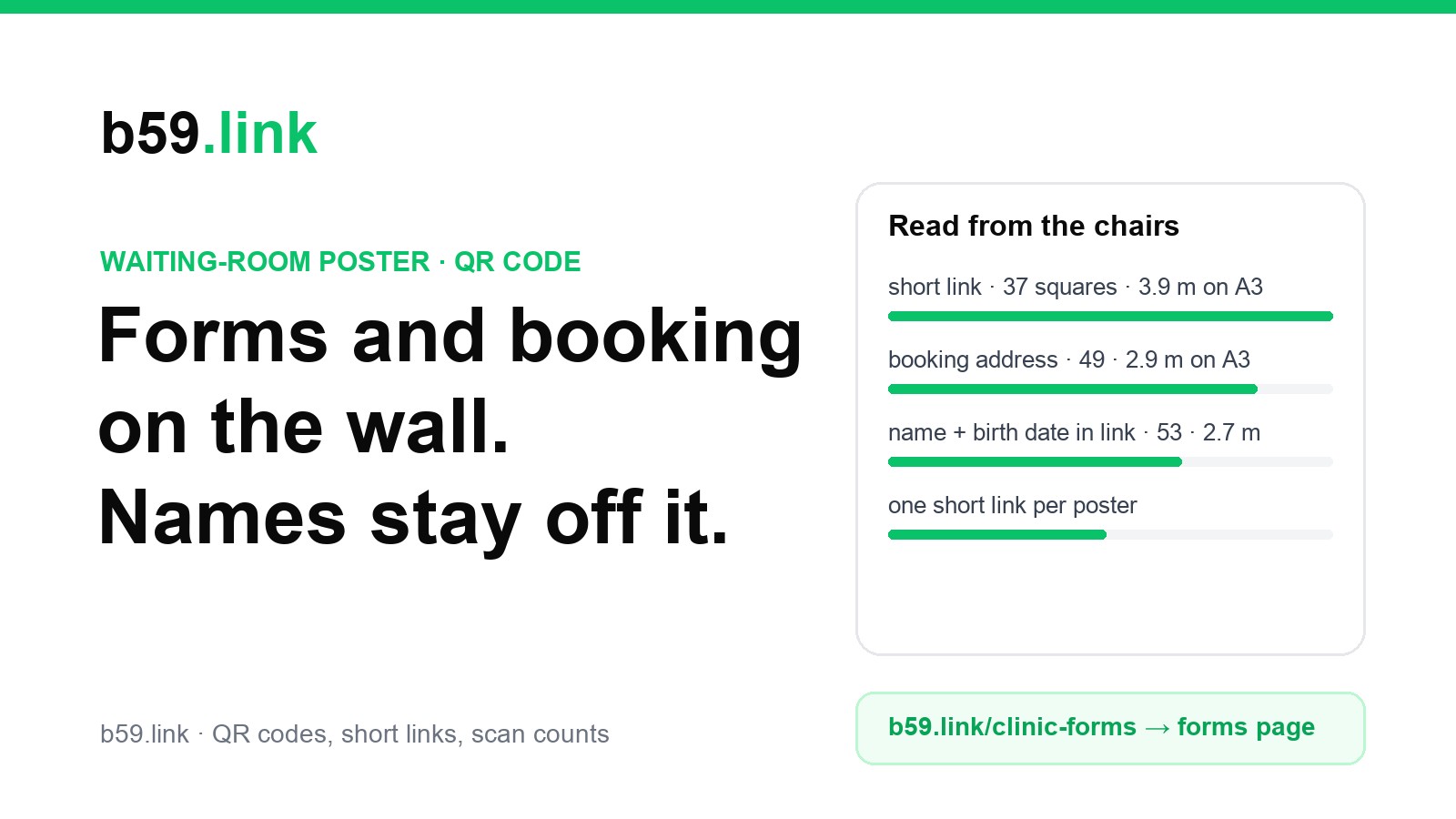
A waiting room is a captive audience with a phone in hand. People sit for ten minutes looking at the wall, which is why practices, dental surgeries, physio rooms and vets put a QR code on the poster: new-patient forms, online booking, repeat prescriptions, a feedback form. It is also the one printed place where the wrong thing in the code can expose someone's health information to the whole room.
This guide covers what patients actually scan while they wait, how big the code must be to read from a chair, the line that must never be crossed (nothing about a person in the code or the link), what happens to the printed codes when the booking system changes, and why each poster should have its own short link. The sizes are our own calculation; the legal points are sourced at the end and are not legal advice. Ask your data protection officer or compliance lead before you print.
What patients scan while they wait, and what each code should open
Think of each printed place as a different reader in a different mood. Someone at the reception desk wants to be seen. Someone in a chair has time. Someone leaving wants to book the next visit and be gone.
NHS England's toolkit for telling patients about online GP registration (last edited 12 March 2026) suggests the same: a QR code patients can scan around the reception or queuing area, pointing at the surgery's own online form, on an A4 poster. It gives no size for the code, which is where most posters go wrong.
Whatever it opens, it should open a public page that explains and links on, not a form already filled in for one person. The page on your website or your booking system can ask the patient to sign in or enter their details there, on their own phone, over a connection to the page's own server. The poster only gets them to the door.
How big the code has to be to read from a chair
Seats in a waiting room are rarely closer than 2 m to the wall and are often 4 m or more across a corner. Phone cameras do not zoom well on a printed square, so the size is set by distance: the camera needs about 3 pixels for each square of the code. Using the figure from our slide article (a 1920-pixel frame across a 67 degree view sees about 1,445 pixels per metre of wall at 1 m), we encoded six kinds of link at error correction level M with segno 1.6.6 and worked out the space each one needs, margin included.
Turned round, here is how far away a phone can be for a code of a given printed size (margin included):
So a 150 mm code (about the width of an A5 card, margin included) holding a short link is read from 1.95 m, which suits a poster over the seats but not a code across the room. For chairs 3 to 4 m from the wall, either fill an A3 poster with the code or move the code to a smaller sign near the seats. A long booking address with tracking tags in it loses a third of the distance a short link gives, for the same print. Our article on printing a QR code that scans covers the quiet zone and contrast.
These are good-light, dark-on-white figures. Waiting rooms add two problems: glossy frames and laminate throw a bright streak across the code under ceiling spotlights, and posters get hung behind plants or a coat rack. Matte print, no glass over the code, at a height between sitting and standing eye level (around 1.2 to 1.5 m).
The line not to cross: nothing about a person goes in the code or the link
A QR code is not private. It is printed on a wall in front of everyone, photographed, and the address inside it is plain text that anyone's phone shows before opening. Everything in the address is therefore public, and it is also copied into places you don't control. The row in the table above with name, birth date and phone is a made-up example of what some systems generate when they send a personal link; it is shown so you can see the code is only 53 squares across against 37 for a plain short link, and is just as easy to read off a wall.
Where an address goes after the scan, with no one deciding it: the phone's browser history, the booking system's server logs, the referrer that the next page may see, and any link-shortening service in between. A short link adds one more place: b59.link records, for each click, the time, the IP address, the browser's user agent, the page the click came from and a rough place worked out from the IP (country, city, a map point rounded to about 10 km), as its privacy page says. That is why the short link must hold nothing but the destination and why the destination page should be a public page, not a form with a patient's name in the query string.
The legal lines are different in each country, and the specifics change, so here is what we could source and when:
In short: never put an identifier in the address; keep the public page free of third-party tracking tools beyond what you can justify; put anything that needs a sign-in on the booking or portal side, where your agreement with the vendor applies; and decide, with your compliance lead, whether a scan count that holds an IP address is acceptable for a poster in a clinic. If it is not, count scans from the booking system's own source report instead and leave the poster link plain. We did not see the HHS page itself (the site refused our request), so the US row rests on law-firm summaries of the order and the bulletin; check hhs.gov for the current text.
Forms before the visit: what the evidence does and doesn't say
Vendors of digital intake say paper forms in the waiting room take patients 15 to 20 minutes (Cortico Health; Fuse Insight gives a similar range) and a digital form 5 to 10 minutes (Cortico). Typing paper forms into the record is put at 8 to 12 minutes of staff time per patient (Dialog Health). One vendor reports that 67 to 77% of patients complete forms before arriving when they are sent beforehand. We found no independent study of QR intake against paper, so treat these as the sellers' figures.
Used as inputs for a small practice with 12 new patients a week, the vendors' own numbers give:
The poster helps with the people who arrive without having done them, which is why the new-patient forms code belongs at reception and by the seats. The better result comes from also sending the same link before the first visit. Keep paper forms at reception: not everyone has a smartphone, a data allowance or reading glasses at that moment, and a GP practice poster example from the Wessex LMCs offers printed copies at reception alongside the QR link for the same reason.
When the booking system changes, the printed code must not
Practices change booking and online-consultation systems on contract dates, not when the posters run out. Everything on the old vendor's domain stops working with the contract: the address on the poster belongs to the vendor, not to the practice. A poster on every wall, a card in every information pack, a code on the website's own printable leaflet, all printed with the old address.
Two ways to keep the code working. If the practice has its own website, put a page there for each job (/patients/new-forms, /patients/book, /patients/repeat-prescription), print that in the code and let the page link on to the current system; a code that holds your own address works for as long as you keep the domain. If it has no site of its own to carry that, use a short link and change where it points when the system changes. We should say plainly that b59.link short links sit on our domain (there is no custom domain on a b59.link link), so a patient scanning sees b59.link in the address bar; print the short address under the code in words and say what it opens.
Our article on the class timetable QR code goes through the switch-over routine for a booking system move; the steps are the same here: list every printed link, change each destination the day the new system goes live, check them all. One thing is different in a surgery: a code that opens nothing or an error is not just an annoyance, it can mean a missed repeat prescription, so name a person to scan every poster on switch day.
One link per poster, to see which ones get used
A practice usually has several posters and handouts that look the same. If they all hold the same address, a scan count only says that someone scanned. One short link per poster says which printed place works, so you stop printing the ones nobody scans.
Name each short link after the place, not the person or the date, and never reuse one. The same pattern is in our article on one short link per channel. Counts are small in a small practice, so judge them over a month, and remember that staff and regular patients scan the poster too: the numbers show where people look, not who they are, and that is all you should want from a poster.
One more check, because a waiting room is a public place: look at each poster once a week. Stickers can be placed over a printed code; our piece on fake QR code stickers describes how to check one. A short address printed in words under the code lets a patient see where it should lead.
What to print beside the code
A code with no words around it gets scanned less and by fewer of the people who need it. Put three things beside it: what it opens ("New-patient forms, about 5 minutes"), the short address in words, and a line for people who do not use a phone ("Paper forms are at reception"). Leave out names, dates, appointment numbers and anything about a condition. A poster for a sexual-health, mental-health or addiction service especially should say what the page is for in plain terms, not name the service in the address, so that the address in a patient's phone history does not say more than they chose.
Checklist
1. One job per poster: forms, booking, repeat prescriptions or feedback, not all four.
2. The code opens a public page with no sign-in first; the sign-in happens on the booking or portal side.
3. No name, birth date, phone, ID or reason for visit in the code or the link, ever.
4. A short link, or a page on your own domain, never the vendor's address.
5. Size by distance: a 150 mm code with a short link reads from 1.95 m; chairs at 3 to 4 m need A3 or a sign near the seats.
6. Matte print, no glass over the code, 1.2 to 1.5 m from the floor.
7. The short address and what it opens printed in words beside it, and paper forms at reception.
8. One short link per poster, named after the place, never reused.
9. A booking-system change means changing each destination the day it goes live, and checking every poster.
10. Decide with your compliance lead whether a scan count that stores an IP address is right for a clinic.
Make one short link and QR code per poster, change where each points when your booking system changes, and see which posters get scanned. Free.
Make a QR codePrinting the same offer in several places? Make one tagged short link per place in one go.
Open campaign linksSources
- QR versions and sizes: our own encoding with segno 1.6.6 at level M, 4-square margin; reading distance at 3 camera pixels per square, 1,445 px per metre at 1 m (1920 px across 67 degrees), as in our slide QR article. The addresses encoded are made-up examples (oakfield, example-booking.com).
- NHS England, 'Tell your patients about online GP registration' (QR code around reception or queuing area, A4 poster, link to the surgery's own online form), last edited 12 March 2026.
- ICO and BMA advice on GP practice privacy notices (website plus posters in waiting areas; template poster), via the BMA page 'GDPR privacy notices for GP practices'; Wessex LMCs, 'Examples of posters for display in patient facing areas within a GP practice' (April 2026): printed copies at reception beside a QR link.
- HHS OCR bulletin on online tracking technologies (December 2022); American Hospital Association v. Becerra, N.D. Tex. No. 4:23-cv-01110-P, 20 June 2024 (vacated the point on IP address plus an unauthenticated public page; authenticated pages not vacated); OCR withdrew its appeal 29 August 2024: from law-firm summaries (Quarles, Mondaq, JD Supra, Baker Hostetler); hhs.gov was not reachable for us.
- HIPAA identifiers: 45 CFR 164.514(b)(2).
- Intake time and completion figures: vendor material from Cortico Health, Fuse Insight, and Dialog Health, read 7 November 2026; no independent study found.
- b59.link click data: our privacy page (time, IP address, user agent, referring page, rough place).