Most QR codes that fail in the wild didn't fail because of the phone. They were printed a little too small, for a link that was a little too long, with a menu border or a photo running right up to the edge. On screen, at 100% zoom, every one of them looked fine.
This is the check we wish we'd done before our first batch of printed cards. There are only four things to get right, and you can work out three of them before you open the design file.
1. Size it for the distance: the 10:1 rule
The rule of thumb printers use is simple: the code should be at least a tenth as wide as the distance it's scanned from. A business card held 20 cm from the phone needs a 2 cm code. A poster read from 1 m away needs 10 cm. A banner across a room at 5 m needs half a meter.
There's also a floor. Below about 2 cm (0.8 in), ink spread, paper texture and a slightly wobbly hand add enough noise that codes start to misread even up close. So a sticker on a jar lid isn't a 1 cm code just because people will hold it close.
The part most guides skip: the 10:1 rule quietly assumes a simple code. Which brings us to the link.
2. The link decides how many squares there are
A QR code is a grid of black and white squares (modules). The more characters you put in, the bigger the grid. The smallest code, version 1, is 21 × 21. Each version up adds four squares a side, all the way to 177 × 177 at version 40. The QR standard fixes how much each version holds: at the usual Medium error correction, version 2 holds 26 characters of a link, version 3 holds 42, version 7 holds 122.
Here's what that looks like with a real menu link, the kind marketing tools produce once tracking tags are added:
Print both codes at the same width and every square in the long one is about 45% smaller. The phone has to resolve those squares, so the long code needs either a bigger print or a closer scan. In the calculator below we scale the 10:1 rule by the number of squares: for a menu on a table (35 cm away) the long link needs a 6.3 cm code, the short link 3.5 cm.
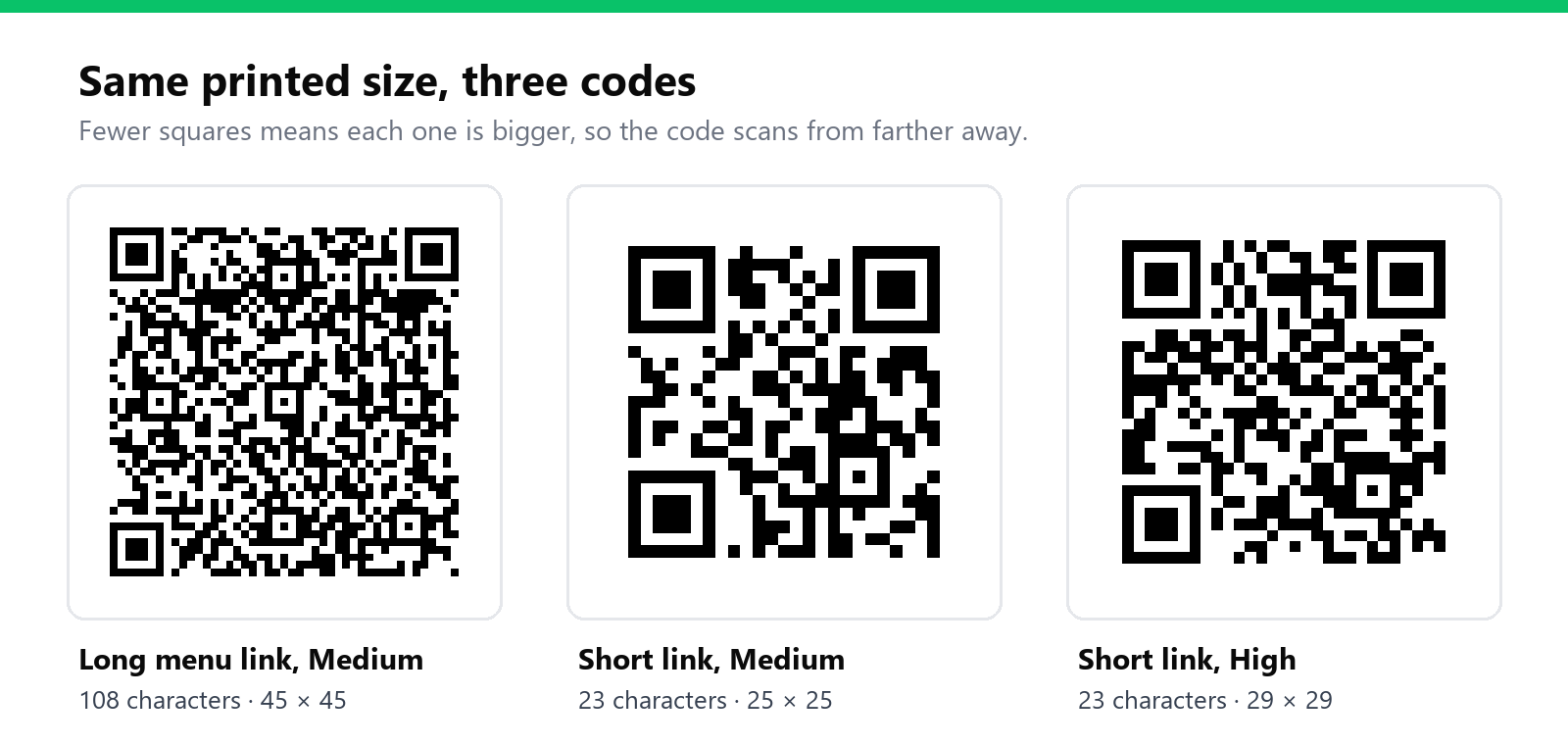
So the cheapest way to make a code easier to scan is often to put less in it. Drop tracking tags you won't read. Use a shorter path. Or put a short link in the code and keep the long address behind it, which also means you can fix a typo after printing if you made the link while signed in.
3. Leave the quiet zone alone
Every QR code needs a blank margin around it, four squares wide on every side. Denso Wave, the company that invented the QR code, puts it plainly: the code "requires a four-module wide margin at all sides". It's how the reader finds where the code starts.
This is the one designers break most often, because a tight crop looks neater. A colored panel, a thin frame, text set right against the edge or a background photo all eat into it. If your 45-square code is 6.3 cm wide, its quiet zone is 5.6 mm on each side, so the space you reserve on the layout is closer to 7.4 cm. Our generator adds a four-square margin to every image by default (margin in the QR API); if you trim the white off in a design tool, you've removed it.
While you're there: dark squares on a light background. Plenty of phone cameras now read inverted (light on dark) codes, but older phones and some in-app scanners still don't. Low contrast fails the same way: mid-grey on beige looks elegant and scans badly in a dim restaurant.
4. Error correction: more isn't always safer
QR codes carry spare data so they can be read when part of the code is missing. There are four levels. Low recovers about 7% of the code, Medium 15%, Quartile 25%, High 30%. Denso Wave's own guidance is that Medium is the one most often chosen, with Q or H for codes that will get dirty, like labels in a factory.
The catch is that the spare data needs room. Our short link is 25 × 25 at Medium and 29 × 29 at High. The long menu link goes from 45 × 45 to 57 × 57. If the printed size stays the same, every square gets smaller, so High error correction on a small code can make it harder to scan, not easier.
Use High when part of the code will really be covered or damaged: a logo in the middle, a label on a crate, a sticker outdoors. For a clean printed code with nothing on top of it, Medium gives you bigger squares at the same size.
Work it out before the print order
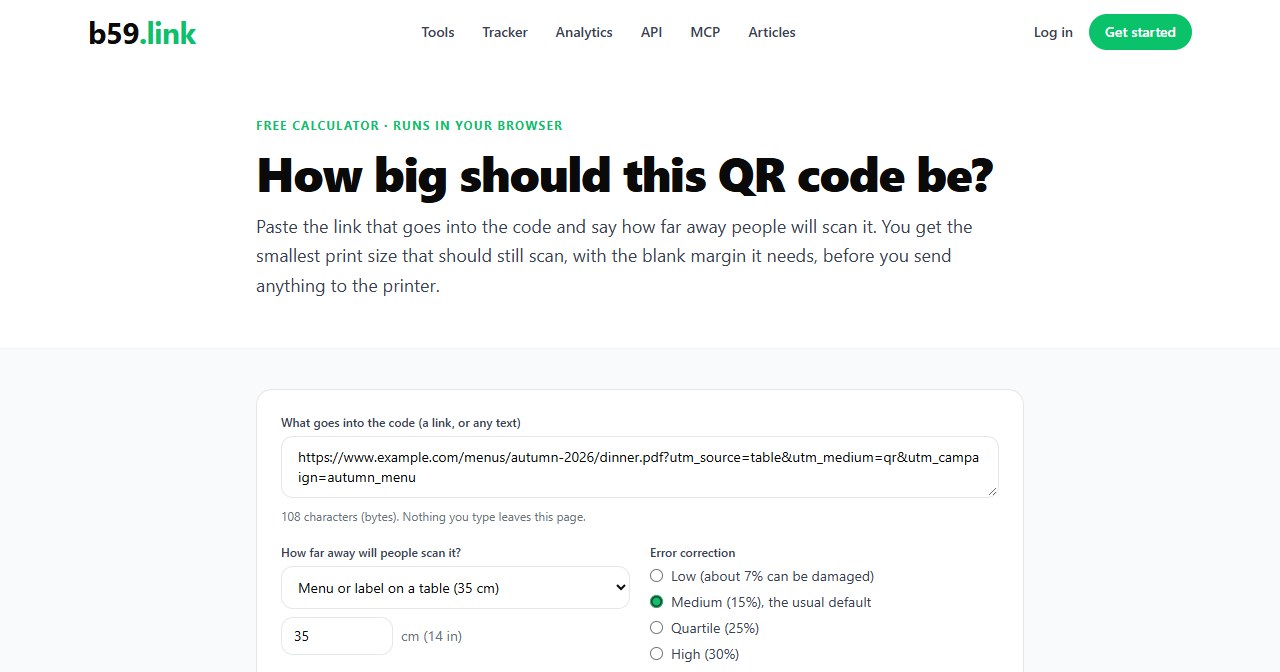
We built a small calculator for exactly this. Paste the link you're about to print, pick where it'll be scanned from (business card, table, poster, shop window, banner) and the error correction level. It tells you the QR version, the grid, the size of one square, and the smallest print size with the quiet zone included. If a short link would shrink the code, it shows by how much. Everything runs in your browser; the link you paste isn't sent anywhere.
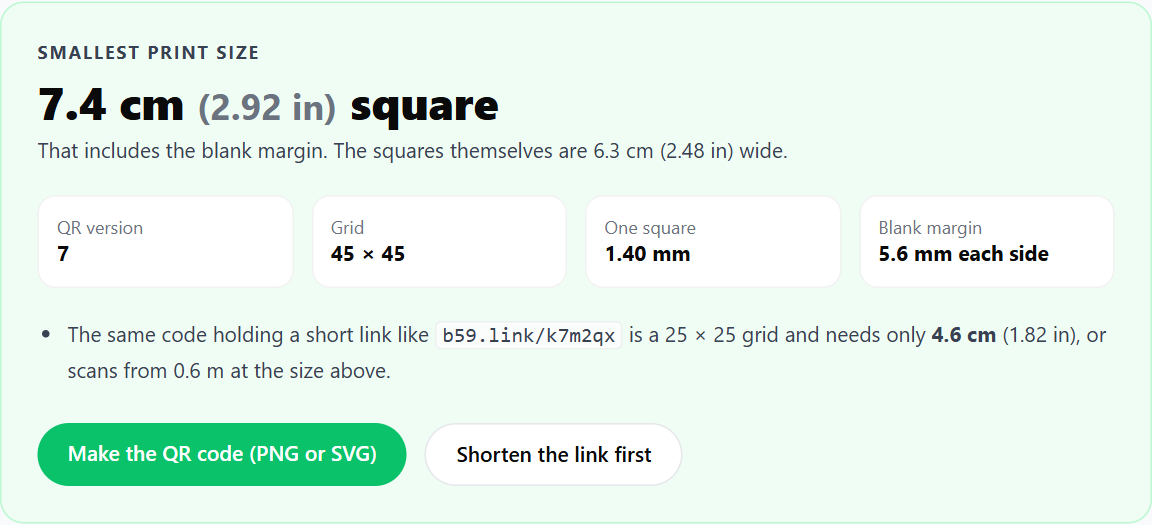
Treat the number as the minimum, not the target. Glossy paper throws glare, a code wrapped around a bottle loses its edges, and a dim room or a cracked camera lens all need more room. Then do the one test that catches everything else:
Print a single sheet at the real size, on the real paper. Stick it where it'll live. Scan it from the real distance with the oldest phone in the office, in the worst light you expect. While the camera shows the address, read it: it should be your address, or a short link you control, and not a generator's redirect domain. If it's the latter, our QR expiry check explains why that matters before the box of menus arrives.
If you're printing codes to find out which flyer, table tent or poster brings people in, give each one its own link. We wrote up how in one short link per flyer, post and podcast.
Sources: Denso Wave, error correction levels and code area and quiet zone; capacity per version from ISO/IEC 18004, checked against the open-source qrcode library that renders b59.link's codes.
Paste your link, pick the scan distance and see the smallest size that still scans. Free, runs in your browser.
Open the QR print size calculator