The last slide of a talk is the one that stays up longest. While people clap, ask questions and pack up, it sits there, and a QR code on it is the easiest way to hand over the slides, a sign-up or a feedback form. Most of those codes are scanned by the first few rows only, because they're a postage stamp in the corner of a slide shown on a screen 20 metres away.
This guide works out how big the code has to be for the back of the room (with numbers for real room sizes), how long people need to scan it, what it should open, why the link has to keep working when the recording goes up months later, and how to use one link per talk to compare events.
How big the code must be on the slide
What decides whether a phone can read a projected code is the viewing ratio: how far the viewer is from the screen, divided by the screen's height. The AV industry's screen sizing standard (ANSI/AVIXA V202.01, known as DISCAS) is built on the same ratio, and its tables for ordinary presentations run out to viewers 10 times the image height away. Plenty of hotel function rooms are past that.
The phone needs each square of the code to cover at least 2 pixels of its camera frame (Google's barcode library says 2; a 2022 study in Sensors puts the practical floor at 3 to 3.5). We tested the 2-pixel figure ourselves: codes drawn at 2 pixels a square, with camera blur, noise and JPEG compression added, decoded every time; at 1.5 pixels they started failing. Projected codes are also washed out, with black squares nowhere near black in a lit room. We tested that too: with the dark squares lifted to 45% grey, codes still read at 2 pixels a square, and failed badly at 1.5.
Taking a phone's main camera (26 mm equivalent, about 67° across) and a 1,920-pixel preview frame, here is how much of the slide's height the code (without its white margin) has to fill. A short link like b59.link/talk-oct makes a code 25 squares wide; a typical shared-slides address of about 100 characters makes one 41 squares wide.
To turn that into rooms: conference chairs are set on 36-inch (0.91 m) centres back to back (the Pennsylvania Convention Center's standard), and we assumed 3 m from the screen to the first row. A 3-metre-wide 16:9 screen is about 1.7 m high; a 4.4 m one is 2.5 m high.
So:
- A corner code works for the front rows only. At 10-15% of the slide height, row 5 can scan it and row 20 can't, on any of these screens.
- For the back of a large room, the code is the slide. Half to two-thirds of the slide height, centred, with the short address underneath in big letters and nothing else competing.
- The long address can't be rescued by size from row 20 of a small-screen room: it would need to be taller than the slide. A short link fixes that.
- Tell people to zoom. Pinching to 2× halves the size needed. 'Zoom in if you're at the back' is a sentence worth saying.
On a standard 16:9 PowerPoint slide (13.333 × 7.5 inches), 60% of the height is a code 4.5 inches tall. That looks huge on your laptop. It isn't, at the back of the room.
How long people need
Longer than the speaker thinks. In a US Census Bureau usability test (2024), 20 people scanned a QR code to open a survey on their own phones, one at a time, and took 12.4 seconds on average. All of them managed it. An audience is slower than a lab: phones are in bags and pockets, cameras need unlocking, someone's head is in the way, and nobody starts until they've seen others do it.
What that means in practice:
- Stop talking for 30 seconds with the code up. It feels long. It's the time it takes.
- Leave it on through the questions. The Q&A is the longest the slide will ever be up, so make the last slide the code, not 'Thank you' or 'Questions?'.
- Show it at the start too. A presenter guide from the American Association of Physics Teachers suggests putting the links on the first slide as well, so people can follow along and nobody has to rush at the end.
- Say the short address out loud and print it under the code. Some people can't scan (no phone, no data, or a camera that won't focus), and accessibility guides from universities like UW Bothell say to put the address in text next to every code. Our article on links people hear rather than see has the rules for names that survive being spoken.
What it should open
One page per talk, and the code opens that page. Not the slide file directly:
Feedback is worth asking for in the room. Web surveys of meeting and conference evaluations averaged a 57% response rate across the studies Tamara Archer compiled for the Journal of Extension (2008). The International Union for the Scientific Study of Population got 60.4% on a survey sent three weeks after its 2009 conference, against about 25% for an earlier one sent three months after. The sooner you ask, the more people answer, and the soonest is while they're still sitting there.
The link has to work when the recording goes up
Talk recordings arrive late and stay online for years. FOSDEM 2026 took place on 31 January and 1 February; the organisers announced all its videos processed and released on 26 April, almost 12 weeks later. PyCon US 2025 ran in mid-May, and the recap that all recordings were on YouTube came at the end of August. Someone pausing that video in 2028 to scan your code is a real visitor.
That's the case for a short link you control in the code rather than the address of the deck itself. Shared-deck links break when the file moves to another drive, the account is closed or the sharing setting changes, and a conference platform's page goes when its licence ends. With a short link you point it at wherever the slides live now. Our article on retiring a page without breaking the links covers where to send old links when a talk's page is truly done; a 'this talk, and where to find my newer ones' page beats a 404.
Slides vs handouts
If there's a printed handout or programme, put the code there as well. On paper read at arm's length, a 2 cm code is plenty, people can scan it at any point, and nobody at the back misses it. Our guide to links in printed handouts covers keeping printed references alive.
One link per talk, to compare events
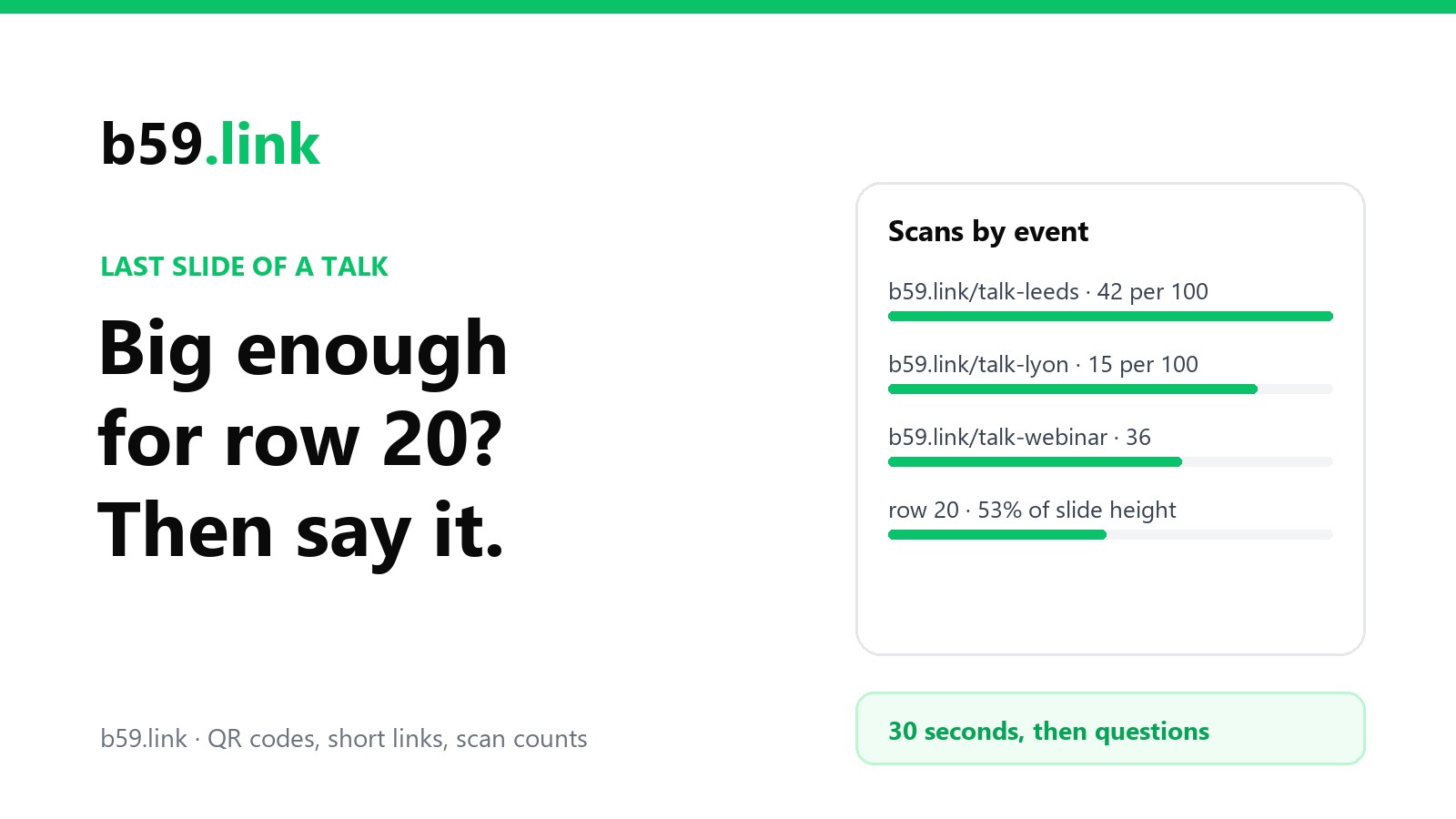
If you give the same talk at several events, give each one its own short link (b59.link/talk-leeds, talk-lyon), all opening the same talk page. Then you can see which event's audience actually followed up, and the scans that come in weeks later, from the recording or from someone's photo of the slide:
The per-100 column is the fair comparison: the big hall brought the most scans and the lowest share, which is what a code too small for row 20 looks like. Making a set of links by hand gets tedious; the campaign link tool makes one per event in one go, and our article on one short link per channel explains reading the counts. On b59.link each link's stats page shows clicks, visitors and the time of each, so the bump when the recording goes live is easy to spot, and you can leave out the scans you made while testing the slide.
Checklist for the last slide
1. Make one talk page: slides, links you mentioned, sign-up, feedback.
2. Make a short link per event pointing at it, lower case and easy to say.
3. Last slide: the code at half to two-thirds of the slide height, the short address under it in big letters, nothing else.
4. Put the same code on the first slide and on any handout.
5. Before the talk, stand at the back of the room and scan it off the real screen.
6. At the end: say the address, stop talking for 30 seconds, leave it up through questions.
7. Keep the link pointing somewhere useful for as long as the recording is online.
Make a short link and QR code for your talk page, one per event, and change where it points after the recording goes up. Free.
Make a QR codeSources
- AVIXA, ANSI/INFOCOMM V202.01:2016 'Display Image Size for 2D Content in Audiovisual Systems' (DISCAS) and AVIXA's DISCAS pages on viewing ratios.
- Google ML Kit, 'Scan barcodes with ML Kit on Android' (at least 2 pixels per module; 1280×720 or 1920×1080 input), updated October 2026; a peer-reviewed study in Sensors (September 2022) on a practical floor of about 3 to 3.5 pixels per module.
- Apple, iPhone 16 technical specifications (26 mm equivalent main camera); the 67° field of view and the tables are our calculation.
- Pennsylvania Convention Center, meeting space floor plans (chairs on 36-inch centres back to back).
- Microsoft Support, 'Change the size of your slides' (Widescreen 13.333 × 7.5 in).
- US Census Bureau, 'Usability of QR Codes as a Method to Access a Survey Using a Smartphone', working paper rsm2024-05 (13 August 2024): 20 participants, mean time on task 12.4 s.
- American Association of Physics Teachers, 'Electronic Access to Presentations' (2019); UW Bothell, 'QR codes' accessibility guidance.
- T. M. Archer, 'Response Rates to Expect from Web-Based Surveys and What to Do About It', Journal of Extension 46(3), 2008 (meeting/conference evaluations 57%); IUSSP, 2009 conference evaluation (60.4% at three weeks vs about 25% at three months).
- FOSDEM, 'All videos published' (26 April 2026); LWN on PyCon US 2025 recordings (25 August 2025).
- Our decode test: codes drawn with segno, blurred, noise added, JPEG at quality 70, decoded with zxing-cpp, 40 runs per cell, October 2026.