A common marketing trick seems harmless: you create one tidy short link for a promotion, and whenever you post it on Twitter, Facebook, or in a newsletter, you append UTM parameters to track where each click came from.
You paste short.link/deal?utm_source=twitter&utm_medium=social into a post, expecting that when a follower clicks, the shortener will forward those UTM tags to your real landing page.
If the shortener forwards them, Google Analytics records the visit under Twitter. If the shortener drops them, the visitor lands on your page with no campaign tags attached. Your analytics dashboard marks the traffic as "Direct" or "Referral", and your campaign tracking disappears without warning.
We wanted to know how common this is. On 10 November 2026, we tested 10 link shorteners and dynamic QR code redirect domains against four common URL patterns to see what happens when you append tracking parameters to a short link.
The test in thirty seconds
Here is what we found across the 10 services:
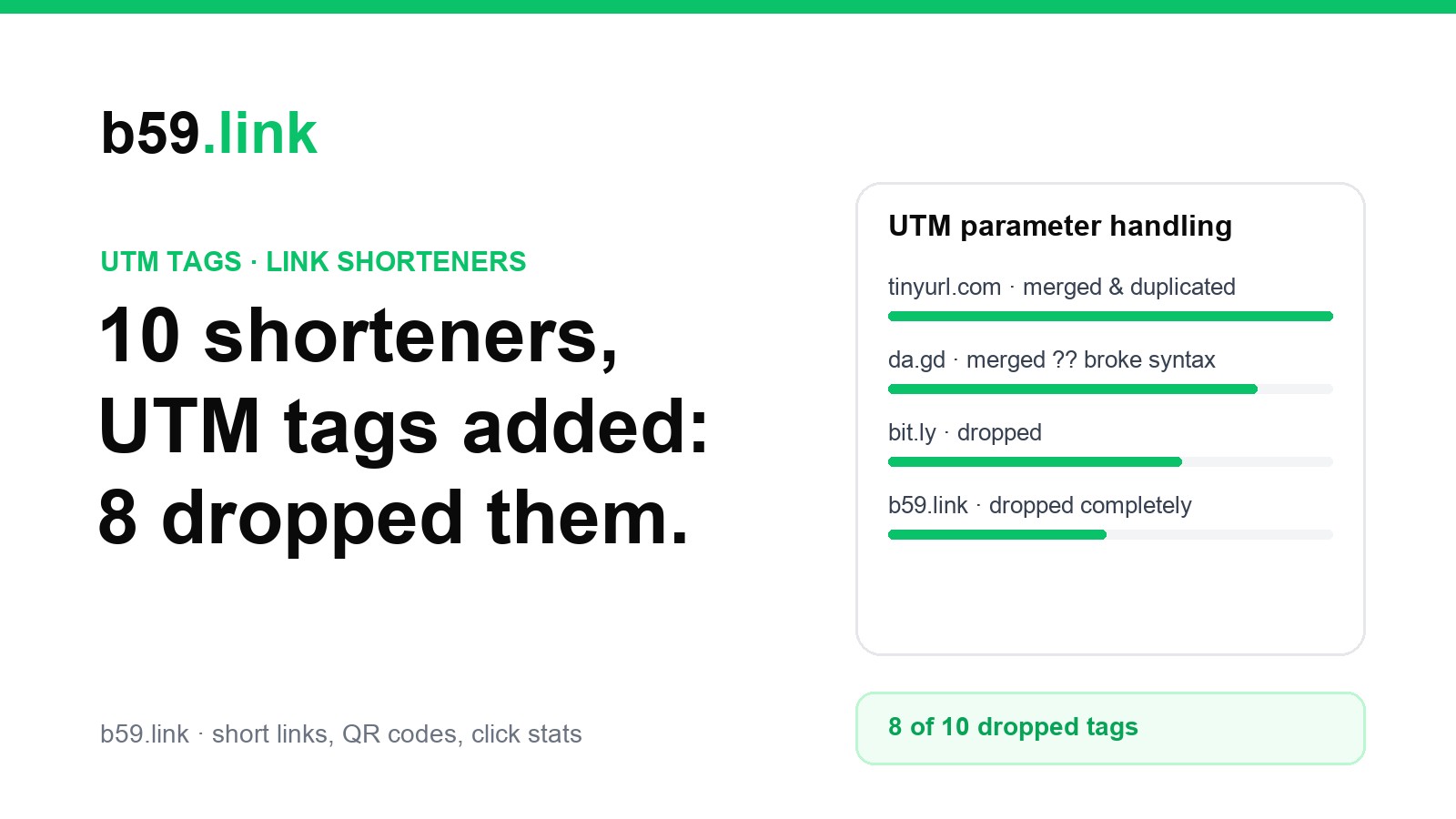
• 8 out of 10 dropped the UTM tags completely. Bitly, is.gd, Yandex's clck.ru, spoo.me, three dynamic QR code domains (qrco.de, qrs.ly, scnv.io) and our own b59.link sent the visitor to the stored address with none of the added tags.
• 1 service forwarded the tags but broke the address. da.gd passed them on, but when the destination already had a query it added a second question mark (?source=web?utm_source=twitter) instead of an &. When the destination had an anchor (#pricing), it put the tags after the #, where the web server never sees them.
• Only 1 merged them properly. TinyURL passed the tags on, put them before the # anchor and forwarded extra paths too. When the same tag key was already in the destination, it kept both.
The full comparison table
We made our own short links on the five services that let anyone make one (TinyURL, da.gd, is.gd, clck.ru, b59.link), one per test case, all pointing at example.com pages. For the other five we used a public short link each service already runs, and only tried the first case. Then we asked for each link with tags added and read the Location header the server sent back, without following it:
The four ways link shorteners handle your tags
When you inspect what redirect servers actually do, the behavior splits into four distinct patterns.
1. The complete parameter drop
Most link shorteners are built simply: when a request comes in for /slug, the server matches the slug in a database and immediately sends back Location: https://example.com/dest. It does not read the incoming request.query at all.
Bitly did the same with one of its own public links: the tags we added never showed up in the address it sent us to.
For QR code generators (like qrco.de, qrs.ly, and scnv.io), the same drop happens. If you generate a dynamic QR code and someone scans it via an app that appends tracking tokens, those tokens never reach your landing page.
2. The double question mark bug
If a shortener does attempt to pass parameters, it must inspect whether the destination URL already contains query parameters.
When we pointed a da.gd link at https://example.com/dest-with-query?ref=partner&source=web and requested it with ?utm_source=twitter&utm_medium=social&utm_campaign=black_friday on the end, the redirect header was:
The server just glued a ? and the new tags onto the address. A URL has only one ?; everything after the first one is the query, so your site reads source as web?utm_source=twitter and never sees a utm_source at all. utm_medium and utm_campaign still arrive, so the visit gets a medium and a campaign but no source.
3. The fragment trap
Many product links point to a section of a page, like https://example.com/dest-fragment#pricing. Under RFC 3986, the query has to come before the # fragment.
When we requested the test link with UTM parameters, da.gd appended the parameters to the very end of the string:
This breaks server-side analytics. Browsers do not send fragment identifiers (anything following #) in HTTP GET requests. Any server log or server-side tracking tool will see only https://example.com/landing, completely blind to your UTM tags.
4. Key collisions and duplication
What happens if your destination URL already had ?utm_source=newsletter, but someone clicked a link carrying ?utm_source=twitter?
TinyURL forwards both keys, so the address becomes ?utm_source=original_newsletter&utm_source=twitter&utm_content=banner. Which one counts depends on the code reading it: PHP's $_GET keeps the last one, Express and Python's parse_qs give you a list of both.
Where b59.link stands
We tested our own service under the same conditions. Currently, b59.link discards incoming query parameters and returns the exact URL stored in the database.
If you use b59.link today, appending ?utm_source=... to an existing short link will not pass those tags to your destination. We want to be completely clear about that.
To track campaigns accurately on b59.link right now, the safe approach is to tag your long destination URL first (using our UTM Link Checker or Campaign Link Sets), and create a distinct short link for each channel.
If our redirects start passing tags through (merged with &, placed before any #), we will run this test again and update the table.
How to verify any short link in ten seconds
Before launching a paid campaign or printing promotional material, you can verify whether your link shortener preserves tracking parameters with a single command:
• If the returned location: line includes utm_source=test_check, your shortener forwards parameters.
• If the location: line shows only your base destination, your shortener drops parameters.
• If you see two question marks or parameters placed after a #, your shortener is breaking URL syntax.
Check any shortened link or redirect chain to see the exact destination headers without guessing.
Test a link with the Redirect CheckerHow we tested
Tested on 9 November 2026 at 21:49-21:51 UTC (10 November, 03:19-03:21 IST) from one Mac in Chennai. A short Python script (urllib, redirects not followed, a desktop Chrome user agent) made the links where a service allows it without an account and read the raw 301, 302, 303 and 307 Location headers. Four cases per self-made link: plain destination, destination with its own query, a tag key that clashes with one already in the destination, and a destination with a # anchor, plus an extra path after the short name. We re-ran the da.gd, TinyURL, Bitly and b59.link checks on 10 November with curl and got the same headers. See also: UTM naming sheet for source, medium, and campaign and 301 or 302 for short links.