Open the traffic report of almost any site that has been tagging links for a year and you'll find something like this:
That's one newsletter. Five people didn't send it; one person did, over twelve months, typing the tags from memory each time. Nobody can now say how the newsletter did without a spreadsheet and some guessing.
UTM tags have no rules of their own. The analytics tool stores whatever arrives, letter for letter. The rules have to come from you, and they work best when they fit on one page that everyone who makes links can see. This is that page, with the reasons.
What each of the three tags is for
Google's instruction is short: "you should always use utm_source, utm_medium, and utm_campaign". Leave one out and reports show "(not set)" in its place. Most other analytics tools, Plausible and Matomo among them, read the same three.
utm_source is who sent the visitor. A specific, nameable place: newsletter, instagram, cafe-flyer, partner-blog. If you could point at it, it's a source.
utm_medium is what kind of channel that was. A type, from a short fixed list: email, social, referral, cpc. If two very different sources could share it, it's a medium.
utm_campaign is why the link exists. The launch, the sale, the event: oct-workshop, spring-sale. Every link made for the same push carries the same campaign, whatever its source.
A test that sorts out most arguments: the medium should still make sense with the source removed. "Visitors from email" means something. "Visitors from mailchimp" does too, which tells you mailchimp is a source that wandered into the wrong field.
The medium is the one you don't get to invent
Source and campaign are yours to name. The medium is different, because Google Analytics 4 reads it to sort every visit into a channel (Email, Organic Social, Paid Search and so on), and it only recognises certain words. These are the rules for links you tag by hand, from Google's own channel definitions:
Three things in that table catch people out.
The matches are narrow. affiliate is a channel; affiliates isn't on the list. newsletter as a medium, which feels natural, isn't either: the newsletter is the source, and the medium is email.
Paid is decided by a pattern, not a list. Google's rule for a paid medium is the expression ^(.*cp.*|ppc|retargeting|paid.*)$. So cpc, cpm, ppc and anything starting with paid count as paid, and so does any word that happens to contain the letters "cp". Don't get creative with abbreviations here.
Offline mediums have no channel. qr, print, flyer, podcast, event and chat all land in Unassigned. That isn't a reason to avoid them. utm_medium=qr is honest and useful, and you can read it in the source / medium report, or add your own channel group for it in GA4's settings. Just don't be surprised by the Unassigned row, and keep the list of such mediums short and written down. (For a podcast, audio is the word GA4 knows.)
If you don't use Google Analytics, none of the channel rules apply. Tools without channel grouping show the values exactly as typed, which makes typing them the same way every time the whole job.
How to write the values
Lower case, always. Google says it plainly: "Parameter values are case sensitive, e.g. utm_source=google is different from utm_source=Google." One capital letter is a new row. Lower case for everything means there's never a decision to make.
Hyphens between words, no spaces. A space travels as %20 or +, and different tools hand it back in different ways. Underscores work as well as hyphens; what doesn't work is both. oct-workshop and oct_workshop are two campaigns for ever. Pick one, write it at the top of the sheet. We use hyphens, because an underscore disappears under the underline of a link.
Plain letters and digits. No accents, ampersands, slashes or emoji. They survive some tools and are mangled by others.
One name per source, the short common one. facebook, not fb, Facebook.com or meta. instagram, not ig or insta. linkedin, youtube, x or twitter (choose, and stick to it). GA4 also recognises the big social and search sites by source name, so the plain spelling helps it too.
Campaign: thing first, date last if at all. spring-sale-2027, oct-workshop. If you need dates, write them year first (2027-03) so they sort. Don't put the source or medium into the campaign name; they have their own fields, and oct-workshop-newsletter-email can't be compared with oct-workshop-instagram without cutting strings apart.
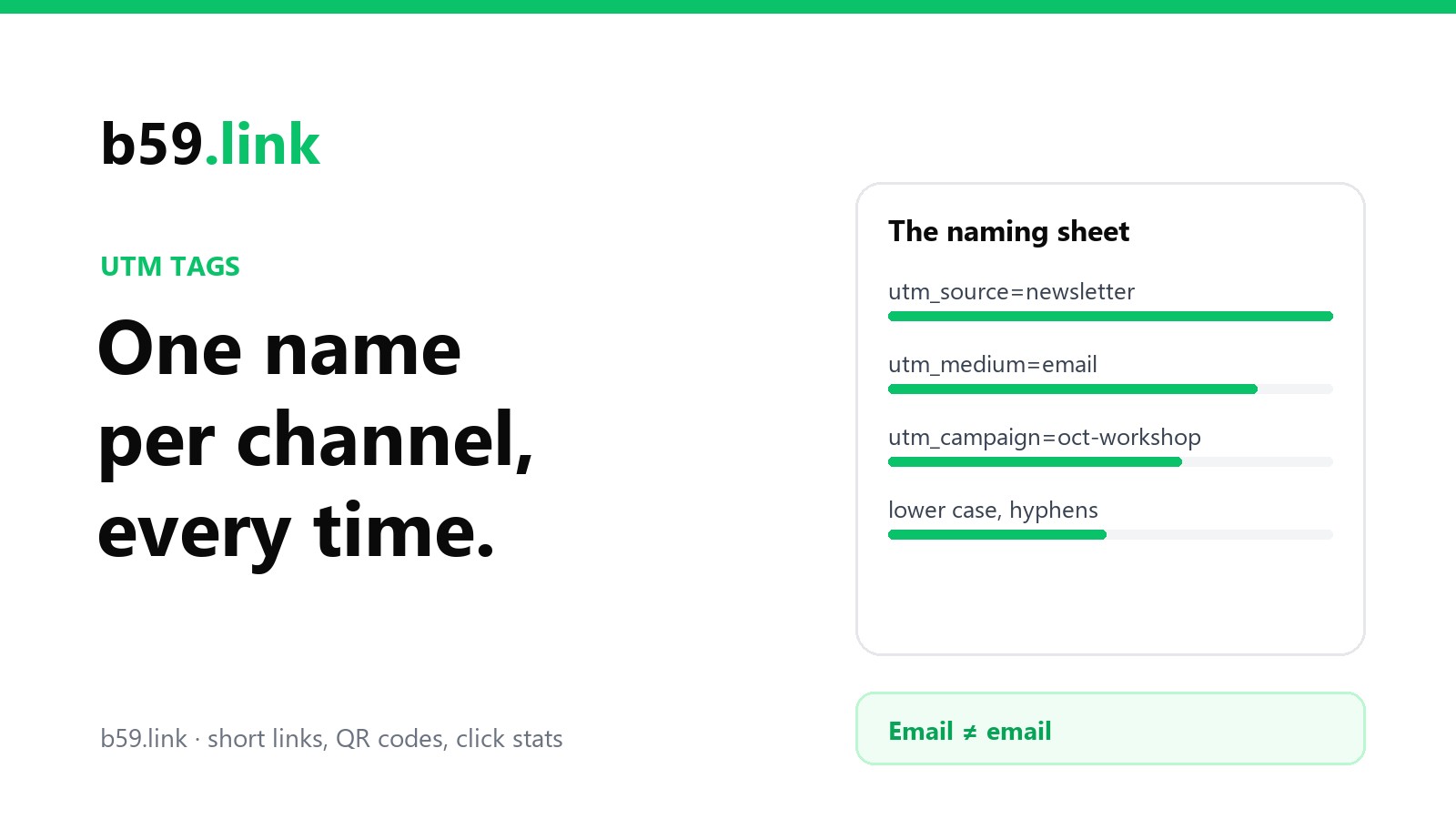
The sheet
Copy this, change the lists to your own, and keep it wherever your links get made. The lists are the point: a medium or a source that isn't on the sheet gets added to the sheet first, by one person, and only then used.
The mistakes that split one channel into three rows
Capitals. Email and email. The commonest of all, usually from a phone keyboard capitalising the first letter.
Hyphen in one place, underscore in another. Looks identical at a glance, never adds up.
Source and medium swapped. utm_source=email&utm_medium=newsletter. Each value is reasonable; they're in each other's seats, and half your email lands in Unassigned.
A platform's name as the medium. utm_medium=facebook. It's a place, so it's a source.
A misspelled tag name. utm_sorce, utm-medium, UTM_Source. Analytics doesn't guess; an unknown tag is ignored and the visit shows "(not set)".
Tags on your own internal links. A banner on your home page linking to your pricing page with utm_source=homepage tells analytics the visitor arrived from "homepage", and whatever really brought them (the newsletter, the search) is written over. UTM tags are for links that bring people in from outside.
A link copied from the address bar. Someone clicks your tagged newsletter link, likes the page and pastes the address, tags and all, into a forum. Every click from that forum is now counted as newsletter. You can't prevent it entirely, which is one more reason to hide the tags behind a short link, so the address people see and pass on is the clean one.
Let a tool do the typing
Rules that depend on people typing carefully last about a month. Two of our tools take the typing out.
The campaign link set builder is the sheet in working form. You enter the destination and the campaign once, then list the places the link will appear. It writes the source in lower case with hyphens for each place, suggests a medium from a fixed list, and makes one short link per place, so each has its own click count and nobody ever sees or copies the tags.
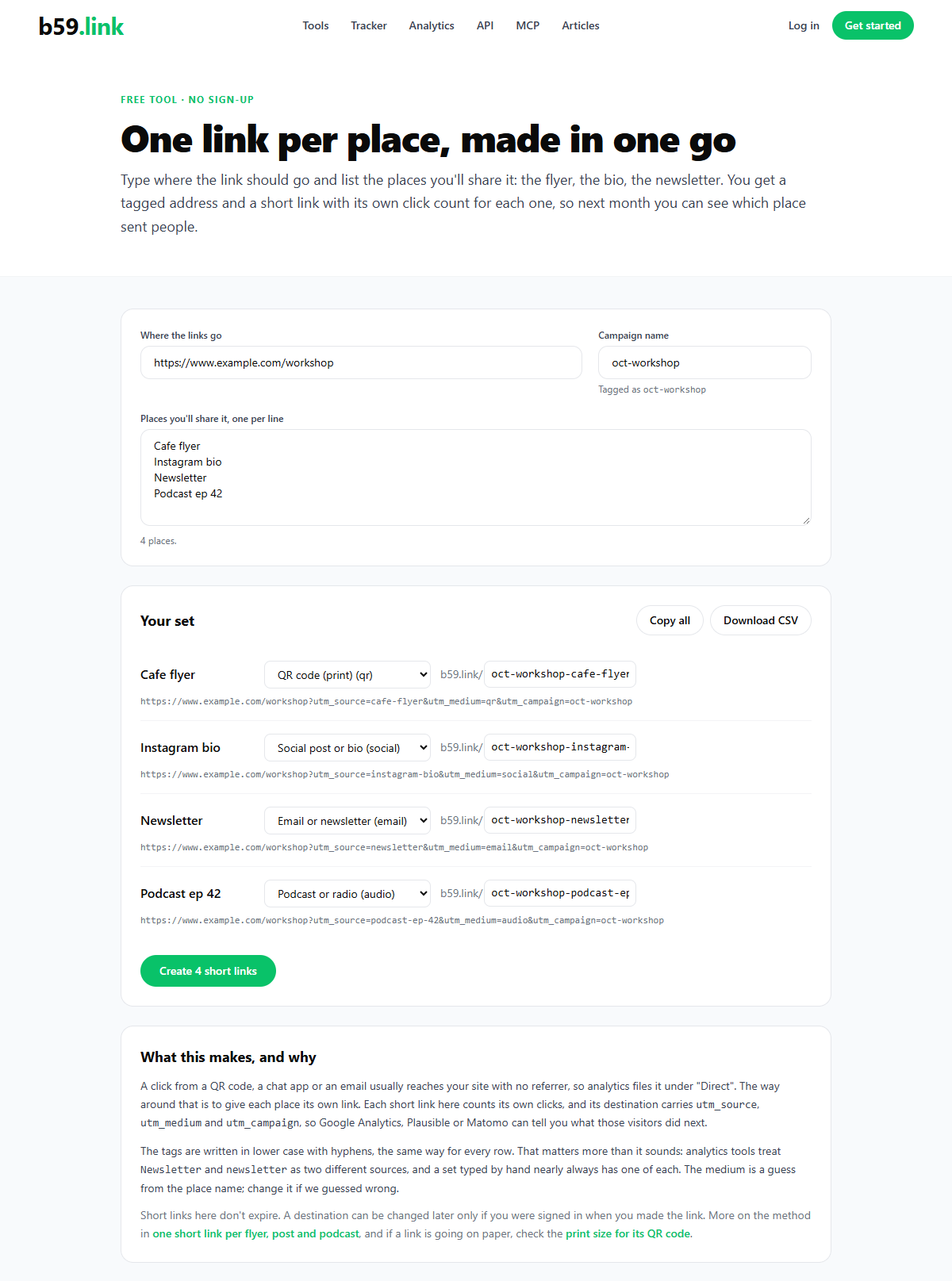
The builder's medium list includes qr, print and chat. As the table above says, GA4 files those under Unassigned; they're there because they describe the link truthfully, and you can change any row's medium before the links are made.
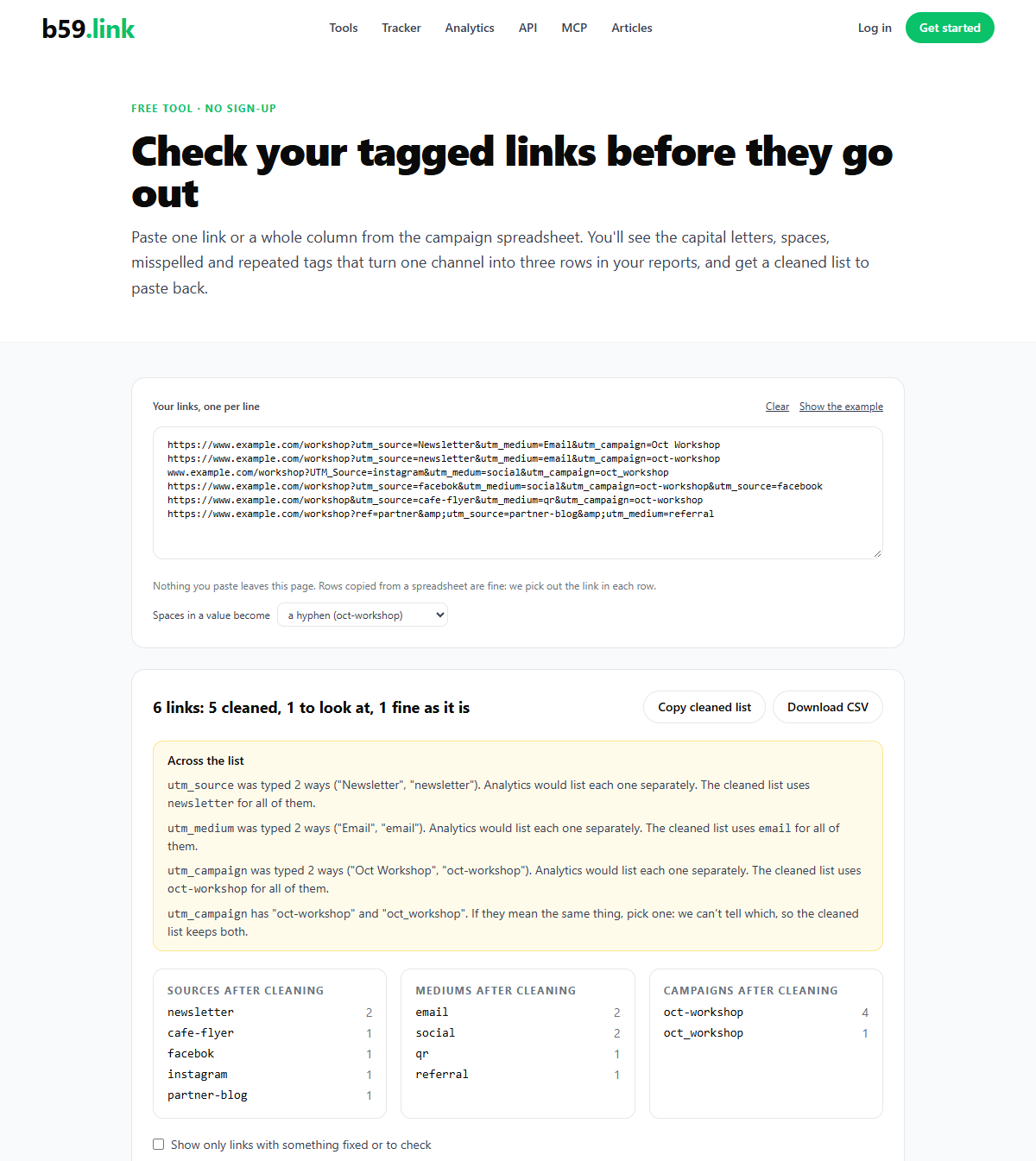
For links that already exist, or that a colleague or an agency made, paste them into the UTM link checker before they go out. It lower-cases the values, replaces spaces, renames misspelled tags, flags a medium that looks like a place or that GA4 won't recognise, and tells you when one value has been typed two ways across the list. Nothing you paste leaves the page.
Whichever way the links get made, the habit that keeps a year of reports readable is the same: decide the names once, write them down, and stop typing them from memory. If you're wondering why any of this is needed when analytics has a referrer report, that's covered in where did that click come from? And if the short links in front of the tags raise the question of what kind of redirect they should be, see 301 or 302.
Sources: Google Analytics Help, URL builders: collect campaign data with custom URLs (the tags, the two quotations, "(not set)") and Default channel group (the medium rules for manual traffic, read on 12 October 2026; Google changes this list from time to time, so check it before relying on an unusual value). The example report at the top is made up to show the pattern; the numbers aren't from a real site.
Turn the naming sheet into links: one destination, a list of places, and a tagged short link with its own click count for each.
Open the campaign link set builder