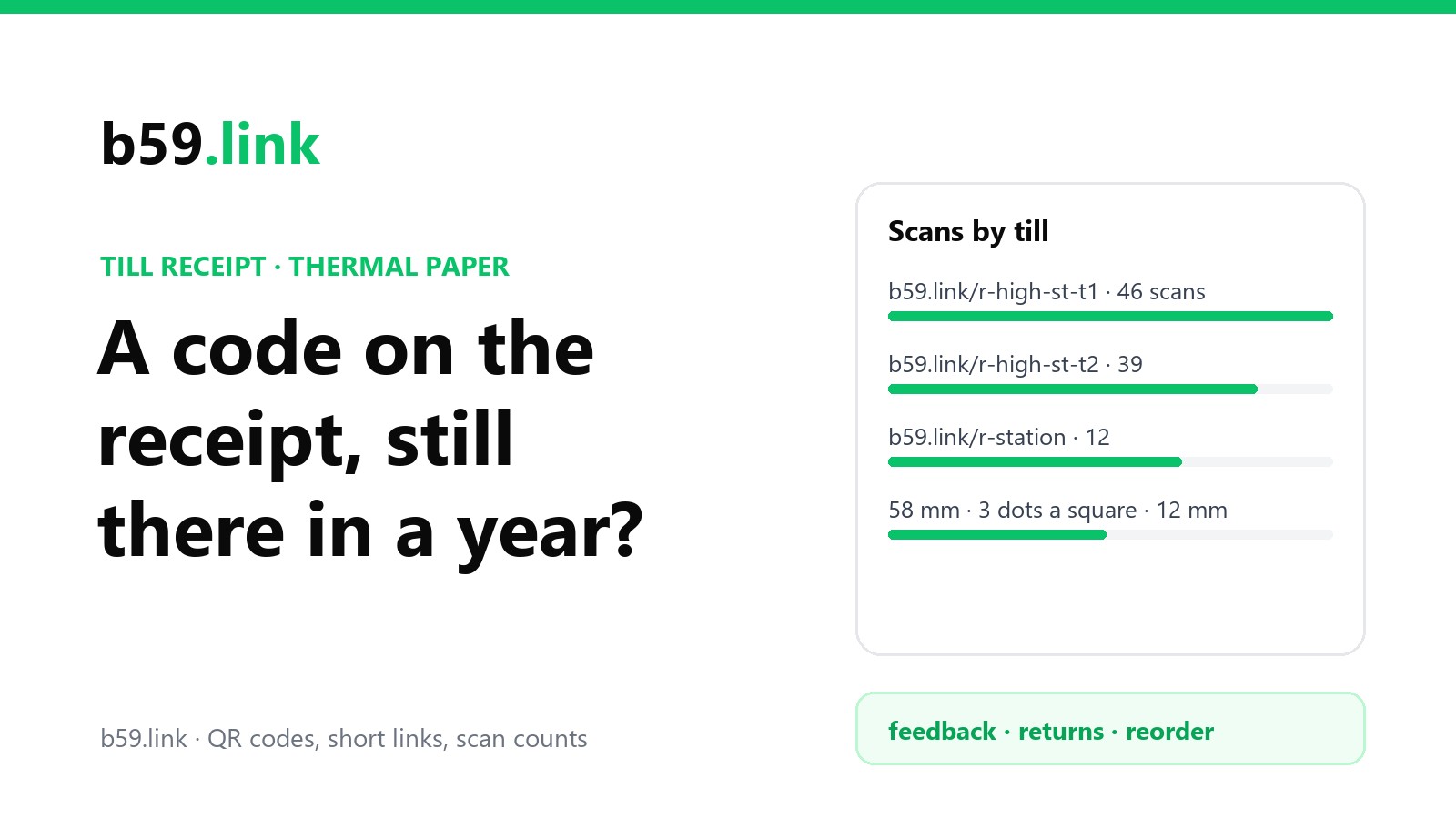
The receipt is the one piece of paper every customer leaves with. Most of them don't keep it long, but it's already printed, it costs nothing extra, and a QR code at the bottom can open the feedback form, the returns page or the reorder button. Plenty of tills can print one today with a setting you've never touched.
This guide covers what a receipt code should open, how often people actually use one, one link per till or branch so you can compare them, how big the code comes out on 58 mm and 80 mm thermal printers (we worked it out for three typical links), what fading does to it, and what counts as a scan.
What the code should open
One code, one job. A receipt that offers feedback, a loyalty sign-up, the returns policy and the Instagram account gets none of them done. Pick by what the customer might want next:
Whatever it opens, put a short link you control in the code, not the survey tool's address. The receipt layout lives in the till software and changing it is a job nobody wants; a short link lets you change the survey, swap providers or move the returns page without touching the till. It's the same reasoning as codes on restaurant tables, where the printed thing outlives what it points to.
Print one line of text above the code saying what it opens and what's in it for them: 'Tell us how we did (2 questions)' or 'Returns: 30 days, scan for the form'. A bare code at the bottom of a receipt is easy to miss: in a DMN survey of about 500 Canadian fast-food customers (2016), 45.9% hadn't noticed that their receipt carried a survey offer at all.
How many people will use it
Fewer than you'd hope, which is why the link has to be quick. That same DMN survey is one of the few with numbers on receipts specifically:
Those receipts carried a typed web address and a code number, not a QR code. A QR code takes out the typing, and it helps: in a case reported by MaritzCX on CustomerThink, adding a QR code to receipt survey invitations more than tripled the number of responses, and the share completed on a phone went from 14% to 36%. Even so, plan on a few scans per hundred receipts, not dozens. The quickest win is the same in both studies: make the thing behind the code short, and say on the receipt how short it is.
One link per till or branch
Give each till or branch its own short link, all opening the same form, and you can compare them. The count on its own is misleading, though: a busier branch prints more receipts. Divide by the receipts each one printed (your till reports have that):
If you also tag the destination (?utm_source=receipt&utm_medium=print&utm_campaign=high-st-t1), the form or site's own analytics can tell the visits apart too; our UTM naming sheet keeps the tags consistent across branches. Making a link per till by hand gets tedious past five or six; the campaign link set tool makes a named short link for each place on a list in one go.
How big the code comes out on a thermal printer
Receipt printers are thermal: a row of tiny heating dots across the paper. The common ones print at 203 dpi, which is 8 dots per millimetre, so one dot is 0.125 mm. Some older ones (Epson's TM-T88V among them) print at 180 dpi. The paper widths and how much of them the printer can reach:
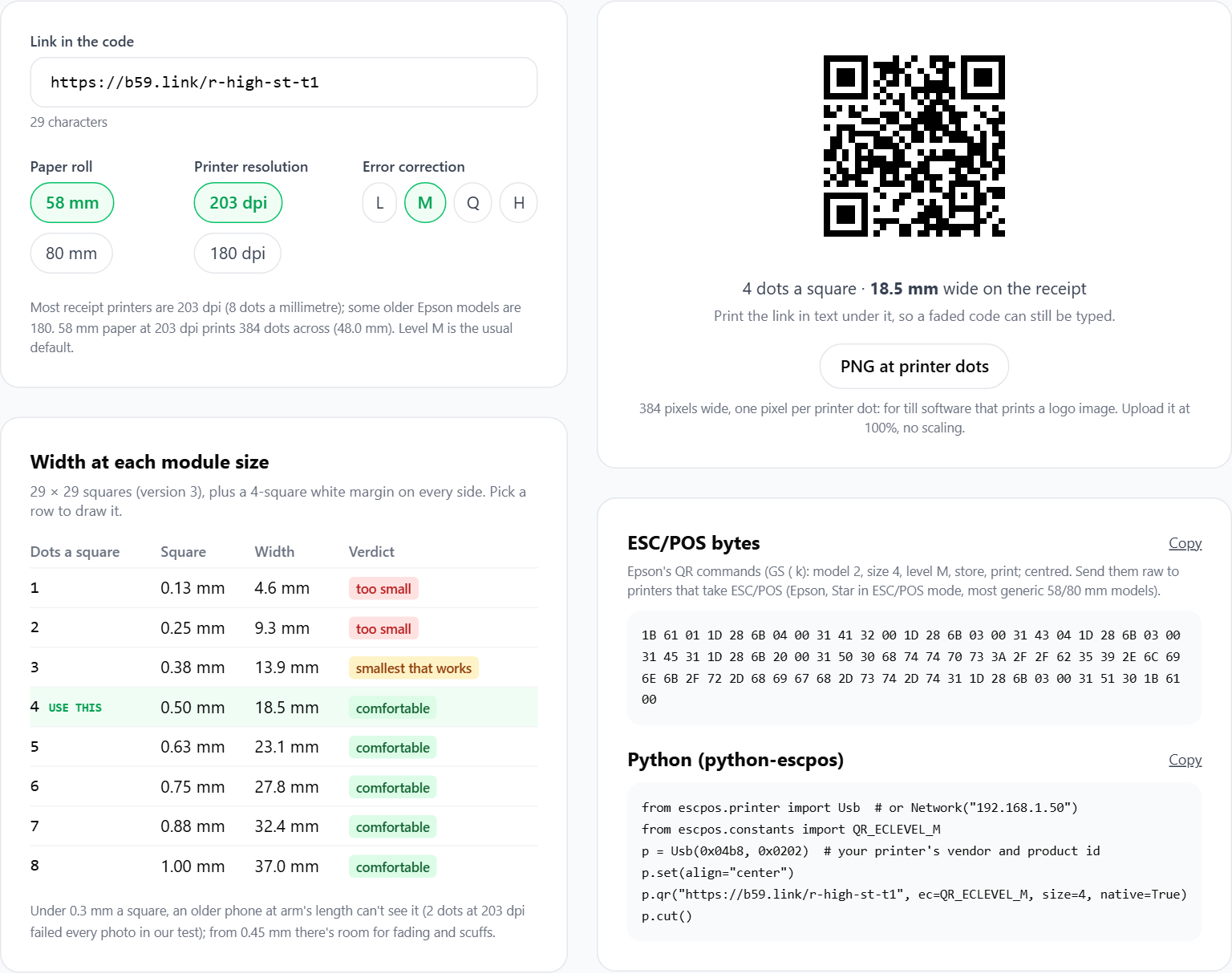
Printers that support QR codes natively (most built in the last decade; Epson's TM-T88 line from the IV onward) take a module size: how many dots wide each square of the code is, from 1 to 16 in the ESC/POS command set (GS ( k, function 167). Libraries default to 3 or 6. Your till software might call it 'size', 'scale' or 'QR size 1-16'.
A QR code's grid gets bigger as the link gets longer, so the link decides the printed size as much as the setting does. We worked it out for three typical receipt links at error correction level M, with the 4-square margin (quiet zone) a code needs around it:
Two things fall out of that table. First, every combination fits on the paper; width is never the problem. Second, the long, per-receipt address needs 49 squares a side to the short link's 25, so at the same printed size each of its squares is about half as wide. That's what matters when the paper fades and the phone is old.
Our free receipt QR sizer does this sum for your own link: paste it, pick the paper and the printer's dpi, and it shows the width at each module size, draws the code at the printer's exact dots and gives you the ESC/POS bytes.
Our test: how small is too small
We drew each of those codes at 2, 3, 4 and 6 dots a square, simulated the photo a phone takes of it (blur, sensor noise, JPEG compression) and decoded them with ZXing, the open-source reader many apps use. Close up, at about 20 camera pixels per millimetre (a recent phone held near the receipt), everything decoded. At 8 pixels per millimetre (an older phone, or the receipt held at arm's length), 2 dots a square failed every time for all three links (0 of 5 photos each), while 3 dots and up decoded every time. At 2 dots a square each square is a quarter of a millimetre, and the camera simply can't see it.
So: 3 dots a square is the floor, 4 is comfortable. For a short link on 58 mm paper that's a code 12 to 17 mm wide, about the size of a fingernail, which fits comfortably under the total.
What thermal paper does to the code
Thermal paper has no ink. The heat turns a coating dark, and the same reaction keeps going slowly in reverse: heat, light, plastic sleeves, hand cream and alcohol all fade it. The National Archives of Australia warns that modern thermal papers 'can be expected to display significant fading in as little as five years' even when stored well, and advises copying anything that matters. Paper makers sell longer-life grades: Zebra rates its Z-Select 2000D receipt paper for 12 years, but only stored at 18-24 °C and 40-60% humidity, out of the light, and doesn't warrant even that. A receipt in a car's glovebox or stuck to a sunny fridge gets nothing like those conditions.
What fading does to a code depends on how it fades. In the same simulation, even fading barely mattered: with the black squares faded all the way to a pale grey (210 out of 255, where white is 255), the decoder still read almost every photo in good light. That matches what we saw testing coloured codes on real phones: in good light almost any contrast scans, and the trouble starts in dim light, where codes with less than about 100 levels of grey between dark and light began to fail. A receipt read by a bright window is fine; the same receipt in a dim stockroom at warranty time may not be.
Patchy damage is what kills receipt codes: scuffing in a wallet, a fold right through the code, a worn print head leaving thin white lines. When we knocked out a scattered share of the printed dots, results swung a lot from photo to photo, but the trend was clear: with about 10% of the dots gone most codes still read, at about 20% most failed, and at 30% just 3 of 180 photos read, with level L and level M error correction alike. Error correction is built to repair damaged patches of a code, not a code that's been lightly sanded all over.
What to do about it:
- Keep the link short. Fewer squares means bigger squares at the same printed size, which an old phone in poor light can still see. A short link per till does that; a full survey address with a receipt ID does the opposite.
- Print the code at 4 dots a square if the layout allows, and not across the fold line where receipts get creased (the bottom of a long receipt usually is).
- Print the address under the code in plain text (b59.link/r-br2-t3), so a faded code can still be typed.
- Replace the print head and the paper when the print goes pale. A head with dead dots draws thin white lines through every code it prints; you'll see them on the totals too.
- Buy paper rated for the job. If the receipt doubles as a warranty proof, a longer-life grade is cheap insurance. Your customers will thank you more for a receipt they can still read in a year than for the QR code.
Receipts kept for a warranty
Some receipts are kept for years on purpose: in the European Union the legal guarantee on goods runs for at least two years from delivery (Directive (EU) 2019/771), and plenty of electricals carry longer manufacturer warranties. For those shops, a code that opens 'this receipt, as a PDF' or 'register your product' is more useful than a feedback form, and it solves the fading problem for the customer, because the record no longer depends on the paper.
That does mean a per-receipt address, the 145-character row in the table above. Two cautions if you build one. Make the code in the address long and random (not the receipt number, which anyone could step through to see other people's purchases), and keep the code at 4 dots a square or more, because a version 8 code has small squares to begin with. Better still, store the long address on your side and put a short per-receipt link in the code: same job, a version 2 code.
What counts as a scan
A scan you can count is a phone opening the link. That's it. A few things to keep in mind when you read the numbers:
The last row is the one to remember: a code that stopped working doesn't send you an error, the scans just drop. If one till's scans fall to zero overnight, print a test receipt from it and look at the code.
On b59.link the stats page for each link shows the clicks, the number of visitors and each click's time, device and browser, so you can see test scans from the day you set it up and leave them out.
Setting it up: a checklist
1. Decide what the code opens. One thing.
2. Make one short link per till or branch, pointing at it (tagged with UTM if your form or site has analytics).
3. In the till's receipt layout, add the QR code with the short link, module size 4 (3 at the least), error correction M. If the till software can't print QR codes, it can usually print a logo image: use a code image drawn at exactly the printer's dots.
4. Add one line of text above it saying what it opens and how long it takes, and the short link in text below it.
5. Print a test receipt on each till. Scan it with an old phone, in dim light, at arm's length. Fold it, put it in a wallet for a day, scan it again.
6. Note the go-live date. After a month, compare scans per 100 receipts by till, not raw scans.
Size the code for your printer with the receipt QR sizer, then make a short link per till and change what it opens any time without touching the till. Free.
Open the receipt QR sizerSources
- DMN (DM Magazine), 'Fast food receipt surveys: who completes them and why?' (29 June 2016), survey of about 500 Canadian restaurant customers.
- CustomerThink, 'QR Codes on Receipt-Based Invitations Increase Response Rate' (MaritzCX client case: responses more than tripled, phone completion 14% to 36%).
- National Archives of Australia, 'Managing records on thermal papers' (fading in as little as five years; store at or below 20 °C and 50% RH; copy onto permanent paper).
- Zebra Technologies, Z-Select 2000D 80 Receipt and Z-Perform 1000D 60 specification sheets (12 and 10 years image life under stated storage).
- Printer datasheets: 58 mm paper, 48 mm print width, 384 dots; 80 mm paper, 72 mm, 576 dots, 8 dots/mm (203 dpi) (HPRT TP805L, Rongta RPP300, Bixolon BM58E); Epson TM-T88V 180 dpi.
- Epson ESC/POS command reference, GS ( k QR Code functions; python-escpos documentation (module size 1-16, default 3).
- Maitre'D POS documentation: QR codes need an Epson TM-T88IV or later.
- Directive (EU) 2019/771 on contracts for the sale of goods, Article 10 (two-year liability period).
- Our own test, 22 October 2026: QR versions and sizes computed with python-qrcode (level M, 4-module quiet zone, 0.125 mm dots); simulated phone photos (Gaussian blur, noise, JPEG at quality 80) at 20 and 8 pixels per mm decoded with zxing-cpp, 5 photos per cell; even fading of the dark squares to grey 20-210; scattered dot loss of 0-40% with patchy fading (grey 110 ± 40), 10 photos per cell, levels L and M. A simulation, not printed paper: real phones and real receipts vary.