A 'we are hiring' sign in the window still works. The people walking past already know the shop, many of them live nearby, and some of them are exactly who you want behind the counter. What's changed is that a lot of them would rather apply on the phone in their hand than walk in and ask for the manager. A QR code on the sign lets them, as long as the thing behind it is worth opening.
This guide covers what that code should open, what the sign itself has to say (in a growing number of places the law now has an opinion on that), how big to print it for a window, how to tell which window brings applicants, and what to do the day the job is filled.
What the code should open: three choices
Most small employers end up with one of these:
Indeed's own employer FAQ says free job posts in the US are visible for up to 30 days and you can post up to three free jobs a calendar month; after that a post stops showing unless you pay to sponsor it, and a closed post can't be reopened for free. Craigslist charges $10 to $75 per job post depending on the area. A printed sign doesn't know any of this. It stays in the window for as long as nobody takes it down, and on day 31 the code opens a dead listing.
That's the main reason to put a short link of your own on the sign, not the jobs board address. The code holds something like b59.link/hiring-baker, and you decide where that goes: the Indeed listing this month, your own page next month, a 'thanks, we've filled it' note after that. The sign never has to change. It's the same trick we suggest for codes on for-sale signs, which have the same problem of a printed board outliving the listing.
If you can, make the destination a page you control: a single page on your own site, or a form. A jobs board listing is fine as the place where other people find the job, but someone who is already standing at your window has found you. Don't send them through a sign-in screen and a feed of other employers' jobs.
The one-page job post
Keep it to what someone deciding right now on the pavement needs. Roughly in this order:
- The role in plain words: 'Weekend baker', not 'Production Associate II'.
- Pay: the hourly rate or range. More on why below.
- Hours and days: 'Sat and Sun, 5am to 1pm' tells people more than 'part time'.
- Where: the address, and whether it's this shop or another one.
- Start date and anything required: a food handler card, a driving licence, heavy lifting.
- How to apply and what happens next: 'We'll text you within 3 days to arrange a 15-minute chat.'
- A closing date, if there is one.
Then a short form on the same page. Short means short:
Every question you add loses people, and on a phone it loses more. Appcast's study of about 500,000 job seekers, reported by SHRM in 2016, found completion rates fall by almost half when an application asks 50 or more questions rather than 25 or fewer, and that cutting an application to five minutes or less raised conversion by up to 365%. Glassdoor's research (2019) found people applying on a phone completed 53% fewer applications than on a computer and took about 80% longer over each one. A five-field form takes a minute on a phone. A copy of the head office application with ten years of work history does not.
Two things not to ask on that first form. A date of birth or a photo: you don't need them to arrange a chat, and they invite claims of age or race bias. And criminal history: NELP counts 37 states, Washington DC and more than 150 cities and counties with 'ban the box' rules, and some of them, New York City and California among them, cover private employers too, so in many places the conviction question has to wait until later in the process anyway.
If you or your web person build the page
Google can show a job page in its job search if it carries JobPosting structured data. Google's documentation lists five required properties (datePosted, description, hiringOrganization, jobLocation and title), recommends baseSalary, employmentType and validThrough, and is strict about the end: jobs that are no longer open 'must be expired', by putting validThrough in the past, removing the markup, or removing the page so it answers 404 or 410, and 'failure to take timely action on expired jobs may result in a manual action'. Keep that in mind for the 'filled' step at the end.
What the sign itself has to say: pay
In much of the US the window sign is a job advertisement in the eyes of the law, and a job advertisement has to show pay. The rules differ in who they cover and, important for a sign, in whether the pay may sit behind a link:
Sources for each line are at the end; this is a summary, not legal advice, so check your own state and city. The New York rules are the most explicit about what a range is: a minimum and a maximum you believe in good faith at the time, not '$20+ an hour' or 'up to $50,000'; a single fixed rate such as '$30 an hour' is fine. In the EU, the Pay Transparency Directive (2023/970) says applicants must be told the starting pay or range before the interview, in the advert or another way. The deadline for member states to write it into their own law was 7 June 2026, and by late September only a handful had; some national drafts want the figure in the advert itself, others only before the first interview.
Maryland and New York State let the detail live behind a link. That's handy for benefits and the job description, but our advice is simpler: print the pay on the sign anyway. '$18-21 an hour' takes one line, it's the first thing most people want to know, and nobody has to scan just to find out the job isn't for them. It also keeps you right in places, like New York City, that treat the sign itself as the ad.
Most employers already do. The New York Fed looked at Lightcast's job posting data: the share of US postings showing pay rose from about 15% before 2018 to about 53% since January 2024, and in the month each state's law took effect it jumped by about 20 percentage points. About 24% of postings covered by those laws still left pay out as of January 2025. A small shop with the rate in the window stands out for the right reason.
The sign
Role, hours and pay in type large enough to read from across the pavement; a sentence that says what the code does and how long applying takes; the short address in plain type under the code for people who won't scan (or whose camera won't focus through the glass); and a human way in for those who'd rather talk.
Size and placement for a window
Our printing guide uses the 10:1 rule: the code should be at least a tenth as wide as the distance it's scanned from. Someone stopping on the pavement is usually 1 to 2 m from the glass, so:
That rule assumes a short address. Encode a long jobs board or form URL and the code gets more squares, each one smaller, so it has to be printed bigger still for the same distance; the QR size calculator shows the difference for your own link.
Then the window itself:
- Inside the glass, facing out, flat against it. A code that hangs a few centimetres back picks up reflections from both surfaces.
- About 1.1 to 1.5 m off the ground, where a phone naturally points. Not on the door at knee height behind the 'push' sticker.
- Out of direct afternoon sun if you can choose. Glare across the glass is the usual reason a window code won't read, and tinted or mirrored film makes it worse.
- Matte paper, black on white. Gloss behind glass bounces the light twice.
- Test it from the pavement with an older phone, at the time of day people actually walk past.
One code per window, to see which one works
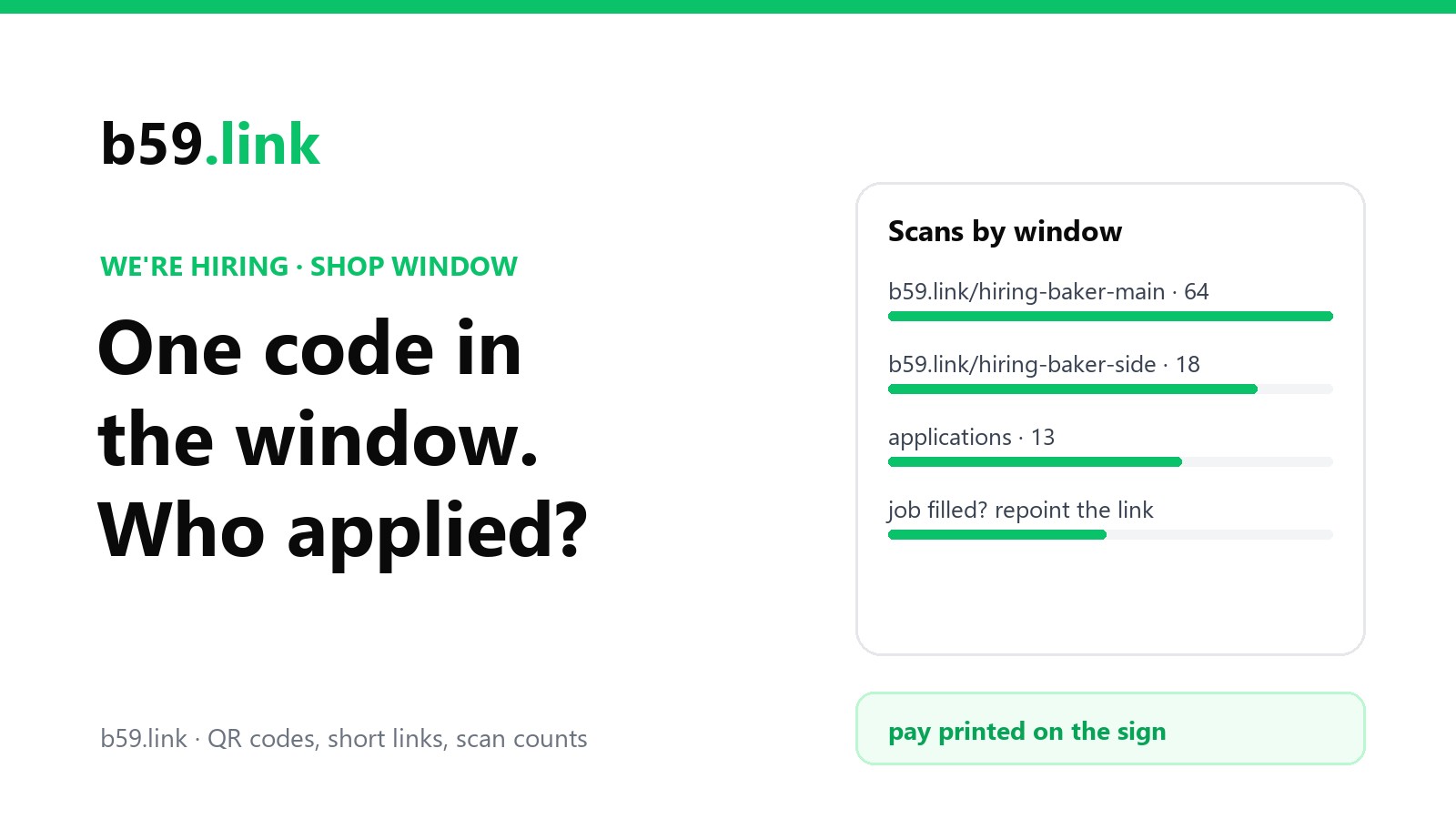
If you have more than one window or more than one shop, or you also pin the job to a community board or share it in a local group, give each place its own short link: b59.link/hiring-baker-main, hiring-baker-side, hiring-baker-board. They all go to the same page. The scan counts then tell you which sign people actually notice, and you know where applicants came from without adding a 'how did you hear about us' question to the form. A month might look like this:
This is a worked example, not a survey, but it's the kind of thing the split shows. The side window gets fewer scans and converts better (maybe it faces the bus stop where people wait). The notice board brings nothing, so the next copy goes somewhere else. Scans aren't people, since one person may scan twice, but the pattern holds from week to week. The method is the same as in one short link per flyer, post and podcast.
Make one short link per window, get the QR code for each and count the scans. When the job is filled, change where the links point; the signs stay as they are.
Make your hiring linksThe day the job is filled
This is the step everyone forgets, and it's where the short link pays for itself.
1. Take the sign down. A filled job still advertised in the window wastes people's time and makes the shop look like it can't keep staff.
2. Point the short link at a 'filled' page, for the copies you haven't collected yet, the photos people took of the sign and the screenshot in someone's group chat: 'Thanks, the weekend baker job is filled. Leave your details and we'll tell you when we're hiring again.' A one-field sign-up turns your next vacancy into a message instead of a sign; we covered that kind of list in a sign-up QR code by the till.
3. Close the job everywhere else: the jobs board listing, the form's responses, and on your own page set validThrough to a past date or remove the JobPosting markup, as Google asks.
4. Reply to the people who applied. A text that says 'we've filled it, thanks for applying' costs nothing, and they're your customers too.
Next time you hire, reuse the link and the sign template: point b59.link/hiring-baker at the new post, print, and the counts start again.
Sources
- Indeed for Employers, FAQ: free job posts visible for up to 30 days in the US, three free posts per calendar month (checked October 2026).
- Craigslist, posting fees: job posts $10-75 depending on area (checked October 2026).
- SHRM, 'Study: Most Job Seekers Abandon Online Job Applications', 8 March 2016 (Appcast study of about 500,000 job seekers).
- Glassdoor, 'The Rise of Mobile Devices in Job Search', 2019.
- NELP, 'Ban the Box: Fair Chance Hiring State and Local Guide'.
- Google Search Central, 'Job posting (JobPosting) structured data'.
- NYC Commission on Human Rights, 'Salary Transparency in Job Advertisements' factsheet, 12 May 2022.
- New York State Department of Labor, 'Pay Transparency Law for Employers' (P687, 09/23).
- Maryland Department of Labor, Wage Range Transparency FAQ (B.11, C.8, C.9).
- Rippling, 'Pay transparency laws by state' (updated 23 September 2026) for California, Colorado, Connecticut, Hawaii, Illinois, Minnesota, Washington and Westchester County; Epstein Becker Green and Ogletree summaries (2025) for New Jersey, Vermont and Massachusetts.
- Directive (EU) 2023/970 on pay transparency, Article 5; Lockton, 'EU Pay Transparency Directive implementation status', 25 September 2026.
- Richard Audoly and Roshie Xing, 'Do Employers Comply with Pay Transparency Requirements in Job Postings?', Federal Reserve Bank of New York, Liberty Street Economics, 2 October 2025.