The email signature is the one bit of marketing that goes out on every message without anyone thinking about it. Which is exactly the problem. Somebody made it years ago in a signature generator: photo, logo, five social icons, a banner for an offer that ended last spring, a booking link to the calendar of a person who has since left. It goes on every reply, to every customer, hundreds of times a week.
This guide covers what people actually click in a signature (and how little anyone really knows about it), which signature habits push mail towards spam, why a signature click count from business customers is mostly machines, and how to keep the links working across a team and after someone leaves.
What gets clicked
There's no independent study of signature clicks. Every figure comes from a company that sells signature tools, which is worth keeping in mind:
Exclaimer itself says there's no settled benchmark. A fair planning range for an ordinary small business is 0.5 to 4 clicks per 100 emails, with most of those on one link. Two findings from the vendors' own data are more useful than the headline rates:
- Buttons don't help. Sigstr (now part of Terminus) looked at over a thousand customer banner campaigns in 2017: 73% of banners had a call-to-action button, and they got the same engagement as banners without one.
- The same banner wears out. The same analysis found engagement falling over a campaign's life and suggested a new banner about every two weeks. People who email you every day stop seeing it.
- Banners don't add much even in campaigns. A non-vendor test by the Commons Library added a banner image to a campaign email: clicks went from 8.32% to 8.58%.
So the signature that earns clicks has one link that does something the reader might want this week (book a visit, see this month's menu, the delivery slots), as words, not a picture. Social icons are there to look complete; they rarely get clicked, and each one is another link and another image.
What pushes a signature towards spam
For one-to-one mail, the signature is a small part of the message, but it's the part that repeats on everything. The open-source SpamAssassin filter (used directly by many hosts and mirrored in the logic of others) publishes its rules and scores, so it's a good way to see what filters weigh. Its default threshold for spam is 5 points. The current rules that touch signatures:
Two things stand out. First, a short link isn't penalised for being short. SpamAssassin's shortener plugin follows it (up to 10 short links per message) and scores where it ends up. A short link to your own booking page costs nothing; one to a blocklisted domain costs the same as the bad link itself. The danger with a public shortener is its neighbours: a shared domain carries the reputation of everyone using it, and if spammers get it listed, every link on it suffers. Postmark, an email delivery company, reported in 2021 that Gmail started rejecting customers' messages as suspicious, and the blocked ones had one thing in common: free shortener links, mostly bit.ly. Swapping in the original addresses fixed it.
That applies to b59.link too: it's a shared domain. We checked SpamAssassin's list of about 241 shortener domains in October 2026 and b59.link isn't on it, but the honest advice for a signature is the same as for any shortener. Show your own domain wherever an address is visible, and use a short link where you want a count behind words like 'Book a visit'. Google's sender guidelines don't mention shorteners at all; what they say is that links 'should be visible and easy to understand' so recipients know what to expect.
Which leads to the one thing never to do: visible text that looks like one address while the link goes to another (ortegaplumbing.co.uk on screen, a short link underneath). That mismatch is exactly what phishing checks look for. Words like 'Book a visit' over a short link are fine; an address over a different address is not.
Second, the image-only signature is the bigger risk. A two-line reply ('Thanks, Tuesday works') followed by a logo, a photo, a row of icons and a banner is mostly images with very little text, which is the case the image-only rules exist for. Live text for the name, phone and links keeps the ratio sane.
And half your readers don't see the images anyway
Classic Outlook on Windows blocks automatic picture downloads from the internet by default, in Microsoft's own words. A signature built from images arrives as empty boxes with a 'click here to download pictures' bar, and a banner link is a blank rectangle. Gmail has shown images automatically since December 2013, through Google's own image proxy. Put everything that matters (name, phone, the one link) in text.
How big your signature really is
We built three signatures for the same made-up plumber and measured the HTML that goes out with every message. The third is modelled on what popular signature generators produce: nested tables, a photo, a logo, contact icons, five social icons, a tracked banner and a legal footer.
Gmail hides everything past about 102 KB of HTML behind a 'Message clipped' link (a limit reported consistently by email platforms; Google doesn't document it). Every reply in a thread quotes the ones before it, signature included, so a heavy signature fills that budget about five times faster. On a long back-and-forth with a customer, the clip lands on the newest message, and what gets hidden can be the part that matters. Gmail also caps a user's signature at 10,000 characters, HTML included.
Your click counts are mostly machines
When you email someone at a company, their mail security often opens your links before they do. Microsoft Defender for Office 365's Safe Links scans links before the message is delivered, whether or not it rewrites them, and opens links without a known reputation in the background. Proofpoint rewrites links and checks them again on each click.
Nobody has measured this for signatures, but the bulk-mail numbers are stark. Omnivery found in August 2026 that 80-95% of clicks from corporate recipient domains are automated, a pattern since 2020, and Omeda counted 87.3% of business-to-business email clicks as non-human in the first quarter of 2026. Consumer inboxes are cleaner: Omnivery put bot clicks at about 16% for consumer mail, and Omeda found Gmail about 90% human.
For a signature link, that means:
- A click within seconds of sending is a scanner, especially when every link in the email is 'clicked' at once.
- A link clicked once per email sent, every time, is a scanner on that customer's side, not a fan.
- Count what people do after the click: bookings made, forms sent, orders. A booking link's real number is the bookings.
- Compare like with like: per-person or per-month counts from the same customers, not this signature against a newsletter.
Our article on why newsletter links get clicked seconds after sending goes through reading the timing in detail.
One link for the team, or one per person
A team signature can share one link or give everyone their own:
The per-person version is the useful one for a small team, and it's easy to make the set in one go with our campaign link tool: one destination, one tagged short link per person.
Getting the signature onto everyone's mail is the harder part:
- Microsoft 365 / Exchange Online: a mail flow rule ('Apply a disclaimer') adds an HTML signature to outgoing mail on the server, whatever app sent it, with directory fields such as %%DisplayName%%, %%Title%% and %%Phone%% filled in per person. Microsoft recommends an exception so it isn't added again on every reply in a thread.
- Google Workspace: the admin 'Append footer' setting adds up to 10,000 characters to outgoing mail, but the editor doesn't support HTML and the footer is the same for everyone (no per-person fields). Per-person signatures stay with each user.
- Phones: iPhone Mail's default signature is 'Sent from my iPhone'. Replies sent from a phone often go out with none of your links, unless the server adds them.
When someone leaves
Emails don't leave with the person. They're forwarded, saved and found again in searches years later, and the signature links in them can't be edited after sending. The clocks on the company side are short:
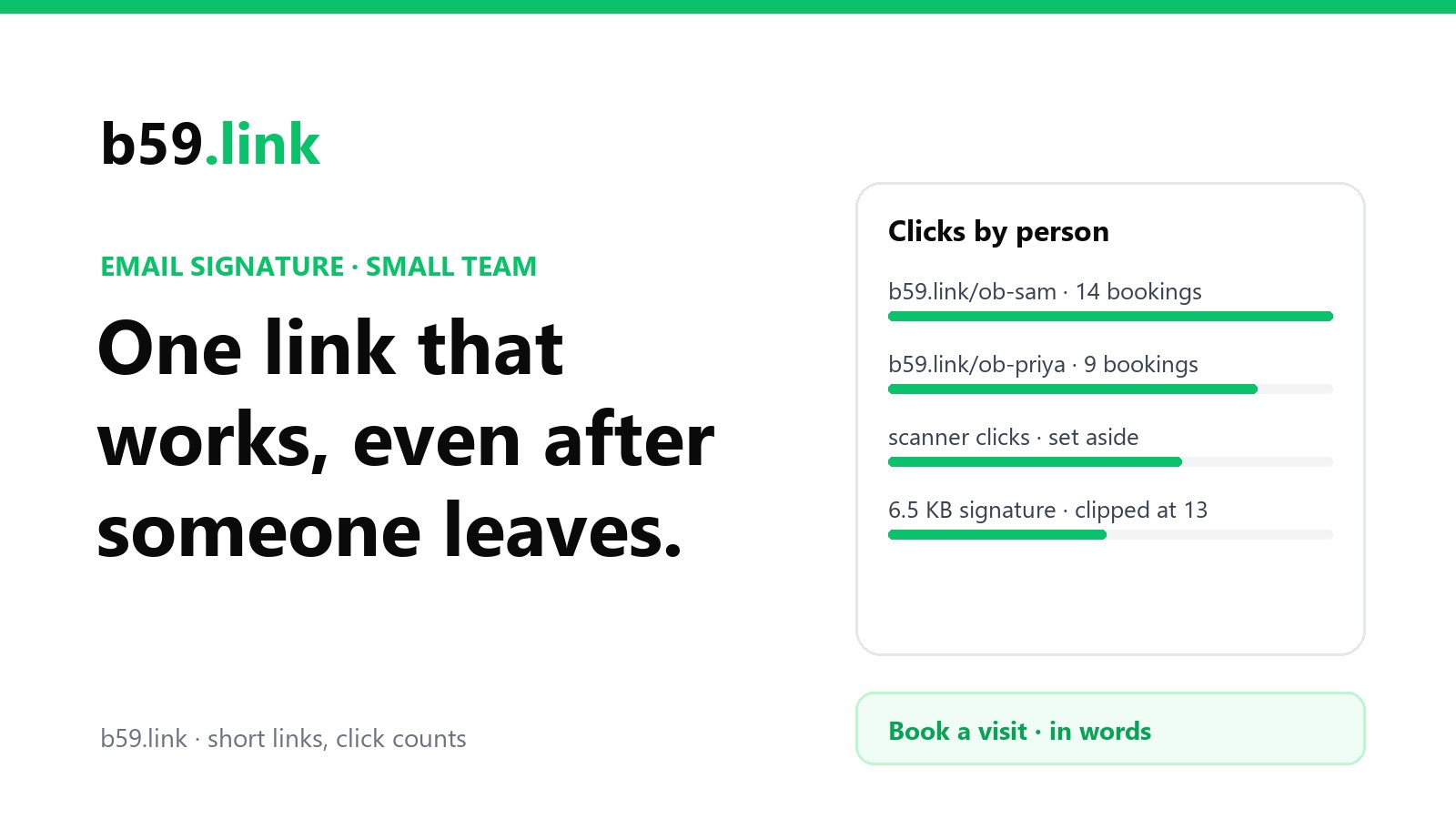
The Calendly case is the one that bites: a booking link in a former employee's signature either stops working or keeps sending your customers to someone who no longer works for you, on an account you don't control. If the signature carried a short link on the company's account instead (b59.link/ob-sam), you point it at the team booking page the day they leave, and every old email still works. The same goes for anyone's personal 'about me' page, portfolio or direct line. Our guide to retiring a page without breaking the links that point to it covers the redirect side.
A signature checklist
1. Name, role, business, phone in text. A small logo at most.
2. One link that does something useful this month, as words: 'Book a visit', 'This week's menu'.
3. Your own domain wherever an address is visible. Never an address on screen with a different address behind it.
4. Short links on your company's account for anything you want to count or might need to repoint, one per person if you're a team.
5. No banner unless someone will change it every few weeks.
6. Read click counts by timing and by what happened next. Business recipients' scanners click everything.
7. When someone leaves, repoint their links on day one.
8. Send yourself a reply from classic Outlook with images blocked, and from a phone. That's what many customers see.
Make one short link per person for your team's signatures, see the clicks, and repoint them when someone leaves. Free.
Make the linksSources
- Apache SpamAssassin rule set (trunk, read October 2026): 25_url_shortener.cf (about 241 shortener domains; URL_SHORTENER_CHAINED 0.01, URL_SHORTENER_DISABLED 2), 25_uribl.cf and 50_scores.cf (URIBL_DBL_SPAM 2.5, URIBL_DBL_ABUSE_REDIR 0.001, HTML_IMAGE_ONLY_* and HTML_SHORT_LINK_IMG_1 scores); SpamAssassin 4.0 DecodeShortURLs plugin documentation.
- Spamhaus, 'Changes in Spamhaus DBL DNSBL return codes' (2014: 127.0.1.103, abused legit redirector or URL shortener).
- Google, Email sender guidelines (read October 2026).
- Postmark, 'URL shorteners hurt Gmail deliverability quite a bit' (28 July 2021).
- Microsoft Support, 'Block or unblock automatic picture downloads in classic Outlook email messages'; Gmail blog, 'Images now showing' (12 December 2013).
- Exclaimer, 'Email signature banner CTR' (30 July 2026); Signitic campaign banner guide (2024 data); SyncSignature banner campaign ideas; MailerLite 2026 email benchmarks (via Exclaimer); Sigstr's 2017 campaign analysis (published 30 January 2018); Commons Library, 'Do banner images in emails improve click rates?'.
- Microsoft Learn, 'Safe Links in Microsoft Defender for Office 365' (October 2026); Proofpoint URL Defense FAQ.
- Omnivery, 'The state of email bots 2026' (10 August 2026); Omeda, 'Bot clicks in email' (25 August 2026).
- Microsoft Learn, 'Organization-wide disclaimers, signatures, footers or headers' (Exchange Online mail flow rules, updated August 2026) and 'Delete or restore user mailboxes in Exchange Online'; Google Workspace Admin Help, 'Add a standard footer to outgoing emails' and 'Restore a recently deleted user'; Calendly Help, 'How to add or remove users and seats' (August 2026).
- Gmail's ~102 KB clipping and 10,000-character signature limit: reported by ActiveCampaign, MxToolbox and Exclaimer; no Google document.
- Our measurement (October 2026): three signatures for the same sender, HTML bytes counted, with about 1.2 KB of quoting markup and a one-line body per message in the thread.