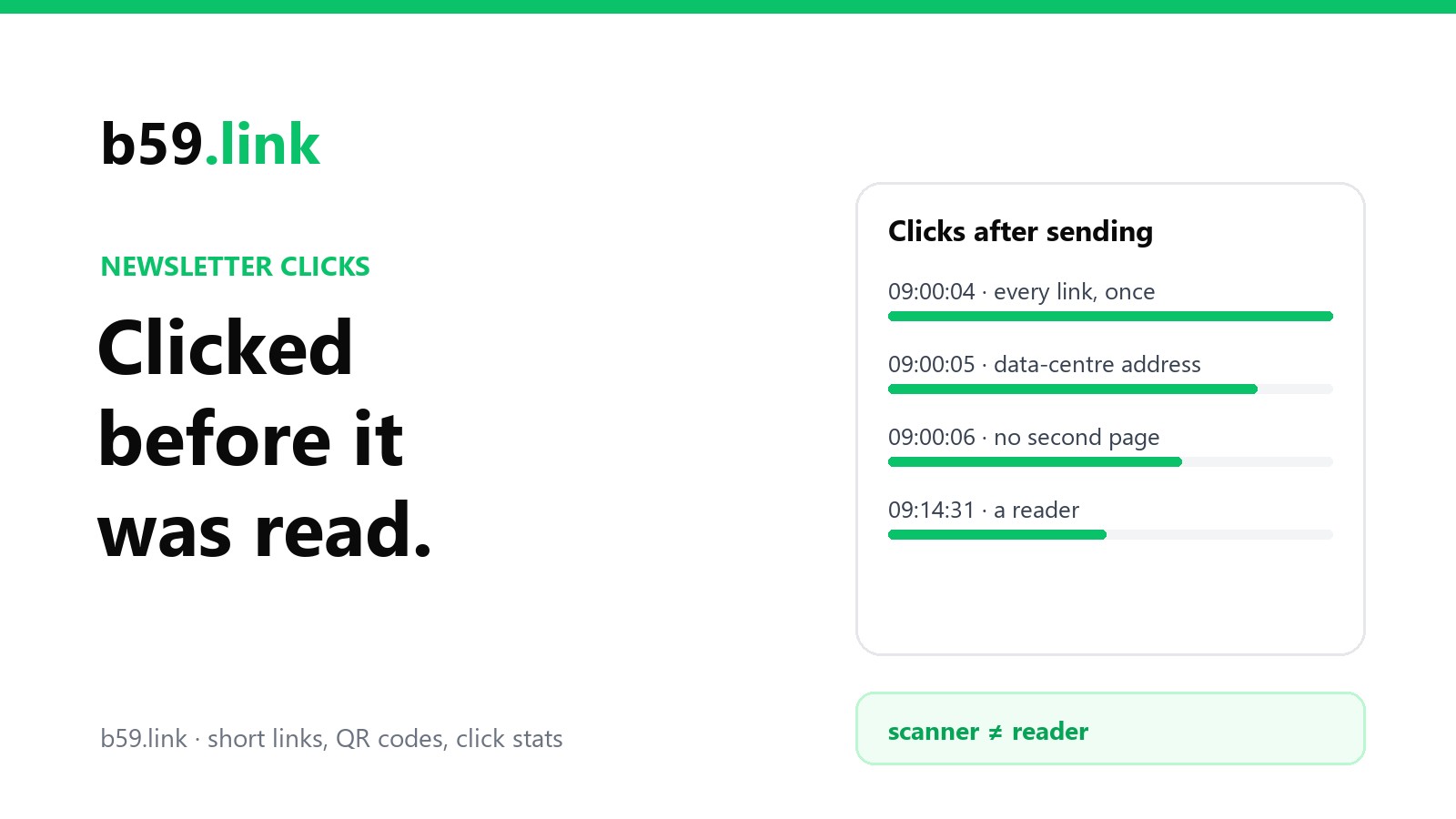
You press send at nine o'clock. A few seconds later the report already shows clicks, and not only on the big button. The logo, the footer address and the unsubscribe link have all been clicked, once each. Nobody reads that fast, and nobody clicks everything.
Those clicks are real requests to your links. They just weren't made by people. Knowing where they come from changes how much weight you should put on a click rate, and it explains a few stranger things too, like subscribers who say they never unsubscribed.
Who is clicking
Mostly, the mail filters that companies put in front of their staff's inboxes. Phishing works by getting someone to click a bad link, so the filter gets there first: it opens the links in each incoming message and looks at where they lead.
Microsoft's version is called Safe Links, and its documentation is plain about the order of events. Safe Links "provides URL scanning and rewriting of inbound email messages during mail flow, and time-of-click verification", and "URLs are scanned prior to message delivery". Links the service hasn't seen before "are detonated asynchronously in the background", which means opened in a throwaway browser to see what the page does. Proofpoint, Mimecast, Barracuda and others sell filters built on the same idea.
So there are two moments when a filter may ask for your link. The first is before the message reaches the inbox, which is the burst you see seconds after sending. The second is when the person does click: the link in their copy was rewritten to pass through the filter's own address (Microsoft's start with something like nam01.safelinks.protection.outlook.com), and the filter may fetch your page itself before letting them through. One real click can arrive as two requests.
This is a protection for your readers, and it's sensible. You can't opt out of it and you shouldn't try to block it, because a filter that can't check your link may decide not to deliver your message. What you can do is stop counting it as interest.
What it looks like in a log: ours
We don't have a newsletter click log to show you; more on that near the end. What we do have is the click log of our own short links, which we post in public places, and links in public posts get the same kind of automatic checking as links in mail. So we sorted it.
Between May and mid-October 2026, 19 of our links recorded 69 clicks. That's after b59.link has already left out everything that names itself as a bot, a preview fetcher or a script. Of those 69, our best reading is that 14 were people.
Here is the first minute and a half of one link's life after we posted it, with the time counted from its first click:
Four clicks in the first two seconds. Chrome 112 and 114 came out in the spring of 2023; nobody's everyday browser is three years behind, since Chrome updates itself. Mountain View, Boardman and Reston are towns better known for data centres than for residents. About an hour later the same link was visited from Council Bluffs and Santa Clara, two more data-centre towns, by Chrome 125 and Chrome 117.
The part that settles it is that this wasn't one link. Two other links, posted on other days, began the same way: Mountain View first, Dublin on Chrome 114 within a second, Boardman on Chrome 148 right behind. People don't repeat themselves like that. A program does.
We can't be sure about every row. The clicks from Las Vegas, Porto Alegre and Los Angeles carried current browsers and could be people who saw the post quickly. That uncertainty is normal, and it's why the next section is a list of signs, not a test.
How to recognise a scanner's clicks
Timing. Clicks in the first seconds after sending, before anyone could have opened the message and read to the link. Also clicks at a suspiciously exact moment for many recipients at once.
Everything is clicked, once. A reader clicks one or two links. A scanner goes down the message and asks for each of them: the logo, the footer, "view in browser", unsubscribe. If the same recipient clicked five different links within three seconds, that was a filter.
A whole company at the same instant. Twelve subscribers at one company, all "clicking" within the same second, share a filter.
Where the request comes from. Cloud and data-centre addresses, not home broadband or a mobile network. If your tool shows a town, look it up; a town with more server halls than people is a clue.
The browser is old, or identical. Version numbers years out of date, or exactly the same browser line on clicks that claim to come from different subscribers.
Nothing happens next. No second page, no time on the page, no sign-up. In a server log you may see the link asked for with HEAD, which fetches the answer's headers only.
None of these is proof alone. Filters increasingly present themselves as an ordinary, current browser, and a quick-fingered reader does exist. Two or three signs together are convincing.
What a fair click count leaves out
There's no setting that makes the number true. There are habits that make it less wrong.
Find out what your mail service already does. Several now filter suspected scanner clicks, and some show how many they removed. Check whether the click rate you're looking at is before or after that, and whether the same rule applied to last year's sends you're comparing against.
Count people, not clicks. One reader clicking three times is one interested person. A scanner's five clicks are none.
Drop the bursts. Leave out clicks where one recipient hit several different links within a few seconds, and treat clicks in the first minute after sending with suspicion. You'll lose the occasional real fast click. That's a fair trade for losing most of the false ones.
Compare links inside one message. Scanners click every link about equally, so they lift all the numbers together. The difference between links is mostly human. If the second story got twice the clicks of the first, that tells you something even when the totals are inflated.
Look at what happened after the click. Sign-ups, replies, purchases, a second page viewed. Scanners don't do those.
For our own short links we keep two numbers side by side, clicks and likely people. A click is read as a scanner if the browser line names one, if it falls in a burst of three or more in the first five minutes after the link goes out, if it comes from one of a short list of data-centre towns, or if the browser or phone system is about two years out of date. The note in our code says it is "wrong now and then in both directions", and we'd say the same of anyone's filter.
Why opens are in worse shape
An "open" is counted when a tiny image in the message is downloaded. Anything that downloads images counts as a reader.
Since 2021, Apple's Mail app has offered Mail Privacy Protection, which Apple introduced by saying it "helps users prevent senders from knowing when they open an email". It works by fetching a message's images in the background, through Apple's servers, whether or not the person ever looks at the message. To the sender, each of those is an open. Email analytics firms such as Litmus have reported for several years that around half of all recorded opens come from Apple Mail, so around half of a typical open count says only that the message reached an Apple device. Company filters and some webmail services fetch images too.
A click at least needs something to follow a link. An open needs nothing but delivery. If you still steer by open rate, use it only to compare one send against another to the same list, and don't quote it as a share of people who read you.
What scanners can set off by accident
Miscounting is the mild problem. The worse one is a link that does something the moment it's requested.
One-click unsubscribe. If visiting the address is enough to unsubscribe, a filter that visits every address will unsubscribe everyone behind it. This is common enough that the internet standard for unsubscribe buttons was written around it: it exists, in its own words, because "mail software sometimes fetches URLs in mail header fields, and thereby accidentally triggers unsubscriptions". The fix is for the link in the message to open a page with a button, and for the button, not the visit, to do the unsubscribing.
"Confirm your subscription" links. Same problem in the other direction: the filter confirms an address its owner never saw the message for.
Sign-in links that work once. The filter uses the link up, and the person gets "this link has expired" on their first try. Let the link open a page with a "Sign in" button, or allow it a few uses within a few minutes.
One-click survey answers. "Was this useful? Yes / No" as two links gets you one yes and one no from every filtered inbox.
Automations. "Send the follow-up to everyone who clicked" will send it to every employee of every company with a link-checking filter. Trigger on something a scanner doesn't do.
Where a short link helps, and where it doesn't
Our own list tool at b59.link/nl sends newsletters and counts neither opens nor clicks. If you want to know whether a link in a newsletter was used, put a short link in it. You get a count that doesn't depend on your mail service, with named bots and preview fetchers already left out, and each remaining click listed with its time, device and browser. A burst in the first seconds is easy to see when the clicks are laid out one per row.
Give each issue its own link, and the button at the top a different link from the one at the bottom, the same way you would for a flyer, a post and a podcast. The filter's burst still arrives, as it did for ours. A short link doesn't know which subscriber clicked, so it can't apply the per-recipient rules above; it shows you the burst, and you subtract it.
Filters aren't the only software that follows a link before a person does. Chat apps fetch it to draw a preview card, which is the subject of why a shortened link shows the wrong preview card.
The short version
Clicks in the first seconds, on every link, from data-centre addresses with out-of-date browsers, are mail filters checking your message. Count people and follow-through, drop the bursts, compare links against each other, and trust opens even less than clicks. Then go through your own emails for any link that acts the moment it's visited, starting with unsubscribe, and put a button behind it.
Sources: Microsoft Learn, Complete Safe Links overview for Microsoft Defender for Office 365 (the three quotations and the rewritten address); Apple Newsroom, Apple advances its privacy leadership with iOS 15 (June 2021; the quotation); RFC 8058, Signaling One-Click Functionality for List Email Headers (the quotation); Mailchimp, Bot clicks in email marketing; Litmus, Identifying real opens under Mail Privacy Protection. The share of opens from Apple Mail is Litmus's figure as widely reported, not ours. The click table and the 14-of-69 reading come from b59.link's own click log for our own links, May to 13 October 2026; towns are worked out from the address with a free city database and are approximate, and we don't know which company's software made any given request.
Put a short link in your next issue and see each click with its time, device and browser, one per row.
Create a short link