A QR code on a flyer has an easy life. The event happens, the flyer goes in the recycling, and nobody scans it again. A code on a pack is different. The spice jar stays in a cupboard for three years. The drill comes with a code for the manual, and someone scans it the first time the chuck jams, which might be in 2031.
You can't call those packs back and reprint them. So before the size, the colour or the little logo in the middle, there's one decision that matters more than the rest: what address is inside the code.
How long does the code have to work?
Longer than the print run, and people usually count from the wrong end. The clock doesn't start when the first box is printed. It starts when the last one is sold, and then runs for as long as that product sits in a home. Add it up for your own product: months in a warehouse, the shelf life printed on the pack, then the time people actually keep it, which for anything that isn't food is "until it breaks".
Every link in the chain between the printed squares and your page has to survive that long. That's the test to apply to each of the three things you can put in a code.
Three things you can put in the code
1. A QR generator's address
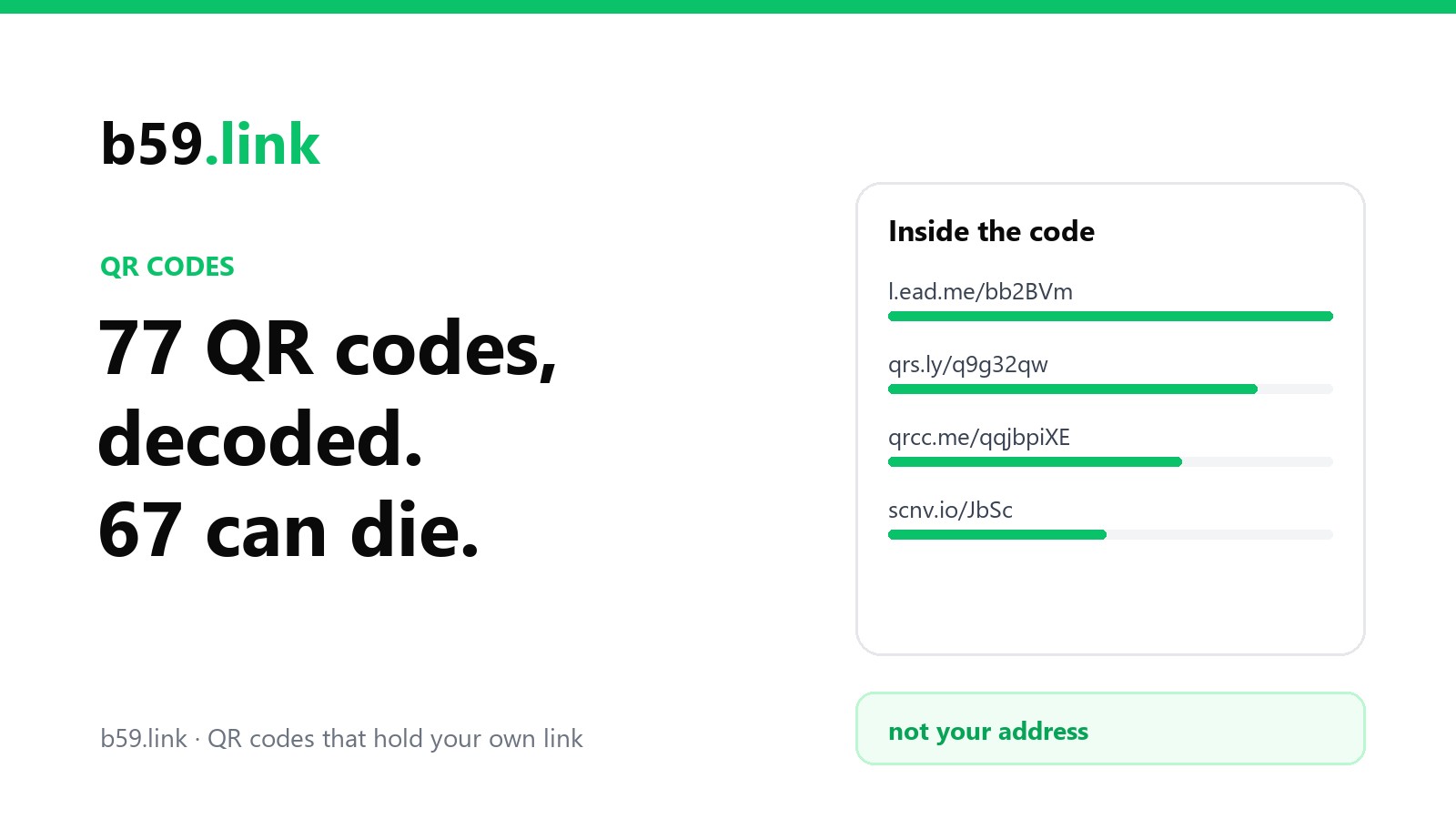
Most online generators don't put your address in the code. They put theirs, something like qrs.example/x7Yz, and forward the scan to you. It's sold as a feature, because you can change the destination later. But the code now works only while that company exists, keeps that domain, and considers your account in good standing. When we decoded 77 sample codes from the generators' own websites, 67 of them held the generator's address and not a destination.
For a poster that's a risk you can take. For 40,000 printed cartons it means a stranger's billing system decides whether your packaging works.
2. The address of a page on your site
Better: nobody stands in the middle. But web pages move. The shop platform changes and /products/oat-biscuits-200g becomes /shop/p/1183. Someone tidies up the old campaign pages. The code still scans, and lands on "Page not found". Page addresses also tend to be long, and a long address makes a denser code that has to be printed bigger. More on that below.
3. A permanent address on your own domain that forwards
This is the one to use. The code holds a short address on a domain you own, and that address does nothing except forward to wherever the right page is today. You get what the generators sell, a destination you can change after printing, without depending on them. If you redesign the site, you update one forwarding rule and every pack ever printed follows.
GS1, the organisation behind the barcode numbers on retail products, says the same thing in its guide for brands. What goes in the code "should not be the URL of any web page"; it should redirect, and "that redirect can be updated at any time as required by the marketing team".
What makes an address permanent
It's on a domain you own and will keep renewing. Put a reminder in more than one person's calendar. A lapsed domain breaks every pack at once, and whoever buys it next decides where your customers land.
It has its own subdomain. GS1 suggests id. (as in id.yourbrand.com), though any name works. The point is that these addresses follow different rules from the website. The marketing team can rebuild www as often as it likes and never touch them.
Nothing in it will go out of date. No campaign name, no year, no "new", no path copied from the shop software. Identify the product, and stop there.
The forwarding is temporary on purpose. Use a 302 redirect, not a 301. A 301 tells browsers the move is for good, and they may remember it and skip your forwarding rule next time, which is exactly what you don't want from something you plan to change.
It has a plan for the day the product is discontinued. People will still own it. Point the address at a page with the manual, the ingredients or the care instructions, not at the home page and not at an error.
GS1 Digital Link in five minutes
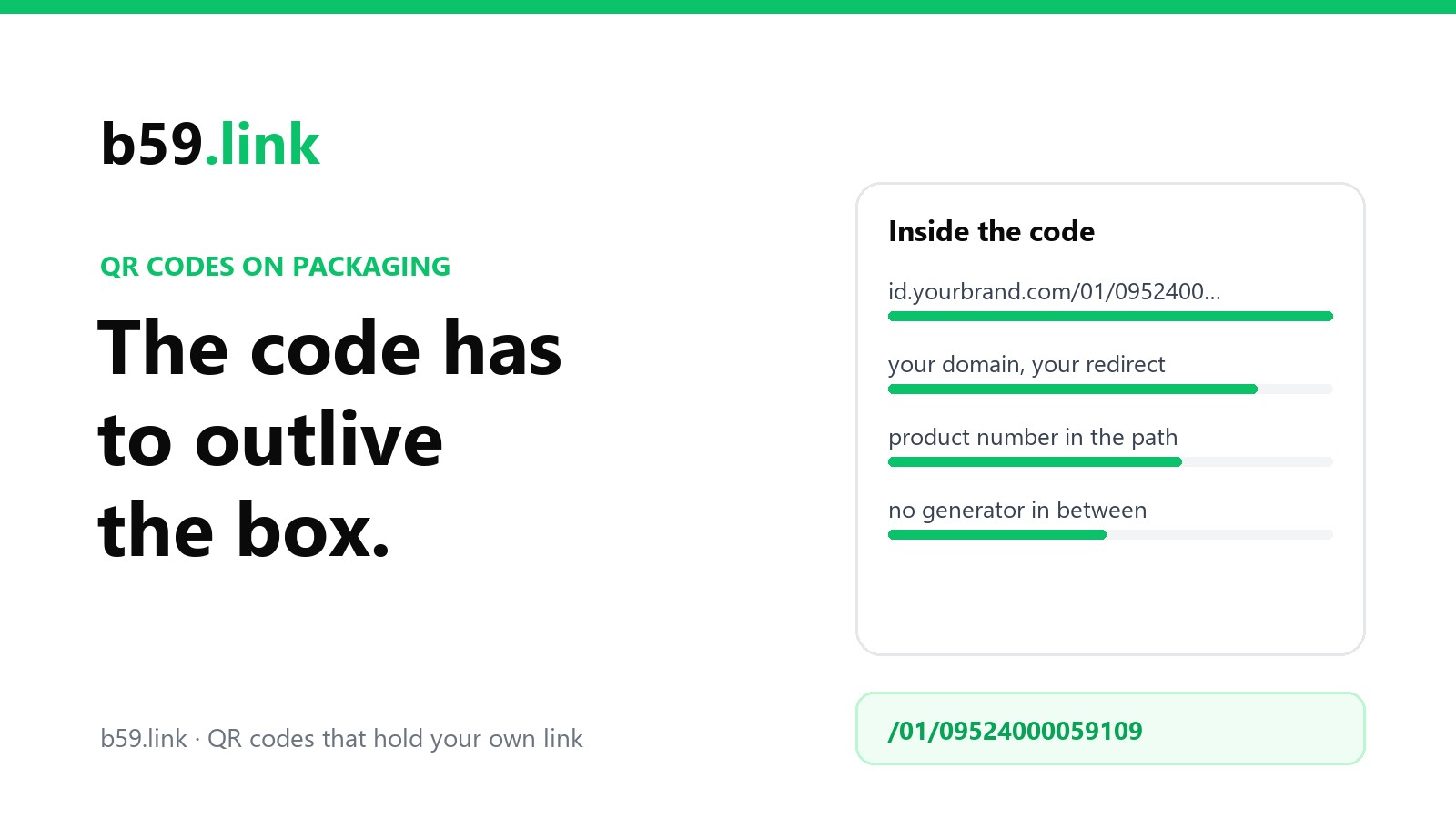
If your product has a barcode number (a GTIN), there's a standard shape for that permanent address. It's called GS1 Digital Link, and it's just a web address with the product number in a fixed place:
A phone camera sees an ordinary link and opens it. A checkout scanner that has been updated for 2D codes sees something else: it ignores the domain, finds /01/, reads the 14 digits and looks up the price, with no internet involved. One code does the job of the barcode and the job of the marketing QR code.
The rules that matter when you build one:
The GTIN is always 14 digits. A 13-digit EAN gets one zero in front, a 12-digit UPC gets two.
Any domain is allowed, and you can have a path before /01/ if your server needs one. The domain isn't part of the product's identity, so use your own.
More detail goes after the GTIN in a fixed order. A batch or lot is /10/, a serial number is /21/. Facts about the item, like an expiry date (17, written as YYMMDD), go in the query string:
A batch or date in the code means a different code for every batch, so it needs a printer that can change the code on the line. Most small brands print the GTIN-only version on the artwork and leave it at that.
Don't add anything else. GS1 is blunt about extra parameters: all they do "is make your QR Code bigger so that it takes up more space on your product's packaging. And no one wants that." If your analytics wants campaign tags, add them in the redirect, on the way to the page.
On the server it's one forwarding rule per product on that subdomain. In nginx, for example:
You may have read about "Sunrise 2027". It's a goal the retail industry set for itself, not a law: by the end of 2027 shop checkouts should be able to read these 2D codes. The old striped barcode isn't being banned, and for now products carry both. Ask your GS1 office and your retailers before you drop it.
And if you sell only from your own website and have no GTINs? The numbers don't apply, but the principle is the same: your own subdomain, a short path that names the product, a redirect you control.
A shorter address is a smaller code
Every extra character adds squares, and on a pack the square size has a floor. For a QR code that will be scanned at a shop checkout, GS1's specification sets each square between 0.396 mm and 0.990 mm, with 0.495 mm as the target, and a blank margin four squares wide on every side. So the address decides the footprint. We generated three real codes to see:
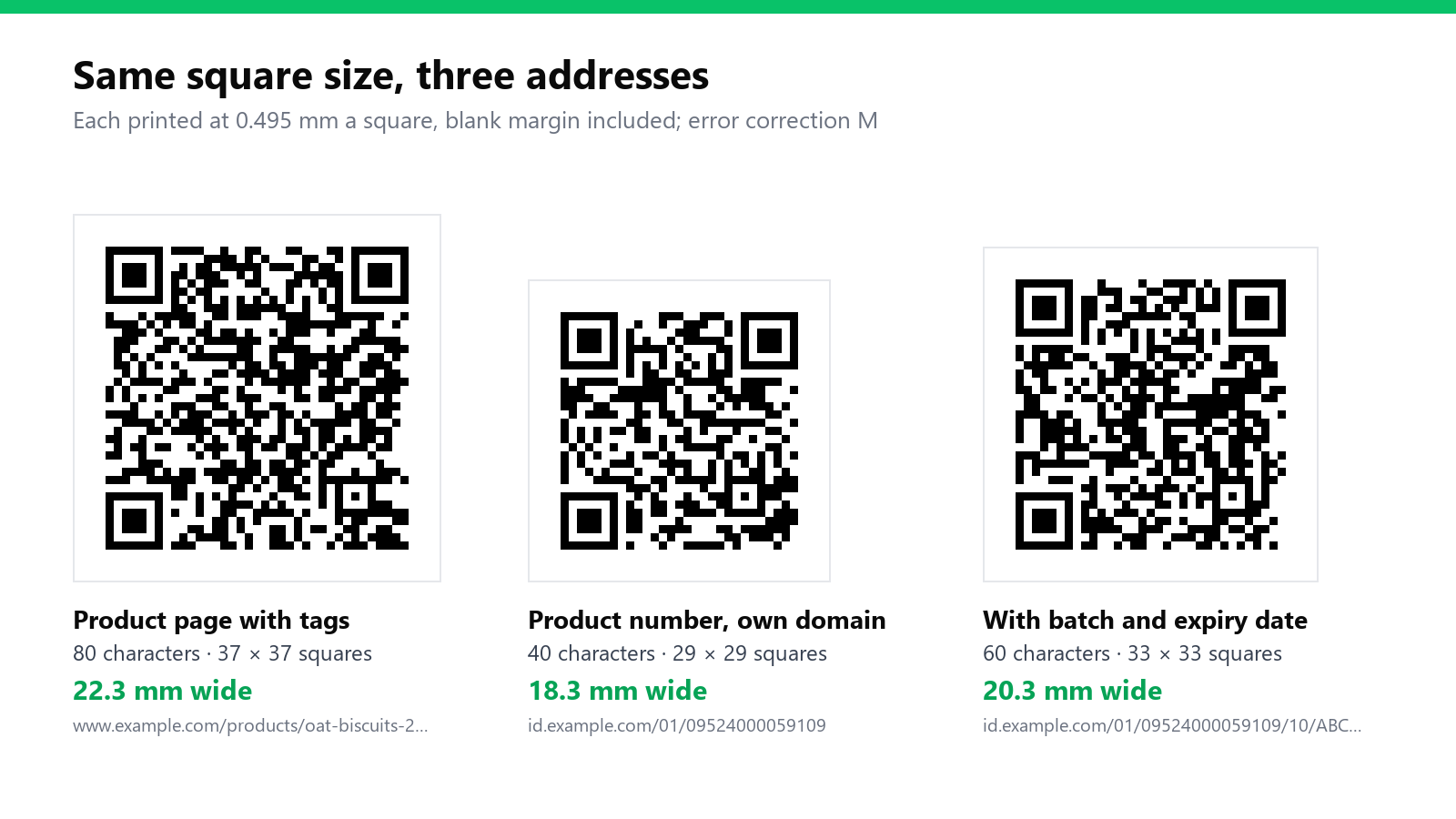
Four millimetres sounds like nothing until you're fitting it between the ingredients and the recycling marks. Turning error correction up to "High" for safety costs the same again: the 40-character address goes from 29 × 29 squares to 37 × 37. There's more on that trade-off in printing a QR code that scans, and the print size calculator works it out for any address.
Curved packs: half the diameter is the limit
A code wrapped around a bottle bends away from the camera at both edges. GS1's placement rule for barcodes on curved surfaces is that the angle between the surface at the middle of the symbol and the surface at its edge should stay under 30 degrees. That rule was written for striped barcodes, but the geometry is the same for a QR code, and it turns into something you can measure with a ruler: the code, margin included, should be no wider than about half the diameter of the pack.
Look at the first row. The smallest code in the picture above is 18.3 mm, and a 30 mm tube allows 15. A striped barcode can be turned sideways so its bars run around the pack like ladder rungs. A QR code is square, so turning it doesn't help. On small round packs the answers are the cap, the base, the carton, a hang tag, or the shortest address you can manage printed at the smallest allowed square.
Keep the code away from the shoulder where a bottle tapers, away from the label seam, and on a shrink sleeve away from any part that shrinks a lot. A sleeve stretches the artwork unevenly, so check the code after it has been shrunk onto a real bottle, not on the flat proof.
Glossy, metallic and clear
A phone camera reads the difference between dark and light squares. Gloss puts a white streak of reflected light across them, and under shop spotlights that streak can cover half the code. If the pack is varnished or laminated, ask the printer to leave the code area matte.
On foil and metallic inks, print a solid white box first and the code in black on top of it. On a clear label, the "white" squares are whatever is behind the label, which changes as the bottle empties, so the same white box applies. Dark squares on a light background, always; an inverted code is one more thing for an old phone to fail on.
Soft pouches crease, and chilled products fog up and bead with water. Put the code on the flattest panel there is, and give it more room than the minimum.
One thing to check before you count scans
It's tempting to run pack codes through a link that counts scans. Sometimes you mustn't. In the EU, wine made since 8 December 2023 has to show its ingredients and nutrition, and producers may do that through a QR code, but the rules for that electronic label say no user data may be collected or tracked and no marketing may appear with it. If a code on your pack carries information the law requires, read that rule before you put a counter or a campaign tag behind it.
Before the print order
Decode the exact artwork file and read what's in it. Designers often drop in a code from whichever generator they had open, and it looks identical to the right one. Our QR checker reads a photo or a file in your browser and tells you whether the code holds your address or a generator's.
Then print a proof on the real material, wrap it on a real, filled pack, and scan it under shop lighting and in a dim kitchen, with three phones including an old one, at arm's length and at an angle. Write down who owns the domain renewal and the forwarding rule. In five years that note will be worth more than the artwork.
Where does a short-link service fit, ours included? Honestly: for a product that will be in homes for years, your own domain is the safer place for the address, because then nobody else's decisions can break it. A short link is a good fit for the things around the product: an insert in the box, a sticker for a seasonal offer, a sample run, a trade-show batch. If you use one, check that it's a plain redirect with no advert page, that it doesn't expire, and that you can change where it points.
Sources: GS1, Quick start guide for GS1 Digital Link (structure, 14-digit GTIN, own subdomain, redirection; the two quotations) and the GS1 Digital Link URI syntax standard; GS1 General Specifications (square size and margin for QR codes at retail point of sale; the 30-degree rule for symbols on curved surfaces); GS1 US, Sunrise 2027; Regulation (EU) 2021/2117 on wine labelling, as summarised by GS1 in Europe. The code sizes were worked out from codes we generated in October 2026 with the library behind b59.link's QR generator; the curve widths are our arithmetic from the 30-degree rule.
Check what's really inside a QR code before it goes to print: your address, or a generator's. Free, runs in your browser.
Open the QR checker