You fix the headline on your landing page, make a tidy short link, paste it into the team Slack, and the card that appears under it has last week's headline. Or no image. Or, in the worst case, the name and logo of the link shortener where your page should be.
It's tempting to blame the short link, and nine times out of ten it's innocent. To see why, it helps to know who actually builds that card.
Nobody clicks; a robot reads your page
When a link lands in a message box, the app sends its own program to fetch the address. Slack's is called Slackbot-LinkExpanding. LinkedIn's is LinkedInBot, Facebook's is facebookexternalhit, X's is Twitterbot, and WhatsApp announces itself as WhatsApp/2.x. This happens before any person has clicked anything.
The robot isn't interested in your page as a reader would be. It wants a handful of lines in the <head>, the Open Graph tags:
Title, description, picture, and the address the page considers its real one. If they're missing, each app improvises from the <title> and whatever else it finds, and the improvised cards are the ugly ones.
Then the part that causes most of the confusion: the app keeps what it found. The next person who posts the same address gets the stored card, not a fresh look at your page.
What the short link does in all this
A short link answers every request the same way: "it's over there." In HTTP that's a 301 or 302 status and a Location header. The preview robots follow it, the same as a browser, and read the tags on the page they end up at. The short link has no tags of its own to offer.
You can watch this happen. Here is one of our own short links, fetched the way Slack's robot does it, asking only for the first part of the page:
One hop, then the destination's tags. And look at what isn't in that list: there's no og:image. That's why this link gets a text-only card everywhere. We found that by running the command for this article; the short link had nothing to do with it, and the fix belongs on the page. That's the usual story. The short link just happens to be what you pasted when you noticed.
Five reasons the card is wrong, most likely first
1. The app is showing you its memory
You changed the page; the app hasn't looked again. How long each one remembers, and how to make it look:
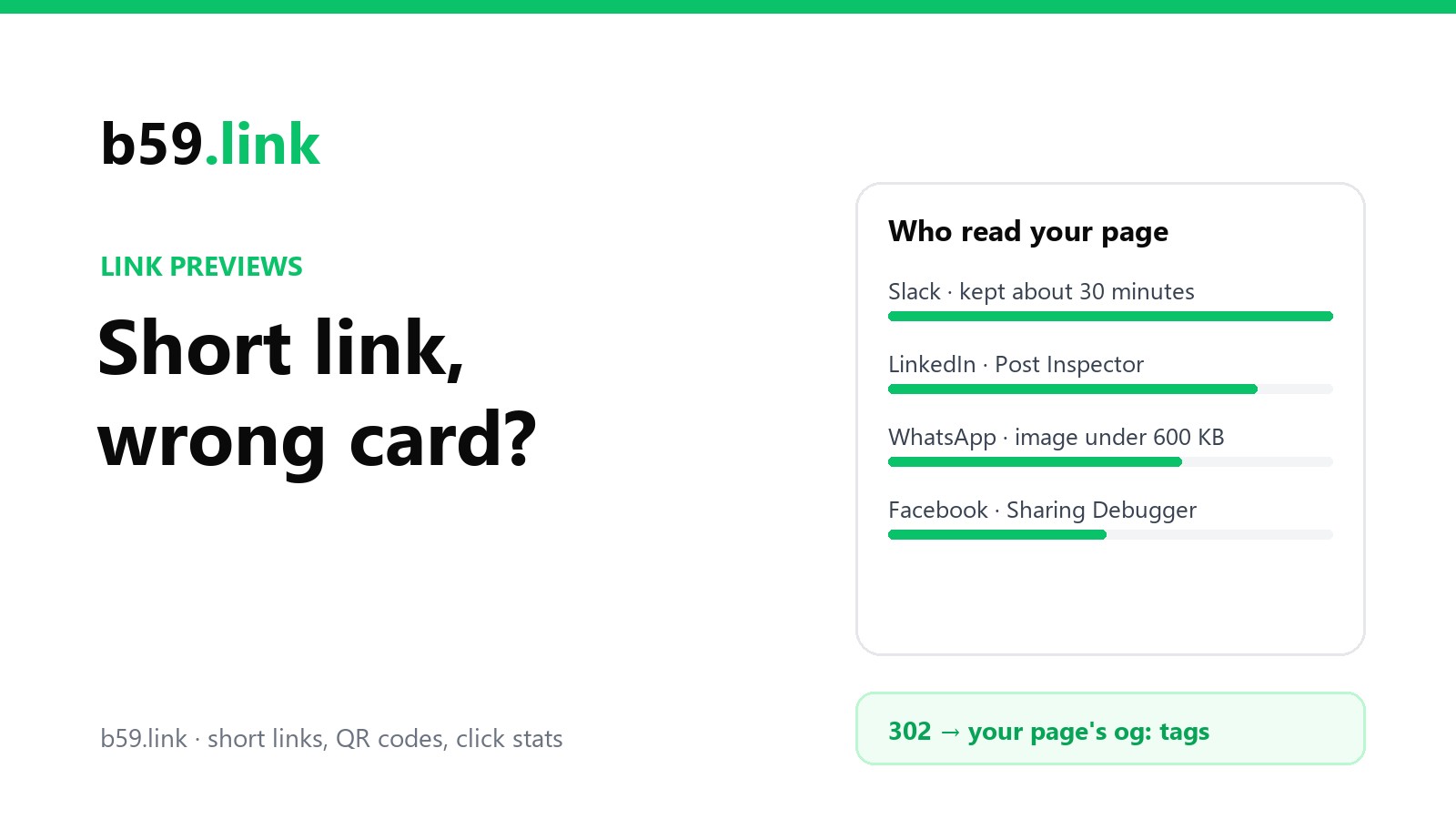
Slack says its robot's responses are kept for around 30 minutes, across all of Slack, not just your workspace. There's no refresh button. Wait half an hour, or see the trick below.
LinkedIn keeps a card for about a week by most reports. Paste the address into Post Inspector and it fetches the page again and replaces what it had. LinkedIn's own help page is clear on one limit: this only changes new posts. A post already published keeps the card it was published with.
Facebook (and Messenger and Instagram, which use the same crawler) has the Sharing Debugger, with a "Scrape Again" button. One catch from Facebook's documentation: images are cached by their address and won't update unless the address changes. If you replaced card.jpg with a new picture under the same name, rename it.
WhatsApp builds the preview while the sender is typing and sends it along with the message. There's no tool and nothing to refresh: a message that went out with the old card keeps it for good, and the next message gets whatever the page says at that moment.
X used to have a Card Validator with a preview; that part was removed in 2022. Now you check by pasting the link into the post box and looking.
The trick that works almost everywhere, because these caches are keyed by the exact address: add a throwaway parameter, like ?v=2. To the app it's an address it has never seen, so it fetches fresh. This works on the short link too. b59.link/qrsize?v=2 redirects to the same place as b59.link/qrsize (our redirect ignores anything added after the short link), but Slack has no memory of it.
2. You changed where the short link points
This one really is specific to short links. The app's memory is filed under the address you pasted, which is the short one. Point the short link at a new page and, to the app, nothing has changed: same address, stored card, old destination's title and picture. For Slack that sorts itself out in half an hour. For LinkedIn, run the short link itself through Post Inspector, not just the new page.
3. The page's tags point somewhere else
Facebook treats three things as "go there instead": an HTTP redirect, a <link rel="canonical"> tag, and the og:url tag. It follows them and builds the card from the last page in the chain. So if a template has the same og:url on every page (a classic after copying a layout), every page on the site gets the home page's card. Check that og:url on each page is that page.
4. The robot couldn't read the page
The robot is not a browser. It doesn't run JavaScript, doesn't accept your cookie banner and isn't logged in. So: tags added by a script after the page loads don't exist for it. A bot-protection screen or a login wall gives it that screen's title instead of yours. And each has its own limits. Slack fetches as little of the page as it can, so tags buried under a lot of inline CSS and scripts may never be read; keep them near the top of the <head>. WhatsApp wants og:title, og:description and og:url to be present, the head within the first 300 KB, and an image under 600 KB and at least 300 pixels wide. A 2 MB photo straight from a camera is the most common reason a link has a card on LinkedIn and none on WhatsApp.
5. The shortener put a page in the way
Here the short link is guilty. Some shorteners and QR services don't send a plain redirect. They send a small web page first: an ad, a "you are leaving" notice, a countdown, or a page that forwards the visitor with JavaScript or a meta refresh. A person waits two seconds and moves on. The robot reads that page, finds the shortener's own title and logo, and builds the card from those. Free plans that add an ad page do this by design, and it's the case where the shortener's branding shows up where yours should be.
The same thing happens when a shortener blocks or challenges robots to keep its click counts clean. The counts are cleaner, and the preview is gone.
The test takes ten seconds. Ask for the headers of your short link and look at the first response:
For what it's worth, this is how b59.link handles it: every request gets the same plain 302, robot or person. Robots and preview fetchers are left out of the click count, but they're never sent anywhere different, so the card is always your page's card.
301 or 302, and does it change the card?
Not the card. Both are followed. The difference is in what's allowed to be remembered: a 301 says "moved for good", and browsers may keep that answer and skip the shortener next time, which means later clicks from the same browser never reach it and aren't counted. A 302 says "for now", so every click comes back through. That's why shorteners that count clicks, or let you edit the destination, use 302.
A two-minute check before you post
Run the short link through curl with a robot's name, as above, and read the tags that come back. Is there a title, a description, an image, and is og:url this page? Is the image a real, full https:// address, under 600 KB? If you edited the page or the link recently, use Post Inspector or the Sharing Debugger on the exact address you're about to post, or add ?v=2. Then post it somewhere private first: a message to yourself in Slack or WhatsApp shows the true card faster than any checker.
The preview fetch also explains a small mystery in link stats: a link shared in a busy chat can show "clicks" before anyone has opened it, on shorteners that count robots. There's more on that, and on telling your channels apart, in one short link per flyer, post and podcast. If you're making a batch of those, the campaign link set builder makes one tagged short link per place in one go.
Sources: Slack, Slack robots (user agent, Range requests, cache of around 30 minutes); LinkedIn Help, Post Inspector; Meta for Developers, A Guide to Sharing for Webmasters (image caching, crawler user agent) and its page on canonical URLs (what the crawler treats as a redirect); Meta, WhatsApp link previews (required tags, 300 KB and 600 KB limits); The Open Graph protocol. The curl output is from b59.link in October 2026.
Short links that are a plain 302 to your page, with click stats that leave the robots out.
Create a short link