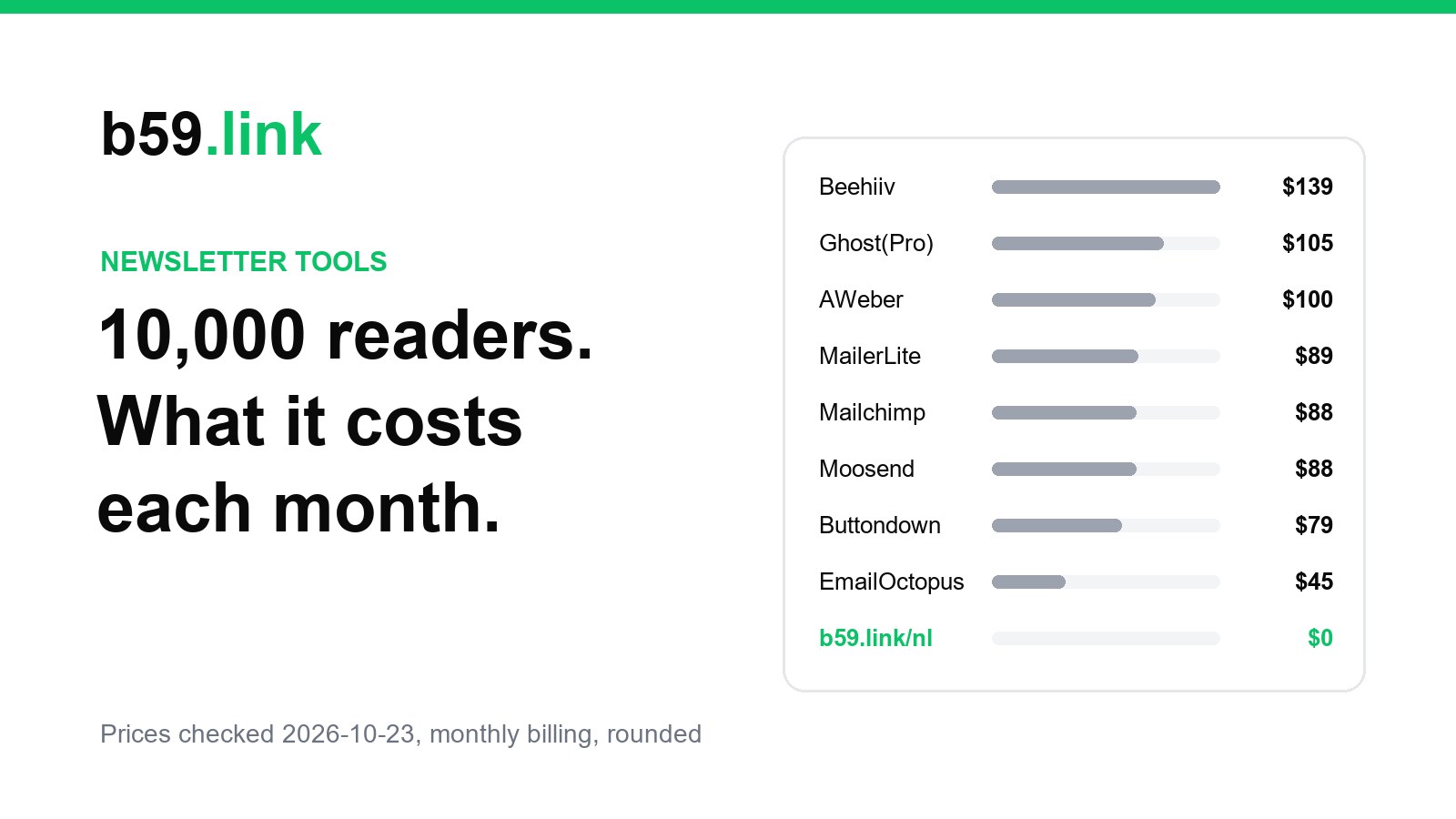
Most newsletters start the same way: a sign-up box on a website and an issue every week or so. The tools that do this price by list size, and the bill usually starts once the list passes a few hundred or a few thousand people. We priced twenty of them at two sizes, 1,000 and 10,000 subscribers, and put our own newsletter on b59.link next to them, along with what it can't do.
All prices are in US dollars, monthly billing, from each vendor's own pricing page or help docs on 2026-10-23. The cost is the cheapest plan that holds the list and sends it about four issues a month. A free plan that can't send one issue to the whole list in a day (Brevo allows 300 emails a day, Mailjet 200) is priced at the cheapest plan that can.
Twenty tools at 1,000 and 10,000 subscribers
At 1,000 subscribers eight hosted options cost nothing. At 10,000 only three do: Substack, Kit and b59.link. Substack is free at any size but takes 10% of paid subscriptions if you charge readers, sends from its own domain, and its embed form can't be styled. Kit's free plan stops at exactly 10,000 subscribers and carries Kit branding. The cheapest paid plans at 10,000 are Mailjet at $40 (priced by emails, 50,000 a month), EmailOctopus at $44.50 and Brevo at $46.
Some free plans are smaller than they look. Flodesk's free plan builds forms and pages but can't send email. Loops keeps any number of contacts but only emails the first 1,000. Beehiiv is free to 2,500 and then $139 a month at 10,000 on Lite, the highest figure in the table.
Two years, added up
A list grows, so the free plan that covers year one may not cover year two. Here is one newsletter with 1,000 readers for a year and 10,000 the next:
Free plans with a 2,000 or 2,500 cap (Zoho Campaigns, EmailOctopus, Sender, Beehiiv) cost nothing in year one and between $534 and $1,668 in year two. Tools priced by emails sent, like Mailjet and Brevo, stay cheap at 10,000 if you send weekly or less.
What you get on b59.link/nl
Our newsletter is a subscriber list, a subscribe panel for your site and an HTML editor that sends each issue to the list. Create the list at b59.link/nl, copy two lines of HTML (or a small React component) and paste them where the sign-up box should go. There is no iframe: the script draws the form in your page.
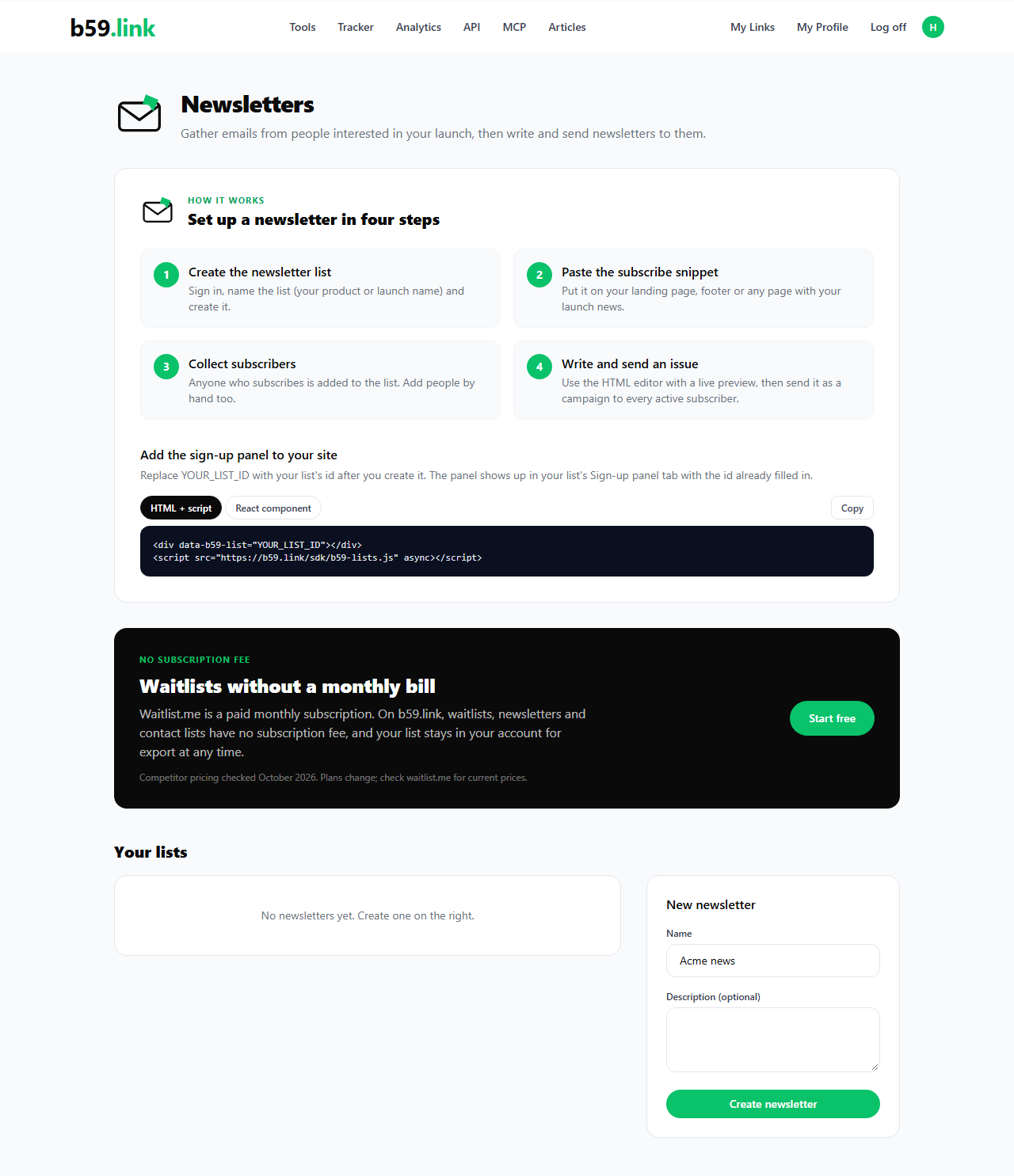
Issues are written in HTML with a live preview beside the source. Send as campaign writes one email to every active subscriber, each with a footer and its own unsubscribe link. The Campaigns table shows how many are pending, sent and failed, and the Subscribers tab exports everyone as a CSV at any time.
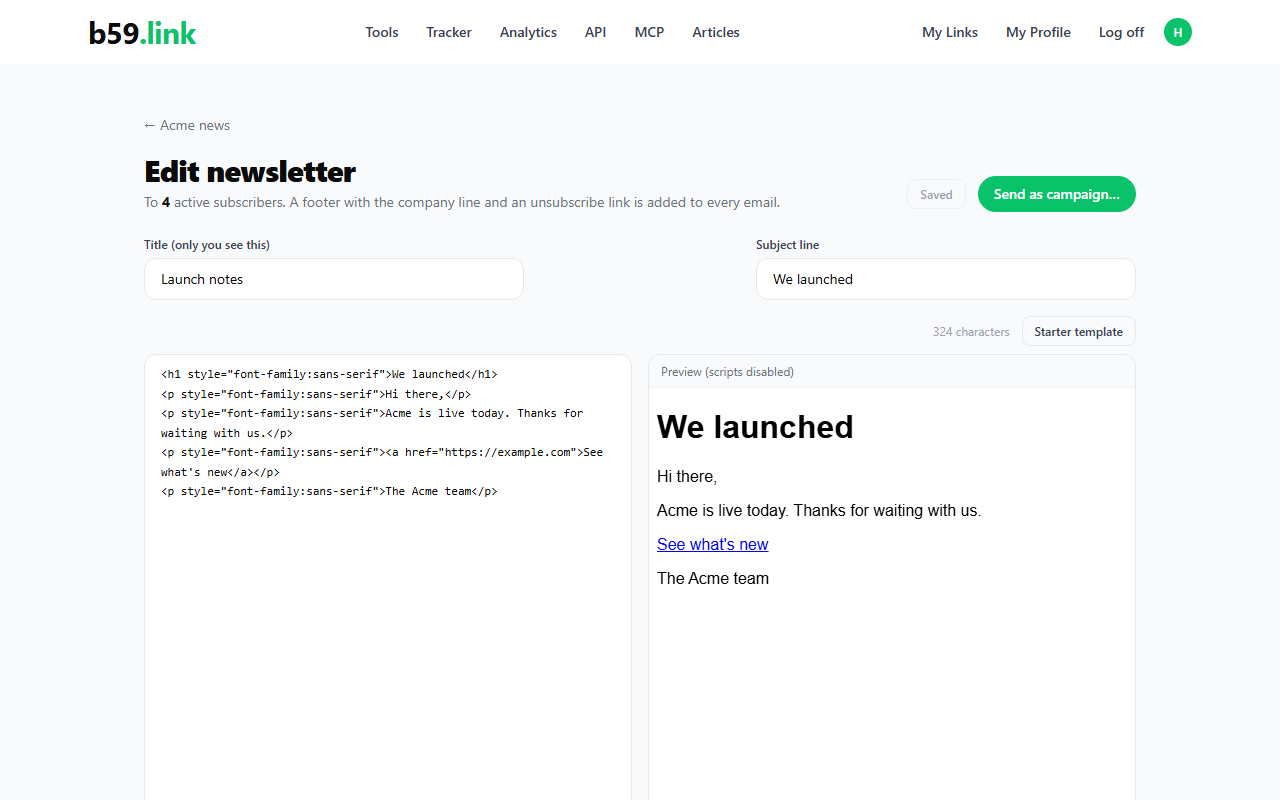
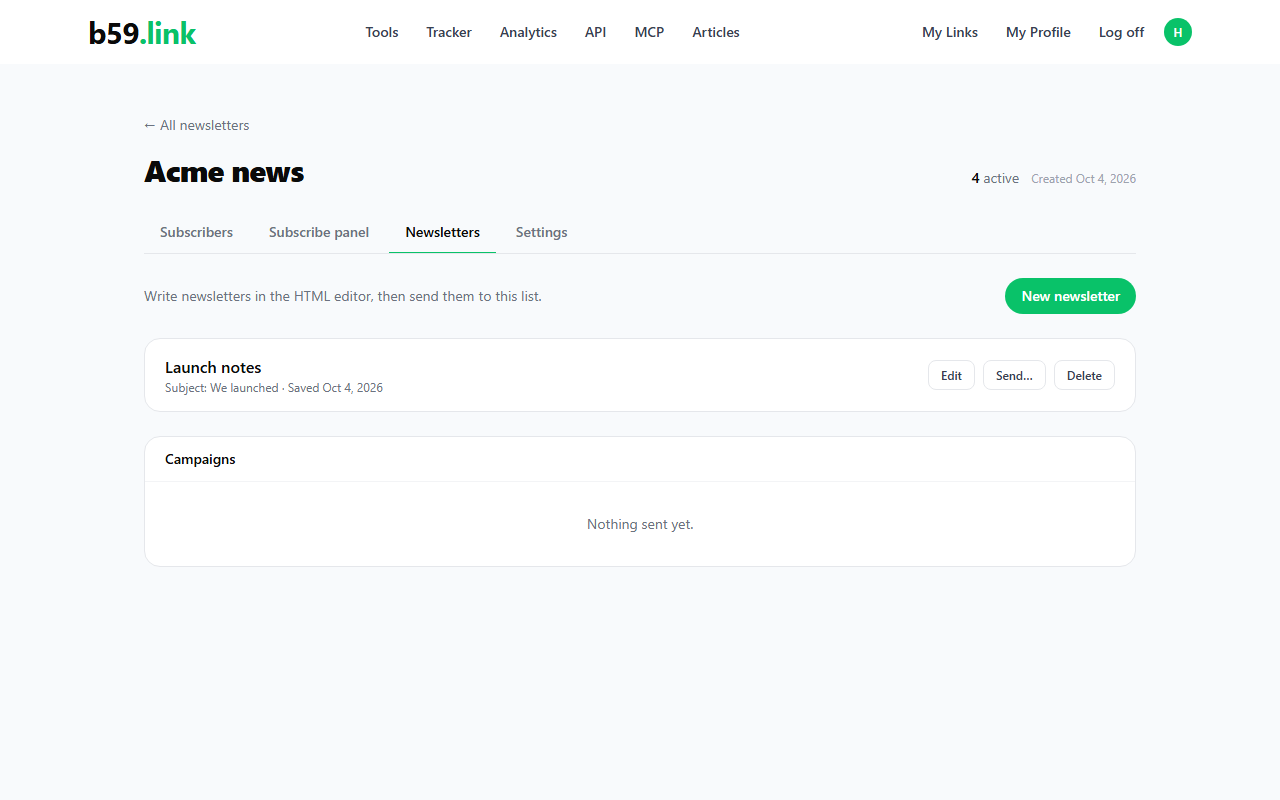
An account gets 10,000 data-collecting requests a month (sign-ups and people you add by hand both count), so the 10,000 column above is a whole month's allowance arriving at once. Sending issues isn't counted against that number.
What it doesn't do
There are no open or click reports, no scheduled sends, no automations or welcome sequences, no paid subscriptions and no hosted archive of past issues. Sign-up is single opt-in, with no confirmation email. The panel shows a small "Powered by b59.link" line, and you write issues in HTML rather than a drag-and-drop editor. If you want to charge readers, Substack or Ghost are built for it; if you want automations on a free plan, Kit up to 10,000 is where we would look. If you want a list, a sign-up box and a way to send it an issue, you don't need to pay for it.
Start a newsletter list, paste the subscribe panel on your site, and write the first issue when you are ready.
Start a newsletterSources
Pricing pages checked on 2026-10-23: support.substack.com/hc/en-us/articles/360037607131, kit.com/pricing, beehiiv.com/pricing, emailoctopus.com/pricing, sender.net/pricing, zoho.com/campaigns/pricing.html, loops.so/pricing, listmonk.app/docs, buttondown.com/pricing, mailjet.com/pricing, moosend.com/pricing, brevo.com/pricing, ghost.org/pricing, getresponse.com/pricing, mailerlite.com/pricing, flodesk.com/pricing, aweber.com/pricing.htm, mailchimp.com/pricing/marketing (USD), constantcontact.com/pricing. Prices change; if you spot one that has, tell us in the comments. The same twenty tools are side by side on shortlist20.com/l/newsletter-tools.