The people standing at your counter are the best mailing list you'll never have. They've already found the shop, walked in and bought something. Most of them won't follow you on social media, and the ones who do will see a fraction of what you post. An email list reaches all of them, and it's yours: no algorithm decides who sees the next newsletter.
Asking for email addresses at the till used to mean a clipboard and handwriting nobody could read. A QR code on a small card next to the card reader does the same job better: the customer types their own address, spelled right, on their own phone, while they wait for the receipt. This guide covers what the code should open, what to offer, what the rules say about consent in the main markets, the wording that gets people to scan, how to count sign-ups per counter or event, and the first email.
What the code should open
One thing, with one field: a sign-up form asking for an email address, on a page you control.
Not an app. "Download our app to join the loyalty club" asks a customer to visit an app store, install something, make an account and allow notifications, all while there's a queue behind them. Very few will. Not your Instagram either: a follow isn't a sign-up, and you can't email a follower.
Keep the form short:
- Email address, required.
- First name, optional. It's nice for the greeting; making it required costs sign-ups.
- One line saying what they'll get and how often, right above the button.
- The button, labelled with the result: "Join the list", "Send me the offer".
No birthday, postcode, phone number or "how did you hear about us". Every extra field is a reason to put the phone back in the pocket, and in Europe it's also personal data you need a reason to hold.
Put the form on your own website, at an address like yourshop.com/join. If you don't have a website, a one-page site from any builder will do, as long as you can paste in a form. With b59.link, the sign-up form for your list is one line of HTML that works in the HTML or embed block of most site builders, and the list stays exportable.
Then point the code at a short link to that page rather than the page itself. If you move the form, change the site, or want to send the till code to a Christmas page in December, you change where the link goes, not the printed card.
What to offer
People sign up for a reason. The best reasons are about the list itself, not a bribe:
- First look: "New stock goes to the list a day before it goes in the window."
- Things that sell out: "We email when the sourdough classes open. They're usually full in two days."
- Events: tastings, signings, late openings, the market stall dates.
- Something useful: a monthly recipe from the deli counter, a care sheet for the plant they just bought.
A one-off discount works too, and gets more scans at the till, but it attracts people who want the discount and unsubscribe after it. If you offer one, make it modest, make it for the next visit (not today's purchase, which slows the queue), and keep the promise: the code arrives in their inbox, not "sometime".
What the rules say about consent
Email marketing law differs by country, and a shop with a website gets customers from more than one. A sign-up form that asks plainly and records the date covers the main ones. Short version, not legal advice:
- UK (PECR and UK GDPR): you need consent to send marketing email to individuals, unless the "soft opt-in" applies. The Information Commissioner's Office says the soft opt-in only covers people whose details you collected yourself during a sale or negotiations for one, for your own similar products, and only if you gave them a clear chance to refuse at that moment and in every email afterwards. A customer actively signing up on a form has given consent, which is simpler to rely on.
- EU (GDPR and the ePrivacy rules): consent has to be freely given, specific and informed, with no pre-ticked boxes. Say what they'll get, who from, and that they can unsubscribe.
- US (CAN-SPAM): the law doesn't require consent before the first email, but every message must identify you, carry a valid postal address and a working unsubscribe, and the FTC says opt-outs must be honoured within 10 business days.
- Canada (CASL): you need express consent, and the burden of proving it is on you. The CRTC tells senders to keep records of how and when consent was given.
- Australia (Spam Act 2003): consent, which the regulator can ask you to prove; your business named in every message; and an unsubscribe that's honoured within five working days.
In practice: write what they're signing up for above the button, never add people who didn't sign up themselves (the email on a receipt or a delivery form isn't a sign-up), keep the date each address joined (b59.link lists store it), and put an unsubscribe link in every email.
A line that does the job almost everywhere:
The card: wording that gets scans
The card by the till has about three seconds of attention while the card reader thinks. It needs to say what's in it for them, what to do, and that it's quick.
Some details that matter more than the design:
- Lead with the benefit, not "Join our newsletter". Nobody wants a newsletter. They want the thing in it.
- Say how long it takes. "10 seconds" or "one field" tells people it's not a form with twelve boxes.
- Print the short address under the code for people who'd rather type it later.
- Size it for the counter. People scan a till card from 30 to 50 cm, so a code about 4 to 5 cm wide is plenty; our printing guide has the rule. A tent card stands up and survives being knocked; a sticker on the counter gets coffee on it.
- Staff saying one sentence does more than any card: "If you want first dibs on the new stock, the code's there." Give them the sentence.
One link per counter or event
If you have more than one place people sign up, give each its own short link, all pointing to the same form:
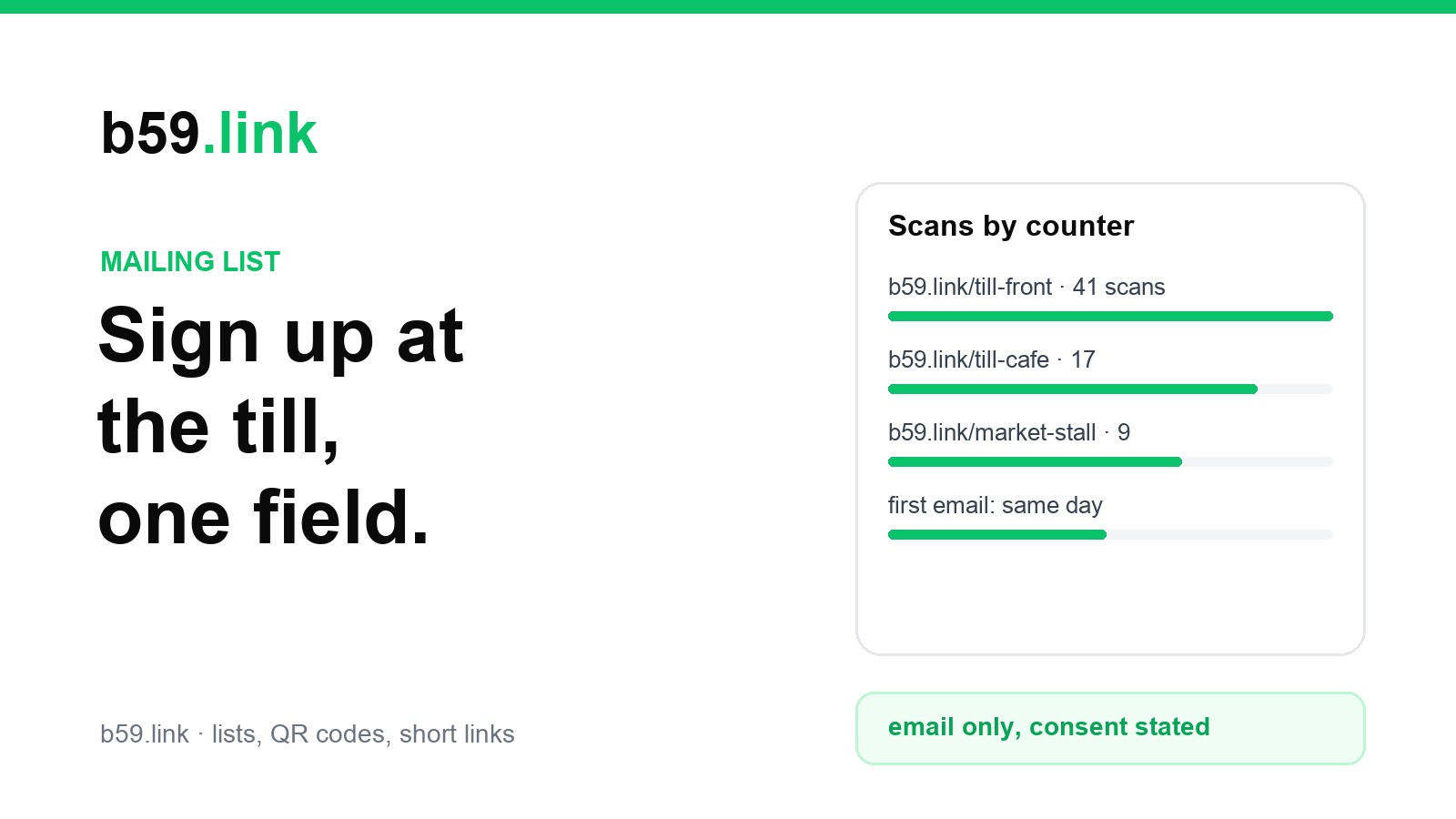
Each link counts its own scans, so after a month you can see whether the café tables do anything, which market weekends were worth it, and whether the workshop slide beats the till card. The method is the same as one short link per flyer, post and podcast.
Two honest caveats. Scans aren't sign-ups: some people scan and close the page. Compare scans with the number of new addresses in the same week; 50 scans and 8 sign-ups says the card works and the form or the offer doesn't. And a b59.link list doesn't record which link brought each person, only the scans per link and the total sign-ups. If you need sign-ups per location, make a separate list (or a separate form) per location, and merge them later.
The first email, the same day
Somebody who signed up at 11 a.m. and hears nothing for a month has forgotten who you are by the time your newsletter arrives, and is more likely to mark it as spam. The first email should go out the same day, while they still remember the shop.
It doesn't have to be long:
If your list tool can send an automatic welcome email, switch it on. b59.link's lists don't send one by themselves yet, so the simplest routine is to export the day's new addresses at closing time and send the welcome from your newsletter tool or your own mail program. Keep the welcome as a saved draft so it takes a minute. Your regular newsletters can then go out from b59.link's newsletter editor to the whole list. If you promised a discount at the till, the "You're on the list" screen on the customer's phone is something staff can see straight away.
After that, send on the schedule you promised. A list grows slowly at the till, perhaps a few people a day, but these are people who walked in once already. They're the most likely to walk in again when you tell them something worth coming back for.
Sources: Information Commissioner's Office, Guidance on direct marketing using electronic mail (soft opt-in conditions). Federal Trade Commission, CAN-SPAM Act: A Compliance Guide for Business. CRTC Enforcement Advisory on keeping records of consent, 27 July 2016 (summary by Carters). Australian Communications and Media Authority, Avoid sending spam.
Make a sign-up list, paste its one-line form on your page, and give each counter its own short link to count the scans.
Start a list