Setting up an appointment booking page should not require a computer science degree. For independent consultants, executive coaches, agency founders, and clinic operators, the objective is straightforward: let clients choose an open calendar slot, collect payment up front so no-shows drop to zero, and have the funds deposited directly into your bank account.
Yet traditional payment gateway integrations present a wall of developer jargon: REST endpoints, webhook signature HMAC verifications, restricted API secret scopes, and sandbox environments. If you paste an API key wrong or miss a webhook event, client bookings get stuck in 'pending payment' limbo even after money leaves their card.
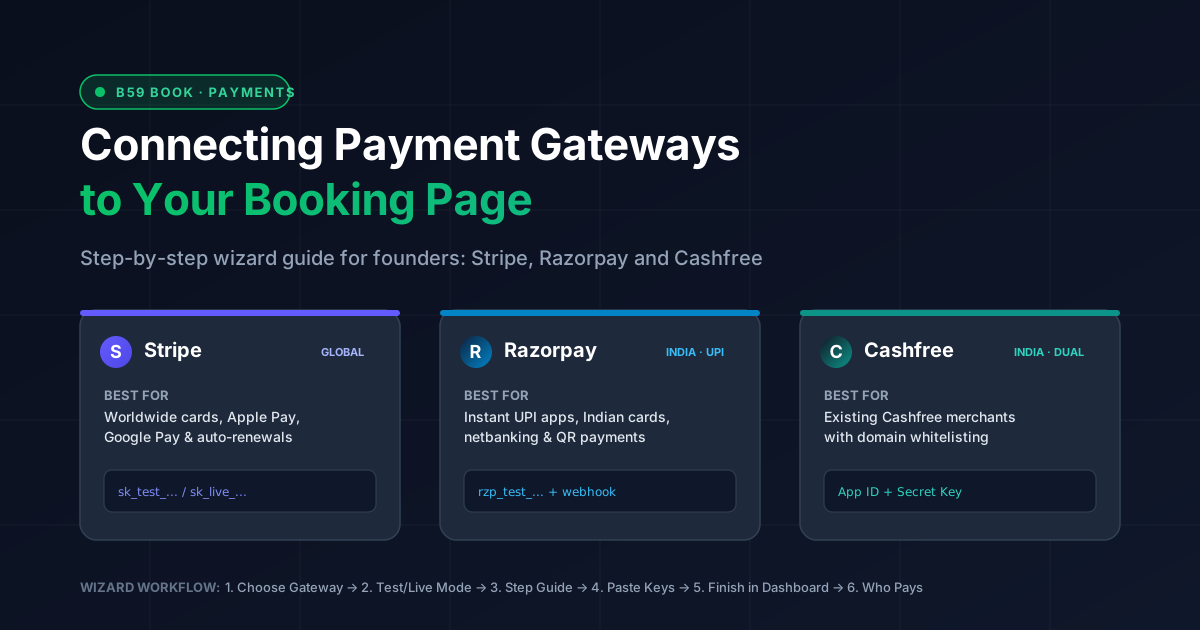
To solve this, b59 book replaces raw credential inputs with an interactive six-step Payment Setup Wizard. This guide walks you through connecting Stripe, Razorpay, and Cashfree step by step, comparing transaction economics, and configuring automated domestic versus international checkout routing.
Gateway comparison: fees, settlement times, and capabilities
Choosing the right payment processor depends primarily on where your paying clients reside and what payment instruments they use. Processing an Indian domestic card or UPI payment through an international Stripe account incurs unnecessary cross-border currency conversion surcharges, while attempting to collect European or North American payments via domestic Indian gateways often suffers from 3D-Secure drop-offs.
| Provider | Best Target Audience | Domestic Fees | International Fees | Payout Schedule |
|---|---|---|---|---|
| Stripe | Worldwide (USA, Europe, UK, Singapore, Australia) | 2.9% + $0.30 (US standard) | +1.5% international + 1% if currency conversion needed | 2-day rolling (US/UK) to 7-day rolling |
| Razorpay | India (UPI, RuPay, Netbanking, Wallets) | 2.0% standard cards/UPI + 18% GST (0% on RuPay/UPI for select tiers) | 3.0% + 18% GST (requires international activation approval) | T+2 working days into Indian bank account |
| Cashfree | India (Merchants with existing Cashfree relationship) | 1.90% standard cards/netbanking + 18% GST (0% on UPI) | 3.5% + ₹7 + 18% GST | T+1 working day (or on-demand Instant Payouts) |
To quantify the impact, consider two real-world booking examples:
Example 1: A $100 international advisory call. If charged through a domestic US/EU Stripe account, processing fees are $2.90 + $0.30 = $3.20 (net payout $96.80). Routing that same client through an Indian gateway without international card optimization often triggers issuing-bank cross-border blocks or incurs up to 4.5% in forex spread plus GST.
Example 2: A ₹5,000 domestic consulting session. Paid via UPI on Razorpay or Cashfree, the fee ranges from ₹0 to ₹118 (at 2% + GST). Running that same ₹5,000 card transaction through Stripe India incurs cross-border gateway markups and slower reconciliation.
The b59 book Payment Setup Wizard
Under the hood, b59 book structures payment onboarding into six sequential steps inside your page management dashboard at b59.link/book/me:
1. Provider Selection: Choose Stripe for worldwide cardholders, or Razorpay / Cashfree for Indian UPI and banking rails. If you cater to both, connect both.
2. Environment Mode: Select Test (Sandbox) mode first to verify calendar integration without real credit card charges, then flip to Live Mode once approved.
3. Step-by-Step Instructions: Direct dashboard deep-links showing exactly where API keys live within each provider's interface.
4. Key Validation: Instant client-side prefix checking (e.g. sk_test_ vs sk_live_, rzp_test_ vs rzp_live_) followed by server-side verification before any credentials are stored.
5. Finish in Dashboard: Provider-specific follow-ups (copying webhook endpoints, storing webhook secrets, or domain whitelisting).
6. Target Audience Routing: Designate whether this gateway handles all visitors, domestic Indian visitors only, or international visitors.
Connecting Stripe: global cards, Apple Pay, and automated webhooks
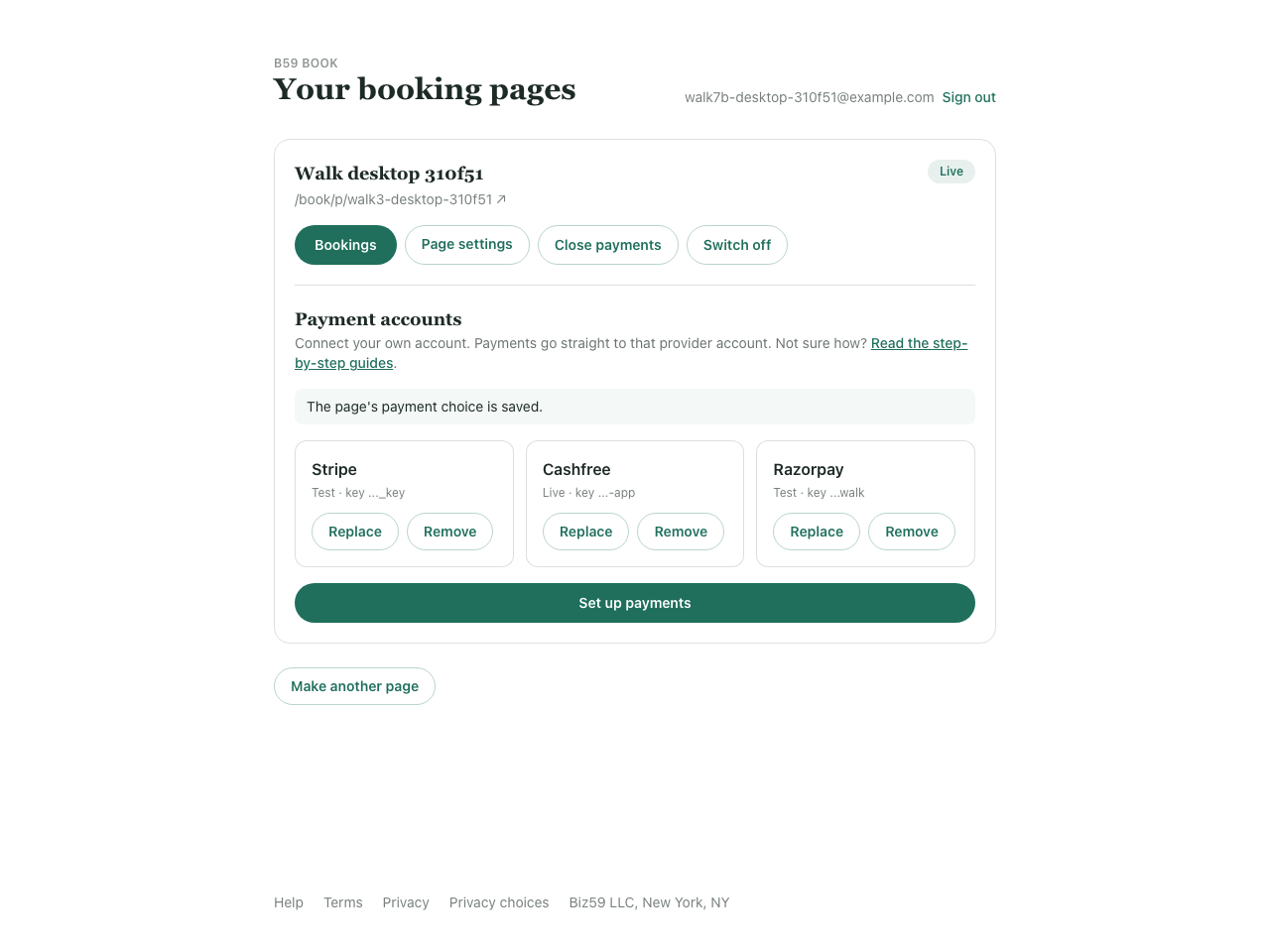
Stripe provides the smoothest onboarding experience because b59 book fully automates webhook endpoint registration using Stripe's API. When you provide your Secret Key, our backend automatically creates and configures the webhook endpoint on your Stripe account to receive charge events.
Step 1: In your Stripe Dashboard, toggle 'Test mode' on in the upper-right corner. Navigate to Developers > API keys.
Step 2: Under 'Secret key', click Reveal and copy the key. A test secret key always begins with the prefix sk_test_.
Step 3: Paste the key into the wizard. Our backend validates the key against Stripe's API and automatically sets up the checkout webhook listener.
Step 4: Complete a simulated booking on your public booking page. Stripe provides dummy test card 4242 4242 4242 4242 (with any future MM/YY and any 3-digit CVC). Once submitted, your booking page instantly updates to 'Confirmed' and creates calendar invitations.
Step 5: When you are ready for real revenue, toggle Test mode off in Stripe, copy your sk_live_ key from the same API keys screen, and click 'Replace' in b59 book.
Connecting Razorpay: UPI, Indian netbanking, and webhook configuration
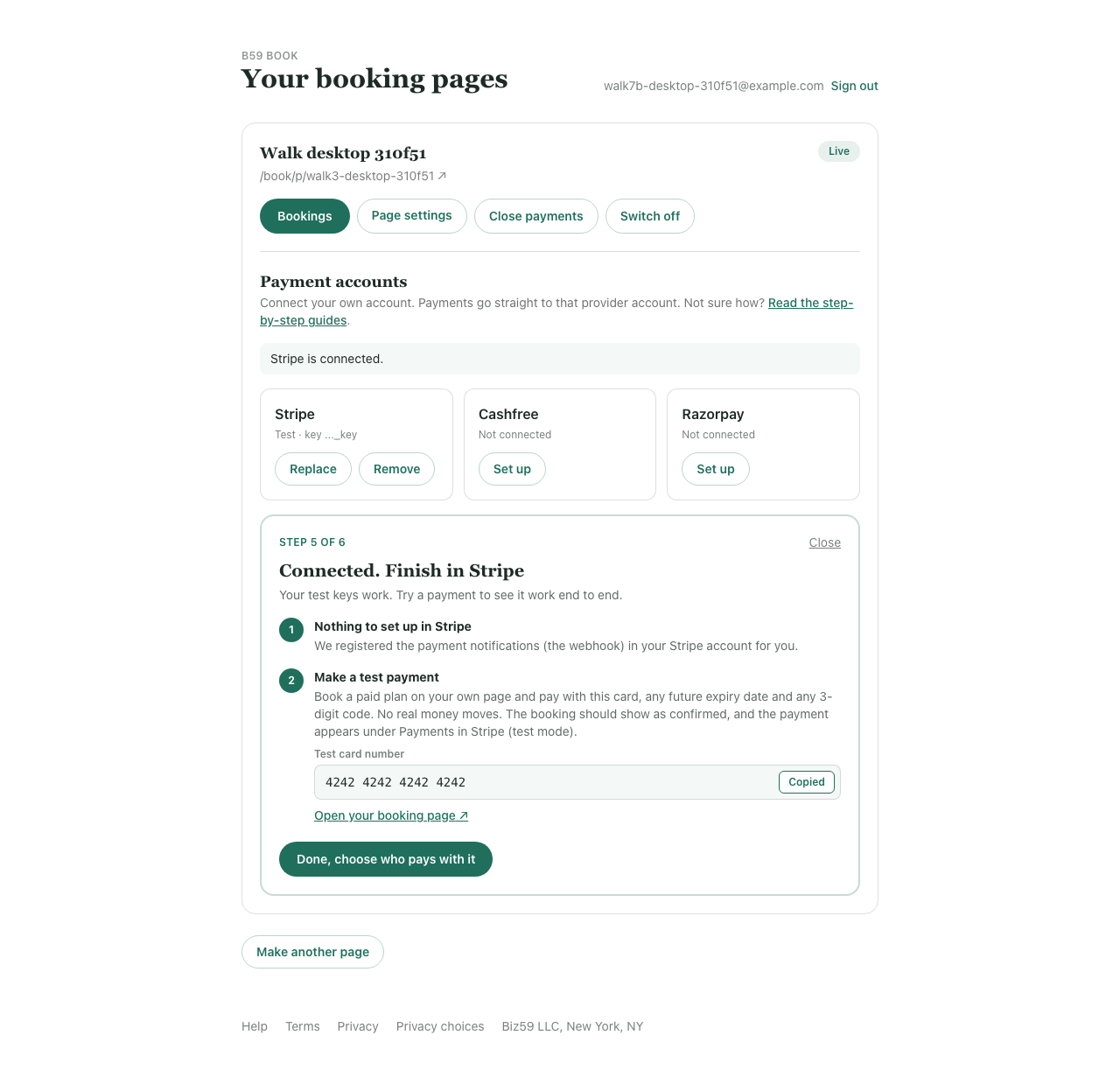
Razorpay powers UPI QR codes, Google Pay, PhonePe, Paytm, Indian credit/debit cards, and 50+ netbanking institutions. Unlike Stripe, Razorpay requires manual webhook registration in their merchant dashboard for security compliance.
Step 1: Sign in to your Razorpay Dashboard. Use the mode dropdown at the top to select 'Test Mode'.
Step 2: Go to Account & Settings > API Keys. Click 'Generate Key' and copy both the Key Id (which starts with rzp_test_) and the Key Secret. Note that Razorpay displays the Key Secret only once upon generation.
Step 3: Paste the Key Id and Key Secret into the b59 book wizard. Leave the webhook secret blank: b59 book cryptographically generates a secure webhook signing secret and presents it in a copy modal.
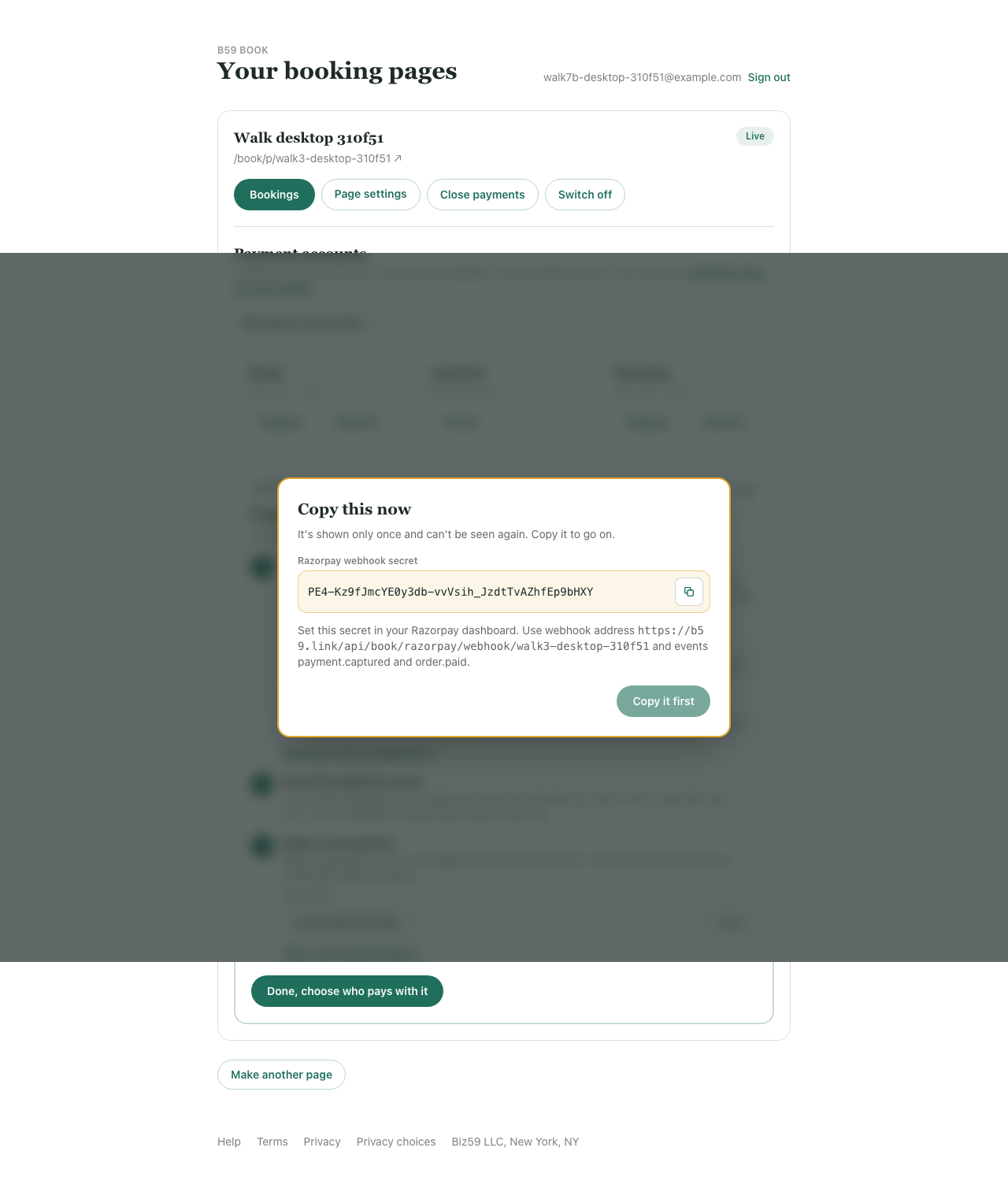
Step 4: In Razorpay, go to Account & Settings > Webhooks > Add New Webhook. In the Webhook URL field, paste the unique endpoint URL provided by b59 book. In the Secret field, paste the webhook secret you just copied.
Step 5: In the Active Events list, check two boxes: payment.captured and order.paid. Click Save. This guarantees that when a client scans your UPI QR code, Razorpay immediately notifies b59 book to mark the slot as booked.
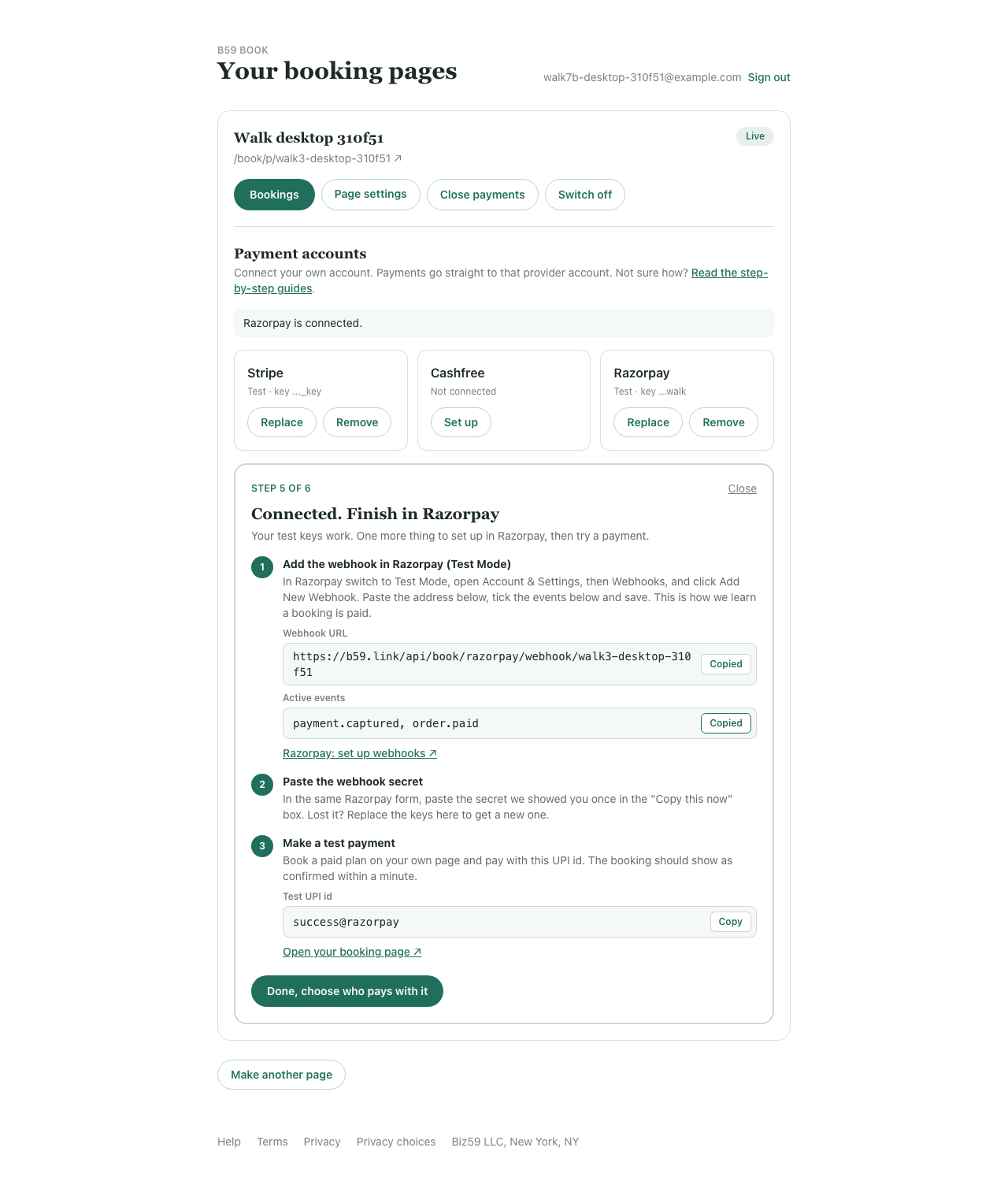
Step 6: Test the workflow on your booking page using test UPI ID success@razorpay. When moving to Live Mode (rzp_live_), repeat the webhook registration in Razorpay's Live Mode environment (test and live webhooks are kept completely separate in Razorpay).
Connecting Cashfree: domain whitelisting and direct API checks
Cashfree is widely favored by Indian startups and agencies for its competitive 1.90% flat fee structure and robust payout APIs. Cashfree operates on an active domain authorization security model.
Step 1: Access the Cashfree Merchant Dashboard and toggle the environment selector to 'Test (sandbox)'.
Step 2: Navigate to Developers > API Keys. Generate and copy your App ID and Secret Key. Paste them into b59 book.
Step 3: Cashfree handles order reconciliation by verifying order tokens directly against their API upon return, so there are no webhook listeners to configure.
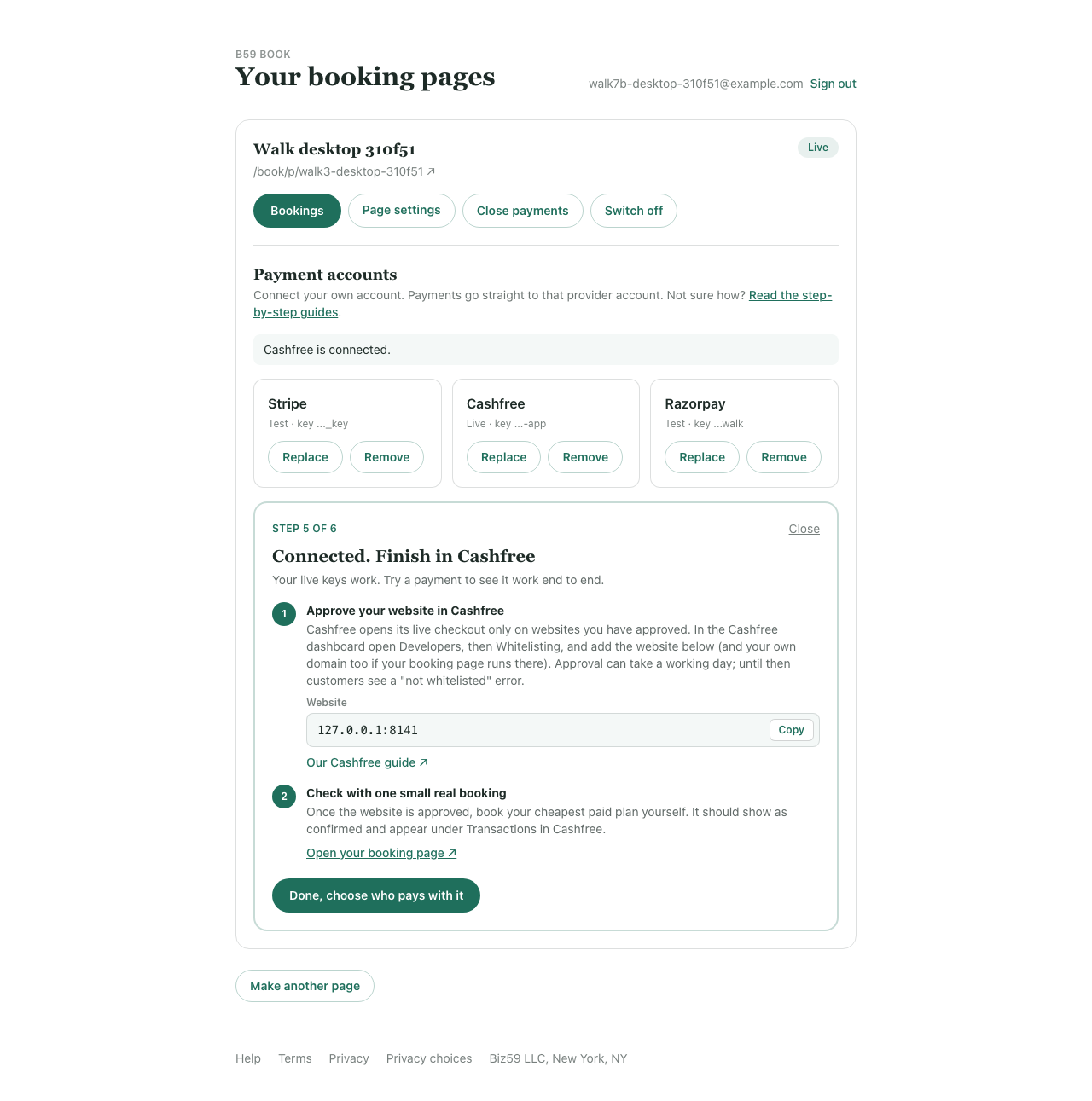
Step 4: Crucial Live Requirement: Before taking live payments, Cashfree enforces domain whitelisting. In your live Cashfree dashboard, navigate to Developers > Whitelisting and enter the domain where your booking page is hosted (b59.link, or your custom branded domain). Without this step, Cashfree's checkout modal will display a 400 'Domain not whitelisted' error.
Smart audience routing: optimize conversion and eliminate cross-border fees
One of the most powerful features of b59 book is the ability to connect multiple payment providers simultaneously and route visitors automatically based on geographic location.
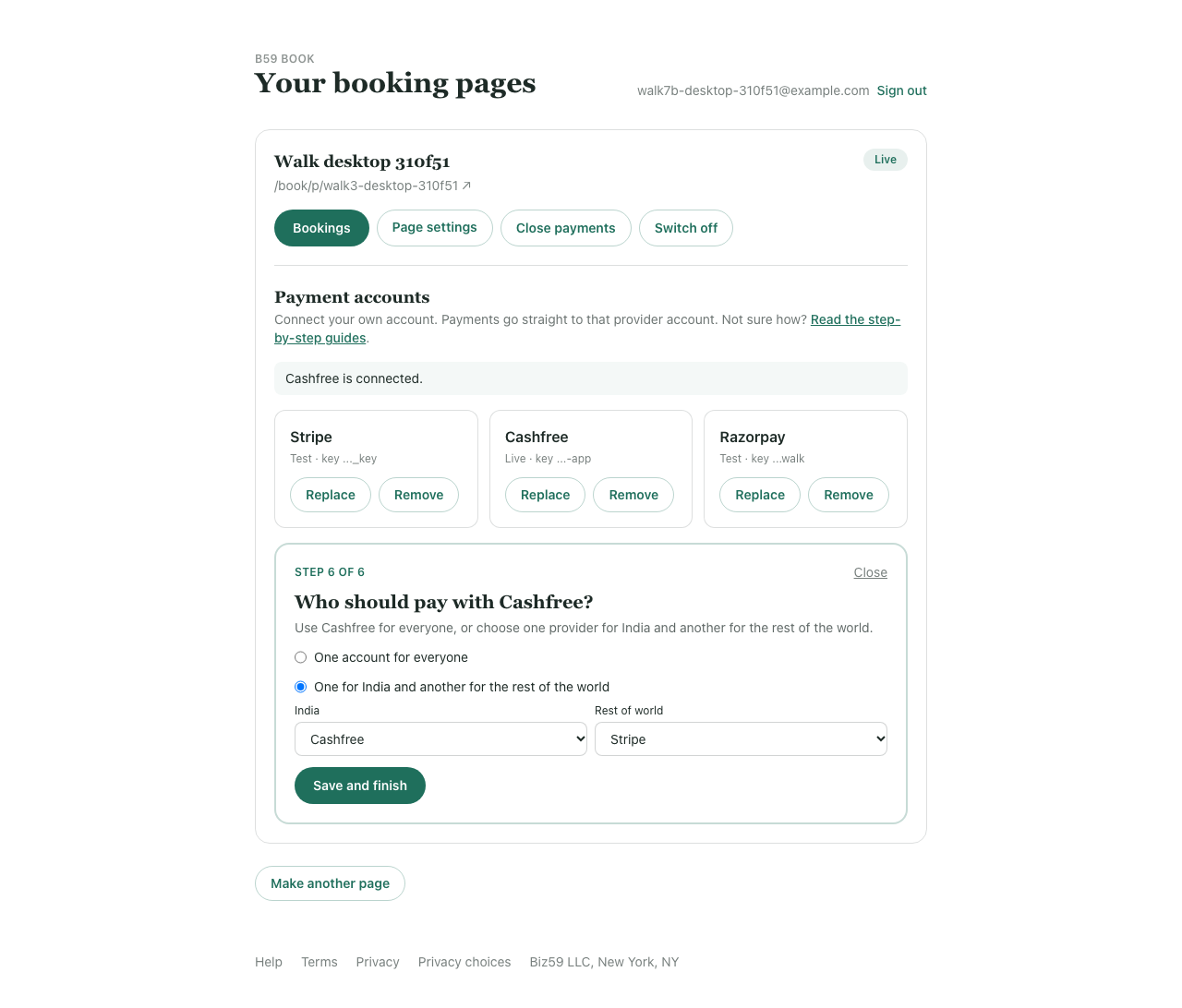
By selecting 'Visitors in India' for Razorpay or Cashfree, and 'Everyone outside India' for Stripe, your booking system dynamically serves the optimal payment interface:
- An executive in Bangalore or Mumbai sees instantaneous UPI QR code prompts, PhonePe, and Google Pay deep-links in rupees.
- A client in London, New York, or Singapore sees clean 1-click Apple Pay, Google Pay, or international credit card inputs denominated in USD, GBP, or EUR.
This hybrid architecture maximizes checkout completion rates while saving up to 2.5% in unnecessary international card processing surcharges on domestic volume.
Common troubleshooting checklist
- Stripe: 'That doesn't look like a Stripe secret key'. Ensure you copied the Secret Key (sk_test_... or sk_live_...), not the Publishable Key (pk_...).
- Stripe: 'That key cannot manage webhooks'. If using a Restricted Key rather than the standard Secret Key, ensure write permissions are granted for Checkout Sessions, Webhook Endpoints, and Subscriptions.
- Razorpay: 'Payment completed but slot remains unconfirmed'. Double check that you added the exact Webhook URL into Razorpay's dashboard, checked payment.captured and order.paid, and that your webhook secret matches the modal.
- Cashfree: 'Checkout modal refuses to open'. In production, verify that your booking domain has been whitelisted under Developers > Whitelisting in Cashfree.
Next steps: create your branded booking page
Ready to launch? You can create a free booking page in two minutes on <a href="https://b59.link/tools/booking">b59.link/tools/booking</a>. Sign in to your dashboard at <a href="https://b59.link/book/me">b59.link/book/me</a>, customize your brand look and calendar availability, and launch the Payment Setup Wizard to start taking automated bookings today.