For consultants, coaches and anyone who sells sessions
A booking page that takes the payment
and sends the reminders.
Customers pick a plan and a time in their own time zone, pay, and get a confirmation with a calendar link. You and your team get the same email. A day before, and again half an hour before, both sides get a reminder. If the time stops suiting them, they move it from their booking page instead of messaging you.
- Payments go straight to your own Stripe account
- Single sessions, pay per session or monthly plans
- Customers move and cancel their own bookings, inside your cut-offs
- On b59.link, or under your own domain
What's in it
Your look
Your colours, fonts, photo and text blocks: who you are, what a session covers, your credentials. The page reads like your own site.
Plans the way you sell
One session paid once, pay per session, or a monthly plan with a set number of sessions that renews and can be cancelled any time.
Paid before it's booked
Checkout goes to your own Stripe account. The time is held while the customer pays and only counts as booked once the payment is in.
Every visitor's own clock
Times show in the visitor's time zone with your city's time under each one, so nobody turns up an hour early.
Emails and reminders
Booked, moved and cancelled emails go to the customer and to your team, with an add-to-calendar link. Reminders go out a day before and 30 minutes before.
Your hours, your rules
Weekdays, time windows (late evenings too), session length, a gap between sessions, how far ahead people can book and how late they can still move a time.
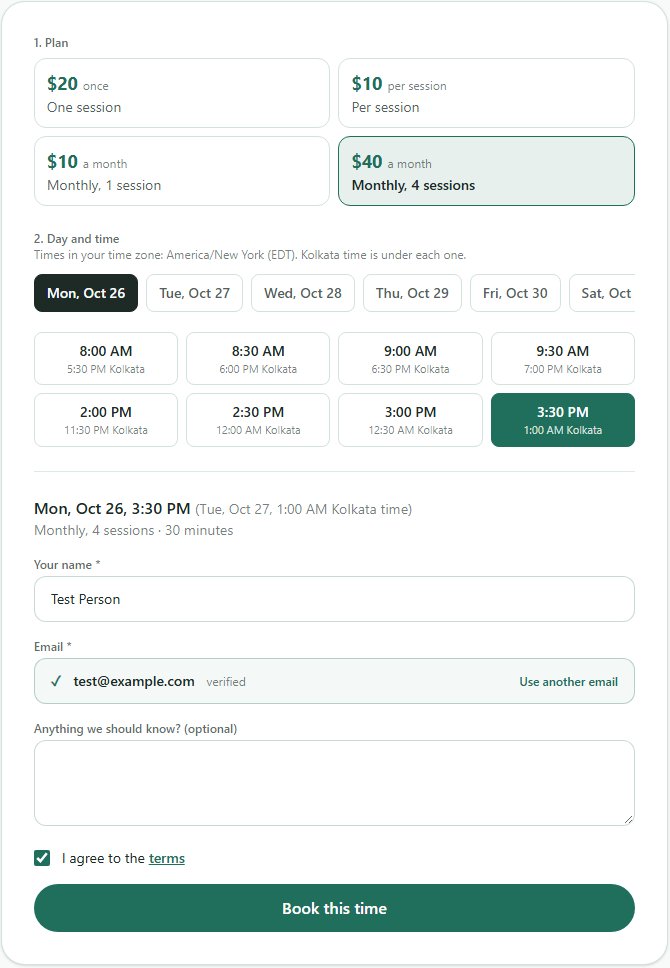
Customers pick a plan and a time
The page lists your plans, the days with free times and the times themselves in the customer's own zone. They confirm their email with a code, tick your terms and pay. Questions first? Your WhatsApp number sits beside the picker.
They move it themselves
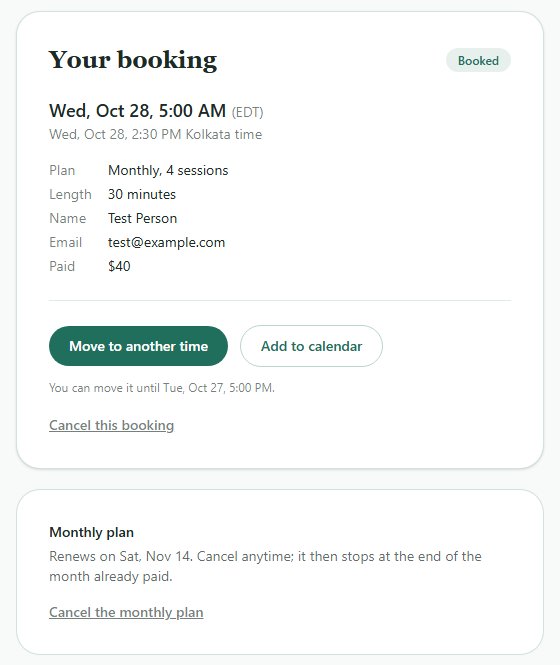
Each booking gets its own page. The customer signs in with the same email and moves the session to another free time, adds it to their calendar or cancels it, up to the cut-off you set. On a monthly plan they see when it renews and can stop it there.
Your team sees every booking
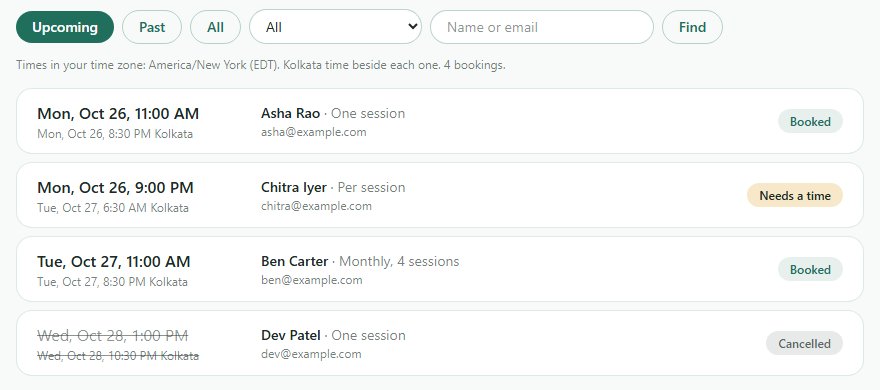
The admin page lists upcoming and past bookings with filters and search. Move or cancel one for a customer, give a new time when two people paid for the same slot, and change the page's plans, hours, emails and terms from the settings tab.
Want one for your sessions?
Tell us what you offer and when you're free. We set up the first page with you, then it's yours to change from the admin page. Sending people to it from print? Pair it with a QR code or an add-to-calendar link.
Ask for a booking page