Most QR generators that let you add a logo put it in the middle. The obvious next question: can it go in a corner instead, where it covers less of the pattern people look at? Or along the bottom edge, like a signature? Error correction is supposed to rebuild whatever the logo hides, so in theory it shouldn't matter where it sits.
We tested it. We made QR codes for three links (a 23-character short link, an 80-character campaign link and a 140-character link with five tracking tags) at error correction levels M and H, then cut a white square "logo pad" into six different places and made it one row of squares bigger at a time until the code stopped reading. Every image went through three open-source QR readers: OpenCV, ZXing and jsQR. Together with a centre-only run at all four levels, that was 814 logo sizes and 4,884 reads.
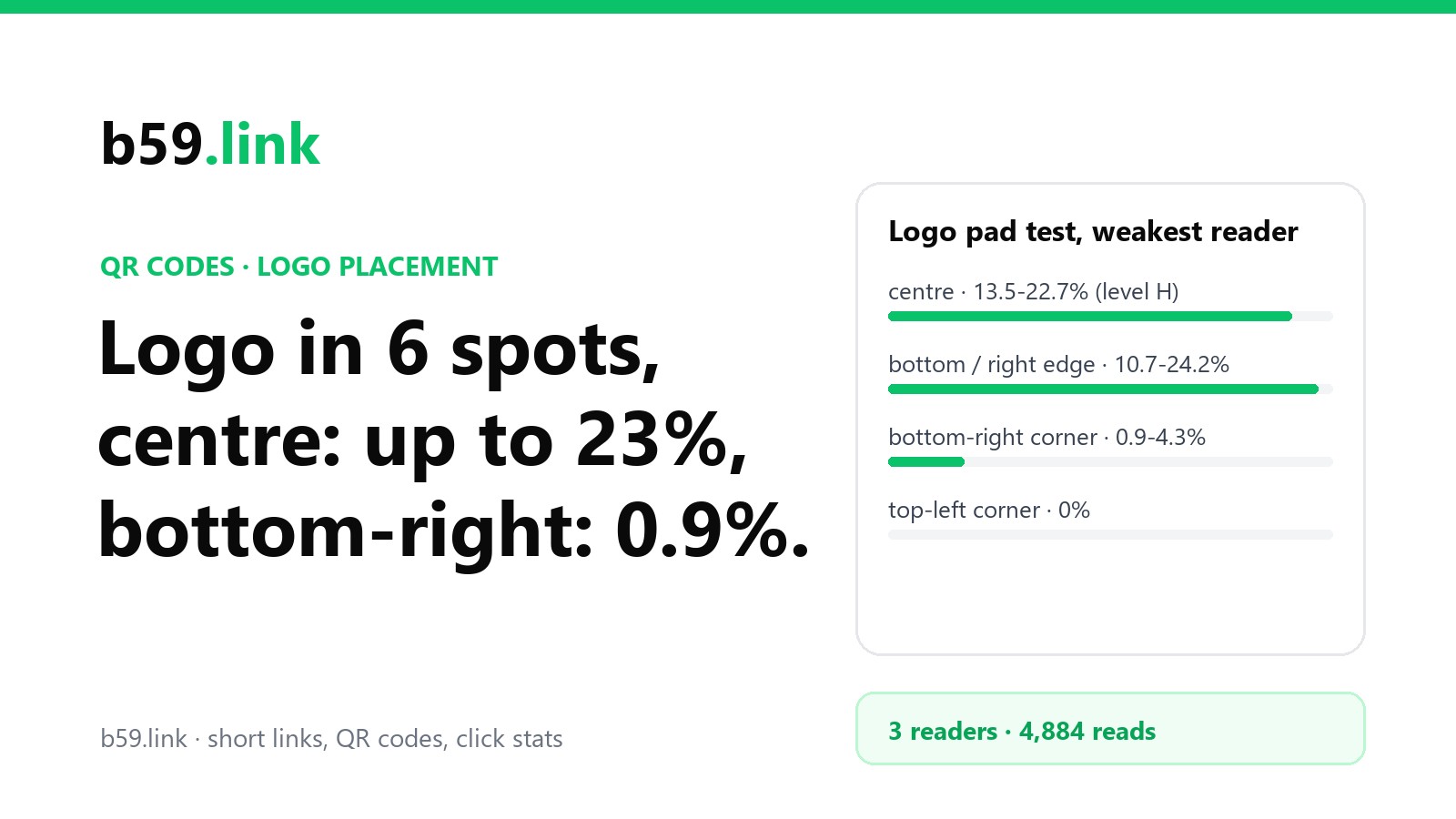
The short answer: where the logo sits matters more than the error correction level suggests. At level H the centre held a logo covering 13.5% to 22.7% of the code on the weakest reader, and the middle of the bottom or right edge did about as well. In the bottom-right corner, jsQR stopped reading once the pad covered just 0.9% to 4.3% of the code, while ZXing still read it at 20.1% to 24.2%. The top-left corner, which holds one of the three big corner squares, allowed nothing at all.
How we tested
- Links:
https://b59.link/aB3xQ9(23 characters), an 80-character shop link with UTM tags, and a 140-character product link with five tracking tags. - Codes: made with the Python
qrcodelibrary at the smallest version that fits, with the standard 4-square quiet zone. Level M (sold as about 15% recovery) and level H (about 30%). - The logo: a white square that removes every dark square under it, the usual "logo on a white pad" look. It grows one square per side per step.
- Six spots: centre, the middle of the right, bottom and top edges, the bottom-right corner and the top-left corner. Edge and corner pads sit flush with the code's edge.
- Phone-like reading: each code drawn at 10 pixels per square, then shrunk to 240 × 240 pixels with a 0.8-pixel blur, roughly what a phone sees from arm's length. We also read the sharp original; the results were nearly the same.
- Readers: OpenCV 5.1 (QRCodeDetector), ZXing-C++ and jsQR. A read only counts if the text matches the link exactly.
- The number we report is the biggest pad where that size and every smaller one still read. Where readers disagree, the table shows the weakest first, because you can't choose which app your customer scans with.
Level H: how much of the code a logo can cover, by position
Share of the code's area the logo pad could cover and still read, phone-like condition. The bold number is the weakest of the three readers:
| Where the logo sits | 23-character link version 3, 29 × 29 | 80-character link version 8, 49 × 49 | 140-character link version 12, 65 × 65 |
|---|---|---|---|
| Centre | 14.4% all readers agree | 13.5% OpenCV; others up to 20.2% | 22.7% all readers agree |
| Right edge (middle) | 17.1% jsQR; others up to 20.1% | 10.7% OpenCV; others up to 20.2% | 24.2% all readers agree |
| Bottom edge (middle) | 17.1% all readers agree | 13.5% OpenCV; others up to 22.0% | 22.7% all readers agree |
| Top edge (between the top corner squares) | 4.3% OpenCV; others up to 17.1% | 12.0% OpenCV; others up to 24.0% | 22.7% all readers agree |
| Bottom-right corner | 4.3% jsQR; others up to 20.1% | 1.5% jsQR; others up to 24.0% | 0.9% jsQR; others up to 24.2% |
| Top-left corner (on a corner square) | 0% none read it with a pad bigger than one square | 0% none read it with a pad bigger than one square | 0% none read it with a pad bigger than one square |
For the 140-character link at level H (65 × 65 squares), OpenCV couldn't read the code at 240 pixels even with no logo, since each square is only about 3 pixels wide, so that column compares ZXing and jsQR only. That's a separate lesson: long links make dense codes that need a closer or sharper camera, which we measured in our <a href="/articles/qr-code-url-length-density-scan-limits">URL length test</a>.
Why the corners and the top edge go wrong
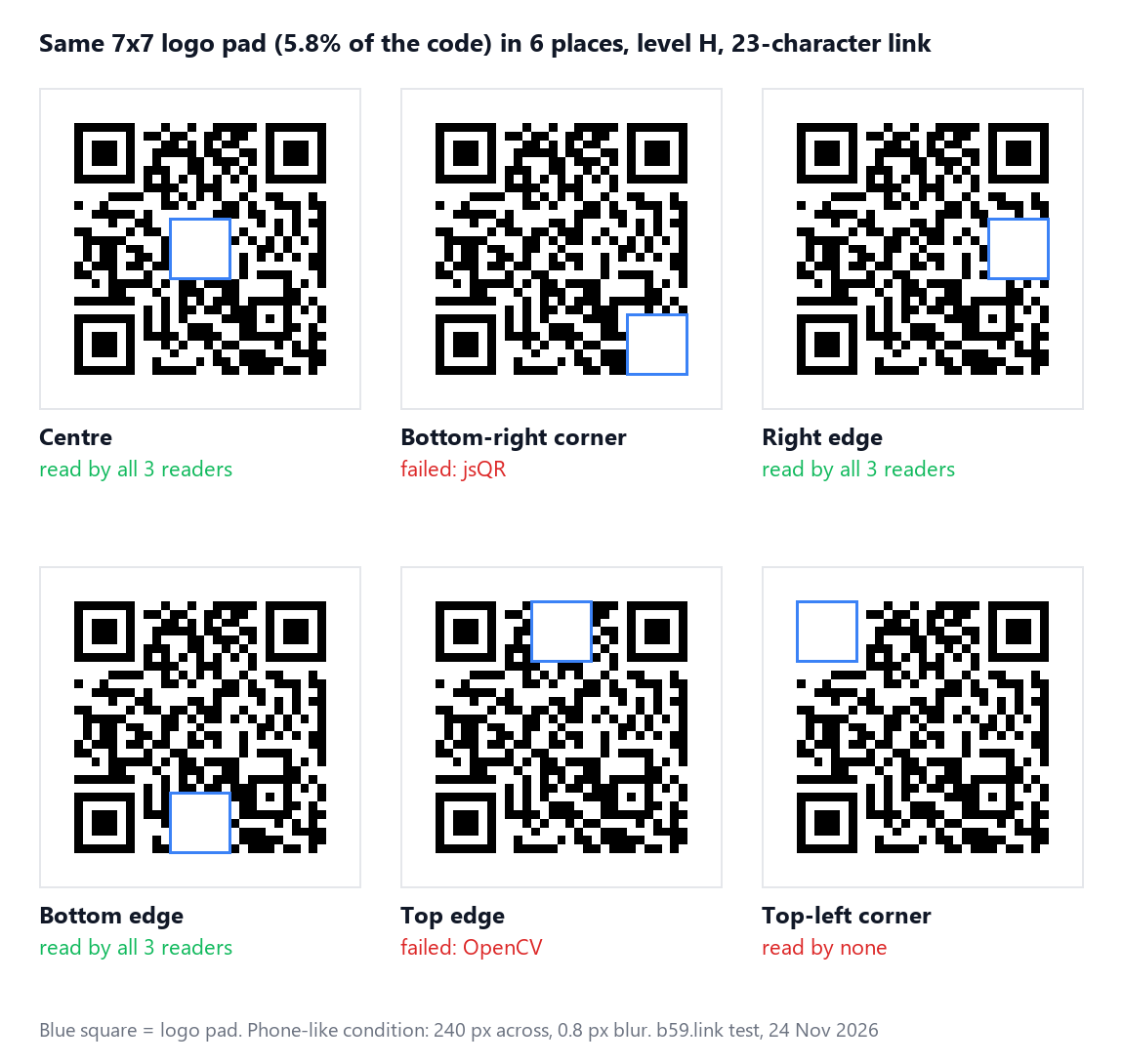
A QR code isn't all data. Three big squares in the corners tell the reader where the code is, a dotted line of squares runs between them along the top and down the left side, and from version 2 up there is a small "alignment" square near the bottom-right corner that helps straighten a tilted code. Error correction rebuilds lost data, but it can't stand in for these markers: the reader needs them before it can read any data at all.
- Top-left corner: the pad sits on a corner square. With one of the three gone, none of the readers found the code once the pad was bigger than a single square.
- Bottom-right corner: there's no big corner square there, so at level H ZXing read pads of 20.1% to 24.2% and OpenCV 13.5% to 20.1%. jsQR failed once the pad reached into the small alignment square, at 0.9% to 4.3% of the code (and 1.5% to 5.8% at level M). It happened in all six codes.
- Top edge: the pad cuts the dotted line between the two top corner squares. ZXing and jsQR didn't mind, but OpenCV failed early on the smaller codes: at 4.3% on the short link at level H, where the others read up to 17.1%.
- Centre, right edge, bottom edge: mostly data underneath, so the limit is error correction itself. Of the three, the centre and bottom edge had the best worst case (13.5% at level H); the right edge dropped to 10.7% on the 80-character code.
The pattern is the same at level M, with smaller numbers:
| Where the logo sits | 23-character link version 2, 25 × 25 | 80-character link version 5, 37 × 37 | 140-character link version 8, 49 × 49 |
|---|---|---|---|
| Centre | 7.8% all readers agree | 8.8% all readers agree | 8.2% OpenCV; others up to 10.7% |
| Right edge (middle) | 10.2% all readers agree | 10.5% all readers agree | 7.0% OpenCV; others up to 10.7% |
| Bottom edge (middle) | 7.8% all readers agree | 8.8% OpenCV; others up to 10.5% | 9.4% OpenCV; others up to 13.5% |
| Top edge (between the top corner squares) | 5.8% OpenCV; others up to 10.2% | 2.6% OpenCV; others up to 12.3% | 4.2% OpenCV; others up to 13.5% |
| Bottom-right corner | 5.8% jsQR; others up to 10.2% | 2.6% jsQR; others up to 12.3% | 1.5% jsQR; others up to 13.5% |
| Top-left corner (on a corner square) | 0% none read it with a pad bigger than one square | 0% none read it with a pad bigger than one square | 0% none read it with a pad bigger than one square |
In the centre: the logo budget is well under the error correction level
We also grew a centre logo at all four error correction levels, with the same three links and readers. The weakest reader's limit:
| Level | Recovery it's sold as | 23-character link | 80-character link | 140-character link |
|---|---|---|---|---|
| L | about 7% | 2.6% | 4.7% | 6.0% |
| M | about 15% | 7.8% | 8.8% | 8.2% |
| Q | about 25% | 9.6% | 12.6% | 11.1% |
| H | about 30% | 14.4% | 13.5% | 22.7% * |
* ZXing and jsQR only, as above. The recovery figure counts lost data, not lost area: a square logo also cuts through the edges of the data around it, and the damage isn't spread evenly between the code's error correction blocks, so the most-hit block runs out first. In our codes the usable centre area was 37% to 85% of the headline figure, about half in most cases.
What to do with your logo
- Put it in the centre. Its worst result across our codes (13.5% at level H, 7.8% at M) was the best of the six spots. The middle of the bottom edge tied; the right edge was a little lower.
- Use level H and keep the logo under a third of the code's width. That's about 11% of the area; the weakest reader's limit in the centre at level H was 13.5%, so a third of the width leaves some room for glare and wear.
- At level M, keep it under a quarter of the width (about 6% of the area); the weakest centre limit at M was 7.8%.
- Not in a corner, not across the top. A corner logo can look fine on your phone and fail on someone else's, as jsQR showed.
- Keep the link short. A short link makes a smaller, sparser code, and you can still change where it points after printing.
- Test with more than one app before you print a batch: the three readers disagreed in 21 of the 36 position, link and level combinations.
Our tests used drawn images, not printed codes photographed with phones, and the logo pad was plain white; a logo drawn straight over the squares, without a white pad, was not part of this test. Phone camera apps use their own readers, which we didn't test; the three here are open-source readers that many apps and web pages are built on.
Make the code
Our free <a href="/tools/qr">QR code generator</a> lets you pick the error correction level (choose High if you'll add a logo), colours and size, and download PNG or SVG. Point it at a <a href="/">b59.link short link</a> to keep the code small and count scans. If you're using colour as well, our <a href="/articles/coloured-qr-code-logo-contrast">colour and contrast test</a> covers how far you can go, and <a href="/articles/print-qr-code-size-scan-distance">printing a QR code that scans</a> covers size and distance.