Doors open in twenty minutes. Five hundred people are packed onto the pavement outside, shivering in the drizzle, while four stewards hold handheld scanners and pray the venue Wi-Fi holds. In an office, scanning a QR code off a crisp 4K monitor takes a split second. On a pavement at dusk, scanning a crumpled PDF ticket on a scratched phone screen with 5% battery is a completely different engineering problem.
Most door delays are not caused by slow staff or broken turnstiles. They are caused by bad barcode design. Ticketing systems routinely pack massive cryptographic tokens, unencrypted personal details, or slow web redirects into barcodes meant for wristbands and tickets. When the scanner has to decode a 250-character JSON payload in the dark on curved Tyvek, the camera stutters, the queue stalls, and tempers flare. Here is how event entry codes actually work, what the payload should hold, and how to keep your door moving.
Token vs signed payload: what the door scanner actually needs
When an attendee arrives at the turnstile, the scanning device only needs to answer one question: is this ticket valid for entry right now? There are two opposing architectural ways to answer that question:
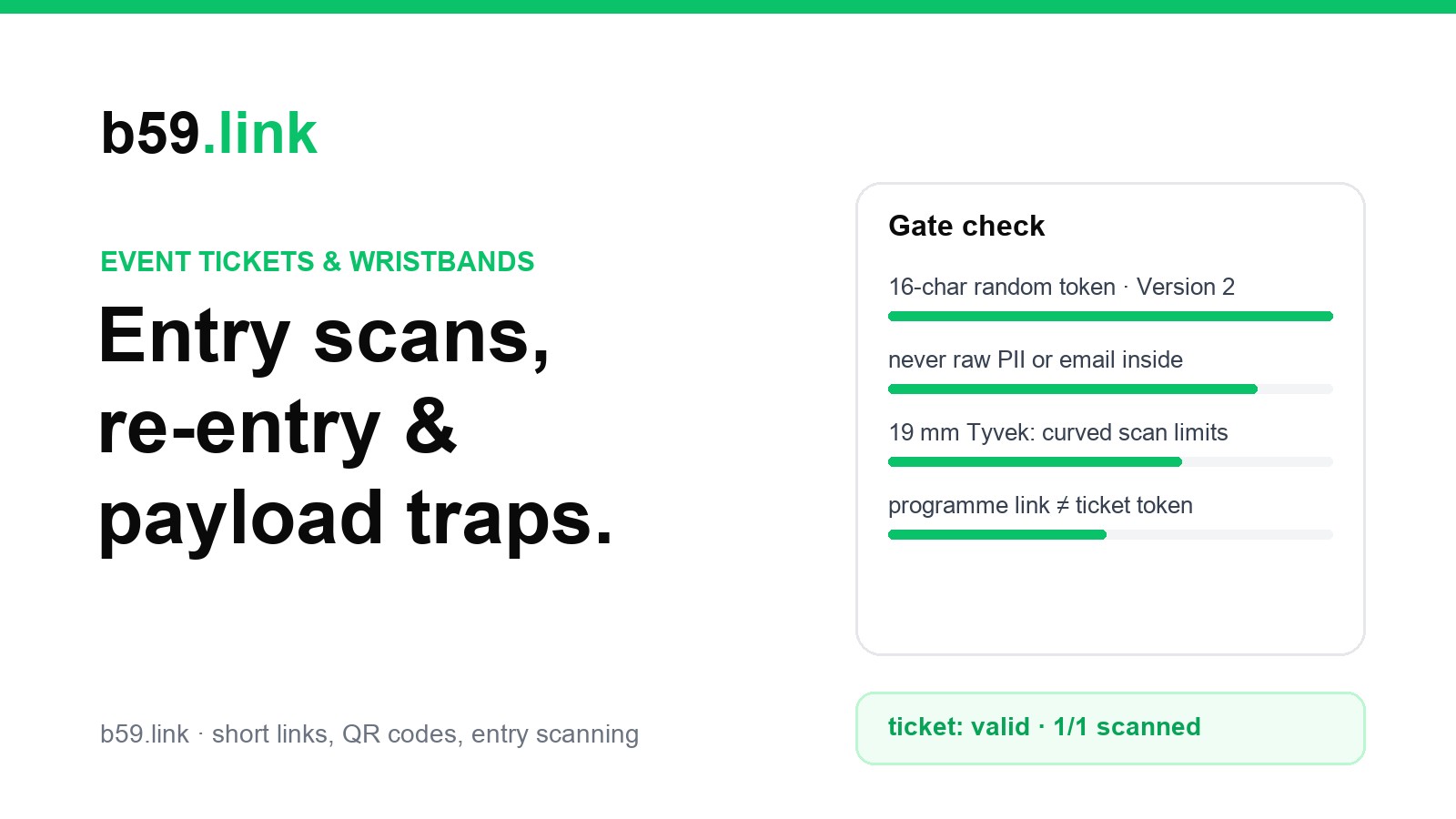
- Opaque random token (Recommended for wristbands and tickets): The barcode holds nothing more than a random 12-to-16-character alphanumeric string (e.g., tk_7x9m2k4p8w3q). The scanner looks up that token in an encrypted local database cached on the scanner itself or over a local venue LAN. If the token exists and status is UNSCANNED, the screen flashes green and marks it SCANNED at 19:42:15. The QR code is tiny, simple, and scans in under 150 milliseconds.
- Self-contained signed payload (JWT / Ed25519): The barcode holds the ticket ID, event ID, admission tier (GA vs VIP), and an asymmetric cryptographic signature. The scanner uses a pre-installed public key to verify that the payload was genuinely minted by the ticketing platform without needing any network connection. But the cryptographic signature alone adds 64 to 256 bytes of data. That turns a light Version 2 QR code into a dense Version 8 or Version 13 monster.
Here is how the payload architectures compare when translated into physical QR dimensions and door scan speeds:
| Architecture | Payload size | QR Version & Grid | Offline gate scan | Wristband fit (19 mm) | Typical scan speed |
|---|---|---|---|---|---|
| Opaque token (UUID / Base32) | 12–16 chars (16 bytes) | Version 2 (25×25) | Needs local LAN cache DB | Perfect (0.56 mm/module) | 120–200 ms |
| Short URL token | 28–35 chars (b59.link/t/...) | Version 3 (29×29) | Needs local LAN cache DB | Good (0.48 mm/module) | 150–250 ms |
| Unsigned JSON payload | 90–130 chars | Version 6 (41×41) | Reads offline, trivial to forge | Poor (0.34 mm/module) | 350–600 ms |
| Signed JWT (Ed25519) | 180–240 chars (Base64URL) | Version 8 (49×49) | 100% offline via public key | Fails (wraps curve) | 500–900 ms |
| Signed JWT (RSA-2048) | 450–550 chars (Base64URL) | Version 13 (69×69) | 100% offline via public key | Impossible on wristband | 1,200–2,000 ms |
Notice the trade-off. Signed JWTs eliminate the need for a door LAN, but they make the QR code physically dense. If you are printing tickets on standard paper or displaying them on large phone screens, a 49×49 grid (Version 8) can work if illuminated properly. But if that code has to be printed on a wristband, a signed payload is guaranteed to fail at the door.
What an event code should never hold
A barcode is not a secure vault. It is public plain text printed in a machine-readable pattern. Anyone with a smartphone camera can point their lens at a ticket from three metres away and read the exact contents in twenty milliseconds. Despite this, amateur event systems frequently bake sensitive personal information directly into the barcode payload.
Never include any of the following fields in a ticket or wristband QR code:
- Raw personal identifiable information (PII): Full names, personal email addresses, phone numbers, home addresses, or dates of birth. Excited attendees take selfies holding their tickets and post them to Instagram, TikTok, and Reddit. Scraper bots routinely scan social media photos for barcodes, extracting attendee names and emails for phishing campaigns and credential stuffing.
- Payment or billing details: Credit card brand, last four digits, billing zip code, or order totals. There is zero operational need for gate security staff to see what an attendee paid or what card they used.
- Account login tokens or session cookies: Never put a magic login link or account session token into a ticket barcode. If an attendee forwards their PDF ticket to a colleague or sells a spare ticket on a fan resale board, the recipient could gain full access to the original buyer's ticketing account.
- Sequential running numbers: Codes like TICK-0001, TICK-0002, and TICK-0003 allow anyone who bought one ticket to forge valid tickets for fifty friends using free online generator tools. Every ticket identifier must carry at least 70 bits of cryptographic entropy (12+ characters of Base62 or 16 hex characters).
A secure ticket payload should look like this: TKT:b59:8f92a4b1c7e0:A. It tells the scanner the platform namespace, the opaque 12-hex token, and the entry gate zone. Everything else (name, VIP perks, date of birth verification flag) stays securely inside the door server's database.
Why a screenshot of a ticket is a copy (and how to stop duplicates)
A standard barcode is purely static information. If attendee Sarah buys one VIP ticket, takes a screenshot of the QR code on her phone, and texts it to three friends in a WhatsApp group, all four phones now possess four identical, bit-for-bit copies of that ticket.
If two people arrive at Door 1 and Door 4 at the exact same moment, static codes create operational havoc unless your check-in system enforces strict controls:
- Atomic first-scan invalidation: The instant Scanner A reads token 8f92a4b1c7e0, it writes an atomic update to the shared door database: status = SCANNED, gate = Door1, timestamp = 19:45:02. If Scanner B reads the duplicate screenshot at Door 4 ten seconds later, the scanner flashes bright red, plays an error tone, and displays: ALREADY CHECKED IN AT DOOR 1 (19:45:02). The second person is stopped immediately.
- The local LAN synchronization requirement: For atomic invalidation to work across multiple gates, door scanners must communicate over a local venue Wi-Fi network or hardwired Ethernet switch. Relying on commercial 4G/5G mobile signals outside a crowded 10,000-person stadium fails because local cellular masts become instantly saturated by the crowd, causing cloud API calls to timeout.
- Physical wristband clamping: For festivals, clubs, and multi-stage conferences, scanning a digital ticket should only ever happen once at the outer perimeter. The attendee's phone ticket is scanned, marked permanently used, and a tamper-evident wristband is clamped to their wrist. All subsequent re-entry and stage access checks inspect the physical wristband, completely eliminating the screenshot resale problem.
- Dynamic rolling QR codes (TOTP): Premium ticketing platforms (like AXS Mobile ID or Ticketmaster SafeTix) prevent screenshots by appending an ephemeral rolling code that rotates every 15 seconds using a time-based one-time password (TOTP) algorithm. A screenshot taken five minutes ago fails because its timestamp token has already expired. However, dynamic codes require attendees to download a native app and have a powered, functioning phone with accurate clock synchronization at the gate.
Wristband print size on curved fabric and Tyvek
Wristbands present a severe optical challenge that paper tickets do not: curvature. An adult wrist has an effective radius of curvature between 25 mm and 35 mm. When a flat two-dimensional barcode is printed on a wristband and wrapped around an arm, the code curves away from the scanner lens.
As the outer edges of the QR code curve backward, two optical failures happen simultaneously:
1. Perspective distortion: The modules (black and white squares) along the left and right columns appear compressed by 30% to 50% relative to the centre modules. Decoders that expect square timing patterns fail to detect the grid.
2. Depth of field focus loss: Handheld cameras have a shallow depth of field when held 10 cm away. If the centre of the code is in crisp focus, the outer edges curved 8 mm further back become blurry.
To ensure instant scanning on a wristband, the printed code must span an arc of less than 30 degrees across the wrist. The table below details the physical constraints across standard wristband materials:
| Wristband format | Total width | Usable print height | Max QR Version | Module size (203 dpi) | Curved scan verdict |
|---|---|---|---|---|---|
| Narrow Tyvek (3/4″) | 19 mm | 14.0 mm | Version 2 (25×25) | 0.56 mm (4.5 dots) | Instant scan (<28° arc) |
| Standard Tyvek (1″) | 25 mm | 20.0 mm | Version 3 (29×29) | 0.68 mm (5.5 dots) | Reliable (<34° arc) |
| Woven fabric with vinyl slider | 15 mm band / 26 mm slider | 22.0 mm (flat slider) | Version 4 (33×33) | 0.66 mm (rigid plate) | Excellent (slider holds code flat) |
| Direct thermal vinyl wristband | 25 mm | 18.5 mm | Version 5 (37×37) | 0.50 mm (4.0 dots) | Borderline (glare on shiny vinyl) |
| Dense JWT on any 19 mm band | 19 mm | 14.0 mm | Version 8 (49×49) | 0.28 mm (2.2 dots) | Fails (unresolvable dots & blur) |
The engineering rule for wristbands is simple: keep the code at Version 2 (25×25 modules) or Version 3 (29×29 modules) maximum. On a 19 mm (3/4-inch) Tyvek wristband, the printed code should measure exactly 13 mm to 14 mm square, with a 1.5 mm solid white quiet zone surrounding all four sides. If you use woven fabric wristbands, print the QR code onto a rigid flat plastic slider tag rather than weaving or printing directly onto the stretchable fabric ribbon.
Scanning at the door in the dark
Music venues, nightclubs, theatres, and outdoor festival gates operate in very dim ambient light: typically between 2 lux (candlelight) and 15 lux (deep dusk). At the same time, attendees hold out smartphones with OLED screens blasting 600 to 1,000 nits of bright white light.
This extreme contrast gap causes scanner cameras to fail unless your equipment and ticket templates follow strict optical rules:
- Laser aimers vs LED floodlights: Cheap supermarket barcode scanners use a red laser line aimer. Laser line scanners cannot read smartphone screens at all because glossy glass reflects the laser speckle and laser lines cannot decode 2D matrix codes. Door staff must use dedicated 2D area imagers (such as Zebra DS2208/TC21 or Honeywell Voyager) equipped with diffused white LED illumination.
- Auto-exposure hunting: When a smartphone camera scanner points from a pitch-black pavement directly at a glaring white phone screen, the camera sensor is momentarily blinded. It takes budget phone cameras 400 to 800 milliseconds to adjust auto-exposure downward before the QR squares can be distinguished from the background glare.
- Never invert the colours: Dark mode is popular in apps, but printing white QR modules on a black ticket background causes up to 35% of commercial handheld scanners to fail completely. Hardware decoders are hardcoded to search for dark finder patterns on a light background. Always use black squares on a pure white background.
- Preserve the quiet zone: A QR code requires a blank border (quiet zone) at least four modules wide on all four sides. If event graphic designers place ticket artwork, sponsor logos, or colourful borders right against the edge of the QR code, scanners cannot identify where the code begins.
Here is a breakdown of the actual cycle time per attendee at an entry gate, comparing an optimized setup against a poorly planned door:
| Scan step | Optimized door setup | Unprepared door setup | What causes the delay |
|---|---|---|---|
| 1. Attendee presentation | 0.8 s (screen on, brightness up) | 5.5 s (unlocking, searching email) | No steward reminder in the queue |
| 2. Optical read & decode | 0.2 s (2D imager, LED flood) | 1.4 s (phone camera hunting focus) | Screen glare, low contrast, dark entry |
| 3. Validation & database lookup | 0.1 s (local LAN SQLite / DuckDB) | 2.8 s (cellular 4G cloud round-trip) | Cell towers congested by crowd |
| 4. Staff verdict & greeting | 0.9 s (green screen beep + pass) | 2.0 s (reading attendee name on screen) | UI cluttered with unnecessary details |
| Total cycle time | 2.0 seconds | 11.7 seconds | Throughput drops from 1,800/hr to 307/hr |
A two-second scan cycle moves 1,800 people per hour across two doors. An eleven-second cycle creates a 45-minute street bottleneck, missed opening acts, and frustrated patrons. The difference comes down to local database caching and clear attendee preparation.
What organisers count at entry (and re-entry mechanics)
Door scanning is not just security; it is real-time venue telemetry. As scans roll in, event operations teams track four vital metrics:
1. Arrival velocity: Scans recorded per 15-minute bucket. Peak arrival typically hits 45 to 60 minutes before the headline act. Bar managers and cloakroom supervisors use this velocity curve to deploy staff before queues form.
2. Actual no-show rate: Free RSVP events typically experience a 12% to 20% no-show rate. Paid concert tickets experience a 3% to 6% no-show rate. Knowing the live scan total at 8:30 PM allows venue operators to release standby tickets or adjust capacity limits safely.
3. Gate balancing: Comparing scan rates across Door A, Door B, and VIP entry. If Door A is processing 600 attendees an hour while Door B is doing 150, stewards redirect queue lines before overcrowding occurs.
4. Re-entry tracking (Pass-outs): For events allowing re-entry (such as outdoor festivals or multi-day conventions), the scanning database must support dual states: CHECKED_IN and CHECKED_OUT. When an attendee steps out to the smoking area, staff scan them out. When they return, staff scan them back in. If a ticket tries to scan in while its database status is already in, the system flags a duplicate entry attempt.
For fast-moving nightclub or bar environments, digital scan-out queues cause unbearable friction. The proven solution is physical: clamp a non-transferable Tyvek or fabric wristband on entry, or apply a UV-reactive invisible ink hand stamp. Door security checks the physical stamp under a 365 nm UV blacklight in half a second, keeping the queue moving without touching a scanner.
Two codes, two jobs: programme link vs entry token
One of the most common mistakes on festival and conference tickets is printing a single QR code and trying to make it serve two conflicting purposes.
When an attendee sees a QR code on a PDF ticket or badge, their instinct is to scan it with their phone camera. If that QR code holds the gate entry token (tk_7x9m2k4p8w3q), the attendee's phone displays an unclickable, confusing text string. They think the ticket is broken. Conversely, if the organiser links the QR code to their website (https://yourfestival.com/programme), gate stewards pointing professional scanners at the ticket accidentally open a mobile web page instead of checking the guest in.
Keep the two jobs completely separate on the printed ticket:
- Code 1: Gate entry scan (Staff only): Place this code at the top right or top centre of the ticket. Label it clearly in bold 12 pt text: FOR DOOR STAFF ONLY • DO NOT SCAN WITH PHONE. Use a Version 2 or 3 black-and-white QR code containing strictly the opaque verification token.
- Code 2: Event guide & schedule (Attendee link): Place this code at the bottom of the ticket or on the back of the badge. Label it with an action-driven callout: Scan with your phone for stage times, map, and venue FAQs. Use a branded short link (like b59.link/summerfest) so the QR code stays low-density, easy to scan from a distance, and editable even after thousands of PDF tickets have been emailed.
By decoupling entry verification from attendee information, you protect your door scanners from bloated payloads, protect your attendees from leaked personal data, and ensure your queue flows smoothly from the first ticket to the last encore.